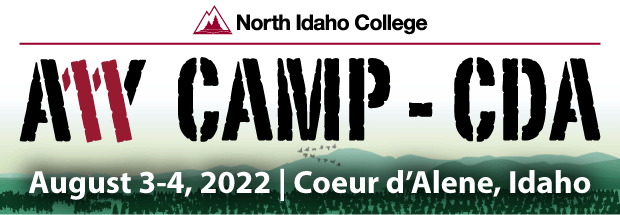
Accessibility camp conference, north idaho

It won’t be long now before I go across the pond to a conference organised by my good friend Jeremy Seda. The theme is Accessibility and I will be delivering two talks:-

“Making Accessibility Work” and “We Can Make A Difference”

So if you are in the area and want to come along that click on the link below:-

Sitting in Weatherspoons at Heathrow Airport, London waiting for my flight to JFK. Excited about the above event which has an interesting line up of speakers All I can add is from a user – personal approach of hard experience of trying my best to solve individual problems.

Over the last 10 years I have seen the importance of doing that. Solving each disabled person’s problems. Tech has been getting simpler but we still have not acheived the goal yet of fully integrated solutons (in my opinion). We are getting there and I want to explain and show some of the possible ways to develop that way of thinking. Some of the things we need to think about relates to what doesn’t work when it should and how we can make help guides written from a user point of view rather than a techy point of view or maybe both to square the solution!

I don’t think there will be an online , remote element but I will keep watch for it.

Wish me luck!

Windows mail- a useful shortcut

In my day-to-day problem-solving role for AAS I come across some useful information. A blind client of mine was struggling to attach an image as the menu for this can’t be found by doing the usual navigation of TAB across the screen. No, this one was definitely not that!

The answer is the ALT key which opens up this top menu and ALT + N gives you the Insert menu where you find File by using the down arrow key. Quite a process for a simple request but it is these things that prove an access issue for blind users.

Microsoft booking

Recently on looking at the additional apps that you can access on your Office 365 account. Would you like a virtual type of online assistant? Well the next best thing is a booking system integrated with calendar and email. You can add your teams appointment and add more information under your appointment. So it adds a few more tools to your toolbox that may be of use to you.

To read more and see for yourself what this tool is:-

https://www.microsoft.com/en-gb/microsoft-365/business/scheduling-and-booking-app

The setting up is complex if doesn’t go right. I had no trouble setting up on a couple of my email accounts for different companies and organisations. But I had to work hard and kept getting an error message. But eventually I got a booking page and appears to be working. Here is a screenshot of what you would see:-

A screenshot of my companies calendar

The appointment goes straight to the calendar and you get an email notification. It will automatically offer you a Teams meeting option on your appointment. You can delete any appointment and the attendee will get a confirmation and a chance to change the appointment.

A screenshot of the confirmation email you receive

I have entered in my business details and added two types of appointment – initial consultation (15 mins) or Appointment (1hr) £75.00 for in-depth work and problem solving remotely. I will add more types as go along. Is it as useful as calendly? Well , I will report back on that.

DicTation in word

There is a useful little document created by Microsoft to show users how to use the Dictate function in word. There are some basic editing features and it is begining to look and feel more like Dragon with commands such as Open Quotes, Closed Quotes and Scratch that.

Here is the link and covers Windows, macOS, iOS and Android:-

Dictate your documents in Word (microsoft.com)

skills for tomorrow


Millenium Comunity Solutions is a unique venture in the boroughs of Lambeth and Southwark to reach out to the black community who have disabilities and need the skills of the future. Do contact via Eventbrite at:_

Skills for Tomorrow: Information session Tickets, Wed 25 May 2022 at 12:00 | Eventbrite

Using Voice Control with Microsoft Word

I had a request to help with a client who is blind to be able to write into Word using speech input and then have it read back to her. Voice Over does not work because it clashes with Speech input.

This has been done via an iPad as the client needs a light tool to use as the client is bed bound.

I then looked at Voice Control which I have been impressed with and actually does work effectively as a dictation tool. Now, the problem was how do I get the text to read back. Read Aloud provided a workable solution which enables the user to use commands such as :-

“Go to the beginning “. “ Go to the end”

“ Press Play” will begin the text to speech.

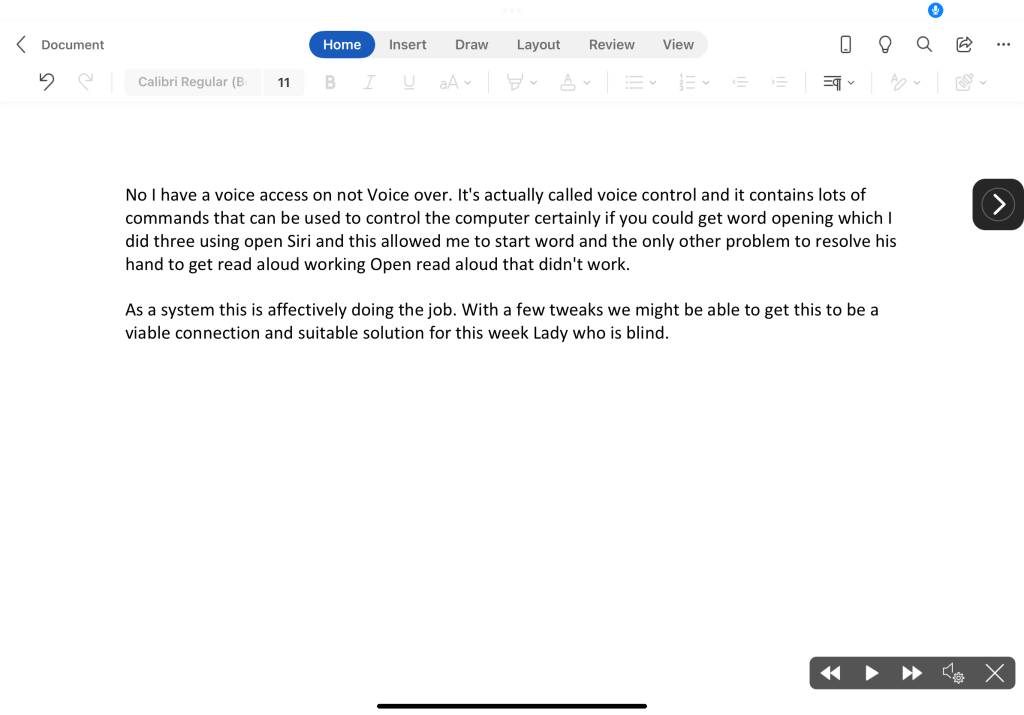
The only thing that is needed is to keep Read Aloud open and ready to accept control by the Voice control tool. Here is what it looks like:-

Microsoft Word App with Read Aloud and Voice Control Cross

Dyslexia box

I have just joined the Dyslexia Box team as a freelance trainer. I hope to branch out my skills into the workplace setting. For more information about what Dyslexia Box do please take a look at their website https://dyslexiabox.co.uk/

Episode 71 – Trip to Lebanon & The Dyslexia Show

https://www.podbean.com/media/share/pb-s4btv-11eea87
Fabulous time at the ABLE Conference in Beirut and The Dyslexia Show

Episode 71 – Trip to Lebanon & The Dyslexia Show

www.podbean.com/ei/pb-s4btv-11eea87

Learn about assistive technology in the Lebanon as well as what happened at The Dyslexia Show at the NEC Birmingham

ABLE Summit 2022

After two years of postponement due to COVID 19 I was able to travel to Beirut and take part in this important summit on Accessibility and Inclusion in the Lebanon.

Looking serious whilst my signer made sense of what I was saying !

I gave a 2 talks in the end:-

“ Smart Future for the Disabled”

&

“Making the Impossible, Possible”

These talks were decided last year and the position hadn’t change in the country then. I was impressed as all of us who were speaking were all saying the same thing . Things like:-

“On size solutions don’t work”

“It’s all about matching the technology to need”

“It’s about making an individual impact by working together as a team”

“Can we be 2% better than we were before?”

Both talks came and went and it must have gone well as there were people who came up to me to talk. Even students did that which I was pleased about. They even wanted selfies with me! Rock star status! No, I don’t think this septuagenarian can think that.

I did my best to encourage them to continue and make a difference. Explaining my own Make a difference story with my name on a high speed train!