Microsoft have on their blog shared some interesting news about what they intend to do in 2016 regarding accessibility. Take a look at:-
https://blogs.office.com/2016/02/22/accessibility-in-office-365-progress-in-2015-and-plans-for-2016/
has ceased trading – but still producing valuable assistive technology information
Microsoft have on their blog shared some interesting news about what they intend to do in 2016 regarding accessibility. Take a look at:-
https://blogs.office.com/2016/02/22/accessibility-in-office-365-progress-in-2015-and-plans-for-2016/
AccessAbility Solutions are being a provider to parents and families of children who might like advice, support, training in the use of ICT . Working with partners in the IT education industry AAS hope to be of service . Click on our page and see what we can offer:-
https://www.sendirect.org.uk/providers/accessability-solutions/my-services/accessability-solutions/
I had the good fortune to attend this event which told me quite a bit about SENDirect. Parents , Providers and Professionals were all present sharing good practise and how best to use SENDirect. They are about to publish important research on personal budgets and information about what is available to parents. If I were to sum up the whole of this meeting it would be the need for communication between all parties.It’s been going for a year and its now gathering pace.The idea is to be a “one stop shop” or first call to find a range of services. So if you run a service in England and would like to be included then please join for free and enter your details of your service. You will need to prepare yourself with some documentation , namely, proof of insurance, safeguarding policy, cancellation policy.
If you are a parent of a child with special needs or know of someone requiring ICT help then please pass on this link:-
https://www.sendirect.org.uk/providers/accessability-solutions/my-services/accessability-solutions/
I was challenged by a cyber security professional this evening as we discussed how he could literally “sniff” ( his word for his software) my details. Got me thinking about the need to generate unbreakable passwords. To do this I have found two sites which may be of interest.
https://www.grc.com/haystack.htm check your password strength
http://passwordsgenerator.net/ generate strong unbreakable passwords!
Obviously you are not going to remember a strong , unbreakable randomnly generated password but where security and important information are concerned this would give you peace of mind.
Take a look and widely publicise this hubpage to potential users of our consultancy service.
I have made an 8 minute video of the above app and software to go on my dyslexia youtube channel. Please share this as I think its a wonderfully practical app in the right circumstances. Encouraging active listening and could be used in a wide range of contexts to make recording easier. On digital
learning day this is something worth looking into!
Will be presenting our research on The Dyslexia Project at this years conference in Oxford. This is not a speaking opportunity so much as a chat around a poster to passerby’s at the exhibition.

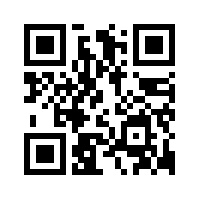 You can access the research paper via this QR code
Dave Banes and I go back a long , long way so especially good to get his daily updates from his facebook group “Assistive Technology,” really good helpful stuff on their for people with disabilities to access as well as professionals like myself. Why not join them at :-
https://www.facebook.com/groups/assistive.technology.group/
Also their is a paper.li on Assistive Technology from the group that has lots if useful information:-
http://paper.li/e-1452749534?edition_id=c8f77d50-d3a7-11e5-b9fb-0cc47a0d164b
Sorry about the long links , folks!!
This link will take you to a presentation recorded earlier today. Unedited as it happened and completely unscripted. All that work as Scrooge seems to be paying off now! Click below and you will learn from artificial intelligent websites to qr code creation to flipped classroom in 17 mins!!
A day to promote internet safety. For people with learning disabilities social media sites such as Facebook can be the cause of much joy but also offers potential for breaking relationships. Misunderstandings can occur when sentences have mistakes or mis-spellings that change a postive statement to a negative. Also, “unfriending” people can be very dramatic on relationships as well. How do we make facebook safe?
Well , we cant’t make facebook safe but we can decide on principles that could help.
Here are a few tips on what to write:-
Your privacy settings are important so keep everything to friends only where possible. Facebook’s privacy settings are very complex and you need to have someone to help who understands this and is able to ensure you are safe online.
 AccessAbility Solutions