The missing cryptoqueen

BBC sounds have an enthralling 5 episode podcast about a scam know as OneCoin – a digital cryptobanking currency. I must confess as soon as I heard of Bitcoin my suspicion of how this could be manipulated were raised. But true cryptobanking relies on the system NOT to be manipulated through a convention know as a “block-chain”. Once this is in place you literally cannot tamper with the rates, Essentially this is a form of Networking Marketing. which in turn would be pyramid selling, based on getting more and more to sell a bitcoin so that you in turn get a cut. No doubt people do get rich – but only at the top of the chain. Ayway I found the BBC sounds podcast very entertaining and informative. Remember any get rich quick scheme must be suspect in my opinion.

https://www.bbc.co.uk/programmes/p07nkd84/episodes/downloads

Teacher Tapp

This is an app that I came across from the Teacher’s Development Trust. The app itself asks teacher’s 3 questions each day. The results are shared in the form of an article the next day. You can download the app for free and if you are a teacher you can join in.

Who can input questions? I found this on the website:

Who Can Ask Questions in the Teacher Tapp Survey?

We have some ground rules, but most businesses, organisations, researchers or policymakers will be eligible to submit a question. Gain fast insight into the products and services that teachers want and need, boost your advocacy position or scope a new research project. The Teacher Tapp app gives valuable insights to your questions within hours. Find out more about how to submit a question here.

Teacher Tapp is available in app stores in the UK (and a small group of northern European countries).

And this I found when I searched how to submit a question:-

https://teachertapp.co.uk/targeted-opportunities-for-teachers/

Let’s Go Red #letsgored

So why have we gone red during Dyslexia Awareness month. Here is three reasons why AccessAbility Solutions are doing this

Microsoft Word – Search feature

Searching for images from within Word

There is also a new feature called search. The above information was sought by using search window at the Top in the middle of the blue title bar. And by using smart look up was able to use and find the photo that I wanted. This feature will allow you to look at files and information and directly add them to your text within Microsoft Word and not having to leave it I’ll go in search elsewhere I also like the idea that for research purposes it includes some text along with this information.

This is a new feature which is in beta stage and obviously will be built more into the package but you can actually add it to your Microsoft 2019 package and start using it to see what it can do to aid students work and research methods. All this and no additional cost other than having the use of this package or paying a subscription for it. Simple ideas like this can really enhance learning. And I’m also using it with dictate to create this article which makes it even more interesting as a fully integrated method of working. Well done Microsoft for this feature which will help a lot of dyslexic students!

Microsoft Word – Dictate

(Written with a combination of voice (major part) and keyboard(for editing)

This article is about Microsoft Word and the dictate function contained within it. I’m using a headset connected to a desktop computer which I originally had from dragon dictate. It is a bog standard headset with a 3.5 Jack.

So what I’m doing here as I’m writing with my voice. This new feature can really help me with my work especially when I’m thinking out loud.it does not contain all the full features of dragon dictate naturally speaking but it does have much value in just getting work down which is a strategy that can be used.

There are a few grammatical and sentence paragraph making tools. For instance i used..

..To create this paragraph. (Voice Command – “new paragraph”

It is actually quite efficient that creating dialogue and narrative. So it would be useful for children to get their ideas down in a flow kind of way. But any more complicated editing will require a more powerful package such as dragon dictate naturally speaking . I am pleasantly surprised about its accuracy for me. It does seem to be able to pick up my particular phraseology without any training whatsoever. It is most definitely a tool I will use in writing my blogs uncertain free flowing articles.

How does it cope with names and addresses? The answer is not particularly well the more complicated tool would be much more useful! As Some of the editing tools are very basic I feel the best way to use this is by a combination of keyboard and voice. This gives the best and most accurate results with a fairly free flowing movement which is pleasing impractical and not complicated.

Conclusion

 Microsoft Have done a great  job in creating a simple tool that would be of great value to those who don’t require a great deal of editing and more complex solutions. I feel it is a tool that can be very useful for those who want to practice speech recognition find out what its impact without too much fuss and bother. In fact it could be a first tool that people use in order to test out how good this would be for them in the future where they would move on to more complex packages.

Windows 10 installs

During the past few days and over the past years I have had to install Windows 10 on laptops that either needed repairing or upgraded. Neither process is swift but please ensure you make a backup USB or DVD of your system. This could save hours in re-installation.

Windows 10 has a MediaCreationTool.exe program that enables you to install Windows 10 on your machine. But be warned – it does take a long time! So always plan to have lots to do while the install takes place.

In every case the install always gives unexpected results. Today the system I upgraded from Windows 7 had not pins and the start button didn’t work. Right mouse click over the Start menu icon ( bottom left) worked and so was able to run some system software but couldn’t understand why this didn’t work. The solution I came to was to re-install again in the hope the problem resolves itself!

For long periods the install doesn’t seem to be doing anything- stuck on a percentage – but its wise to leave it running. It will eventually come good despite the long wait.

Antivirus software. Well Windows 10 does appear to be pretty good but I wonder why my trusty laptop failed spectacularly. Not sure if that was due to having only Windows Defender on ( that’s Windows 10 antivirus software). On the safe side I am running a different antivirus software – McAfee which I think slows my machine down- especially when it updates. I did notice a massive improvement on speed when NOT using McAfee but that could be due to the age of the machine.

I have to say it’s brought a new lease of life into my 6 year old laptop to have it re-install Windows 10. That has save me a few quid! And now with the aide of a lot of cloud apps I can keep on using this machine for assessment, demonstration and training.

Drivers that are needed on your laptop can be a pain as well. Even though Windows 10 is pretty good at locating them it can still throw something of a wobbly. On my laptop the intell graphics driver ghosted my laptop producing a myopic display. Once the Intel Graphics card was disabled everything was back to normal.

As I have written this article the desktop I am currently upgraded to Windows 10 is still on 80% install. That is maybe 20min- 30mins it’s taken…. oh, well time for lunch!

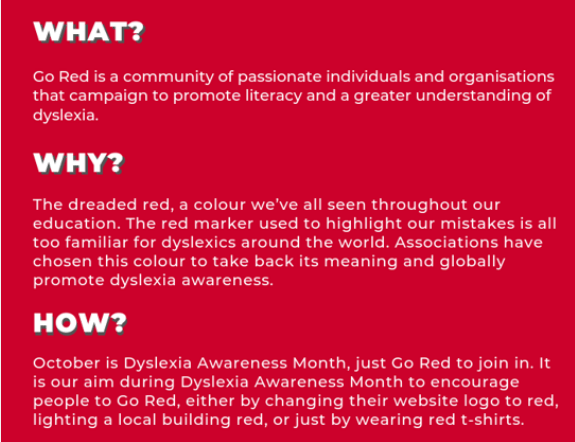
Go Red

To celebrate October being Dyslexia Awareness I am going GoRed which means all my logo has gone red ! Well, at least a reddish tinge !

Widgit September News

Just had an email from Widgit with some good resources for teachers to use with their pupils. I suggest you get over to widgit. com and sign up for a free newsletter yourself:-

https://www.widgit.com/

The Big Picture

Felt inspired to write about some principles about how to help people with disabilities use the Assistive Technology on LinkedIn. Feel free to share it if you think it is useful.

https://www.linkedin.com/pulse/bigger-picture-myles-pilling-ba-m-ed-

…and also a guide on Accessible Street Furniture

From the same source:-

Guide to Accessible and Responsive Street Furniture
https://kingswoodstructures.co.uk/guide-to-accessible-street-furniture/