Microsoft Word – Dictate

(Written with a combination of voice (major part) and keyboard(for editing)

This article is about Microsoft Word and the dictate function contained within it. I’m using a headset connected to a desktop computer which I originally had from dragon dictate. It is a bog standard headset with a 3.5 Jack.

So what I’m doing here as I’m writing with my voice. This new feature can really help me with my work especially when I’m thinking out loud.it does not contain all the full features of dragon dictate naturally speaking but it does have much value in just getting work down which is a strategy that can be used.

There are a few grammatical and sentence paragraph making tools. For instance i used..

..To create this paragraph. (Voice Command – “new paragraph”

It is actually quite efficient that creating dialogue and narrative. So it would be useful for children to get their ideas down in a flow kind of way. But any more complicated editing will require a more powerful package such as dragon dictate naturally speaking . I am pleasantly surprised about its accuracy for me. It does seem to be able to pick up my particular phraseology without any training whatsoever. It is most definitely a tool I will use in writing my blogs uncertain free flowing articles.

How does it cope with names and addresses? The answer is not particularly well the more complicated tool would be much more useful! As Some of the editing tools are very basic I feel the best way to use this is by a combination of keyboard and voice. This gives the best and most accurate results with a fairly free flowing movement which is pleasing impractical and not complicated.

Conclusion

 Microsoft Have done a great  job in creating a simple tool that would be of great value to those who don’t require a great deal of editing and more complex solutions. I feel it is a tool that can be very useful for those who want to practice speech recognition find out what its impact without too much fuss and bother. In fact it could be a first tool that people use in order to test out how good this would be for them in the future where they would move on to more complex packages.
Windows 10 installs

During the past few days and over the past years I have had to install Windows 10 on laptops that either needed repairing or upgraded. Neither process is swift but please ensure you make a backup USB or DVD of your system. This could save hours in re-installation.

Windows 10 has a MediaCreationTool.exe program that enables you to install Windows 10 on your machine. But be warned – it does take a long time! So always plan to have lots to do while the install takes place.

In every case the install always gives unexpected results. Today the system I upgraded from Windows 7 had not pins and the start button didn’t work. Right mouse click over the Start menu icon ( bottom left) worked and so was able to run some system software but couldn’t understand why this didn’t work. The solution I came to was to re-install again in the hope the problem resolves itself!

For long periods the install doesn’t seem to be doing anything- stuck on a percentage – but its wise to leave it running. It will eventually come good despite the long wait.

Antivirus software. Well Windows 10 does appear to be pretty good but I wonder why my trusty laptop failed spectacularly. Not sure if that was due to having only Windows Defender on ( that’s Windows 10 antivirus software). On the safe side I am running a different antivirus software – McAfee which I think slows my machine down- especially when it updates. I did notice a massive improvement on speed when NOT using McAfee but that could be due to the age of the machine.

I have to say it’s brought a new lease of life into my 6 year old laptop to have it re-install Windows 10. That has save me a few quid! And now with the aide of a lot of cloud apps I can keep on using this machine for assessment, demonstration and training.

Drivers that are needed on your laptop can be a pain as well. Even though Windows 10 is pretty good at locating them it can still throw something of a wobbly. On my laptop the intell graphics driver ghosted my laptop producing a myopic display. Once the Intel Graphics card was disabled everything was back to normal.

As I have written this article the desktop I am currently upgraded to Windows 10 is still on 80% install. That is maybe 20min- 30mins it’s taken…. oh, well time for lunch!

Go Red

To celebrate October being Dyslexia Awareness I am going GoRed which means all my logo has gone red ! Well, at least a reddish tinge !

Widgit September News

Just had an email from Widgit with some good resources for teachers to use with their pupils. I suggest you get over to widgit. com and sign up for a free newsletter yourself:-

https://www.widgit.com/

The Big Picture

Felt inspired to write about some principles about how to help people with disabilities use the Assistive Technology on LinkedIn. Feel free to share it if you think it is useful.

https://www.linkedin.com/pulse/bigger-picture-myles-pilling-ba-m-ed-

…and also a guide on Accessible Street Furniture

From the same source:-

Guide to Accessible and Responsive Street Furniture
https://kingswoodstructures.co.uk/guide-to-accessible-street-furniture/

The Full Guide to Flying with a Disability

The guide is called “The Full Guide to Flying with a Disability” and offers plenty of valuable information such as:

Understanding the struggle disabled travellers face when they try to fly. Figures show 57% of these travellers said they had difficulty when accessing an airport or flying. 33% of people also said they were unhappy with the service provided for them at the airport.
The barriers disabled travellers face when they fly. Did you know that 26 wheelchairs are damaged across the world on a daily basis? and some of these can cost tens of thousands to replace!
Practical advice on the best places to visit as a disabled holidaymaker, how to book up a hotel room which is right for you and how to get special assistant on your flight if you need it. The resource also covers medical information which you might find useful.
Other helpful tips and resources that can make planning and taking a trip abroad safe and easy for those with disabilities.
Feel free to check-out the guide below:

“The Full Guide to Flying with a Disability”
https://www.parking4less.com/flying-with-a-disability/

Post -it’s

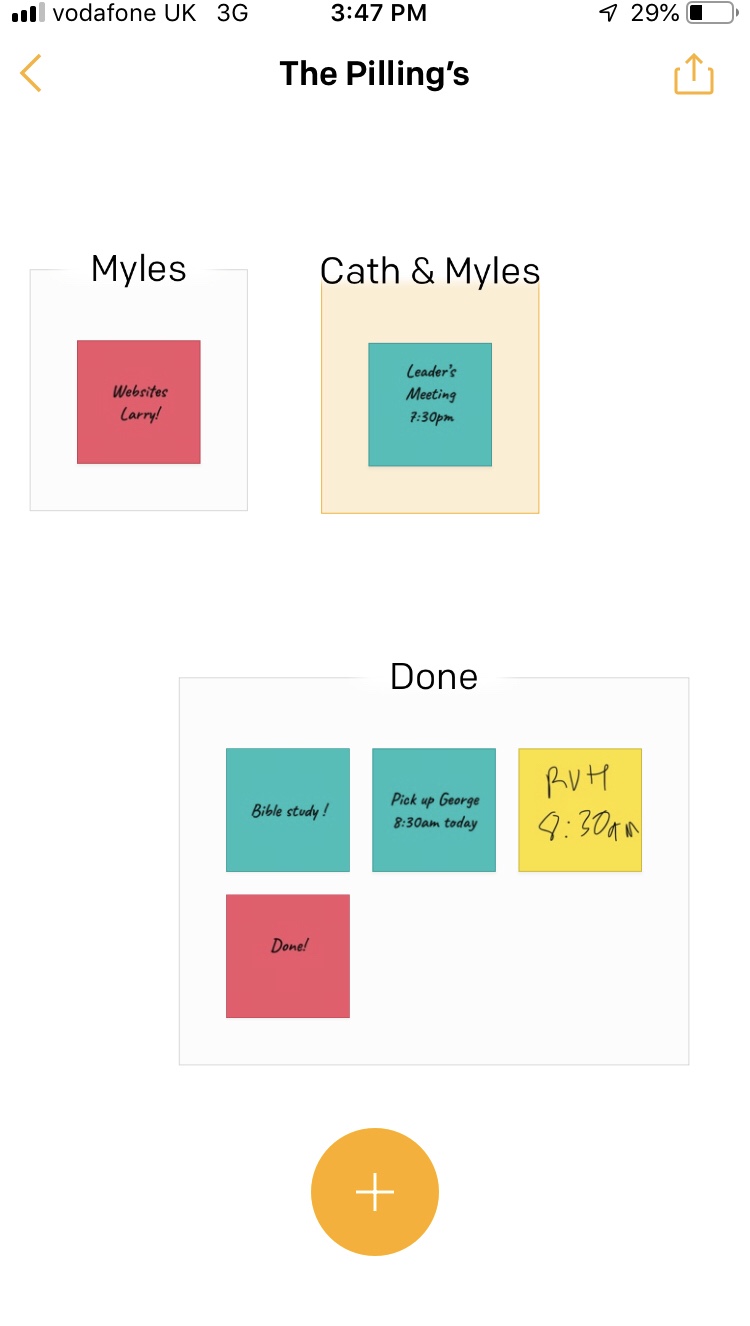
We have all used them and attached them to our fridge or computer. But now Post-it is an app. A very useful one has your post-it’s can be group. Great too for to-do- lists .

Now it’s gone digital you can dynamically make them, change them and swop them around .

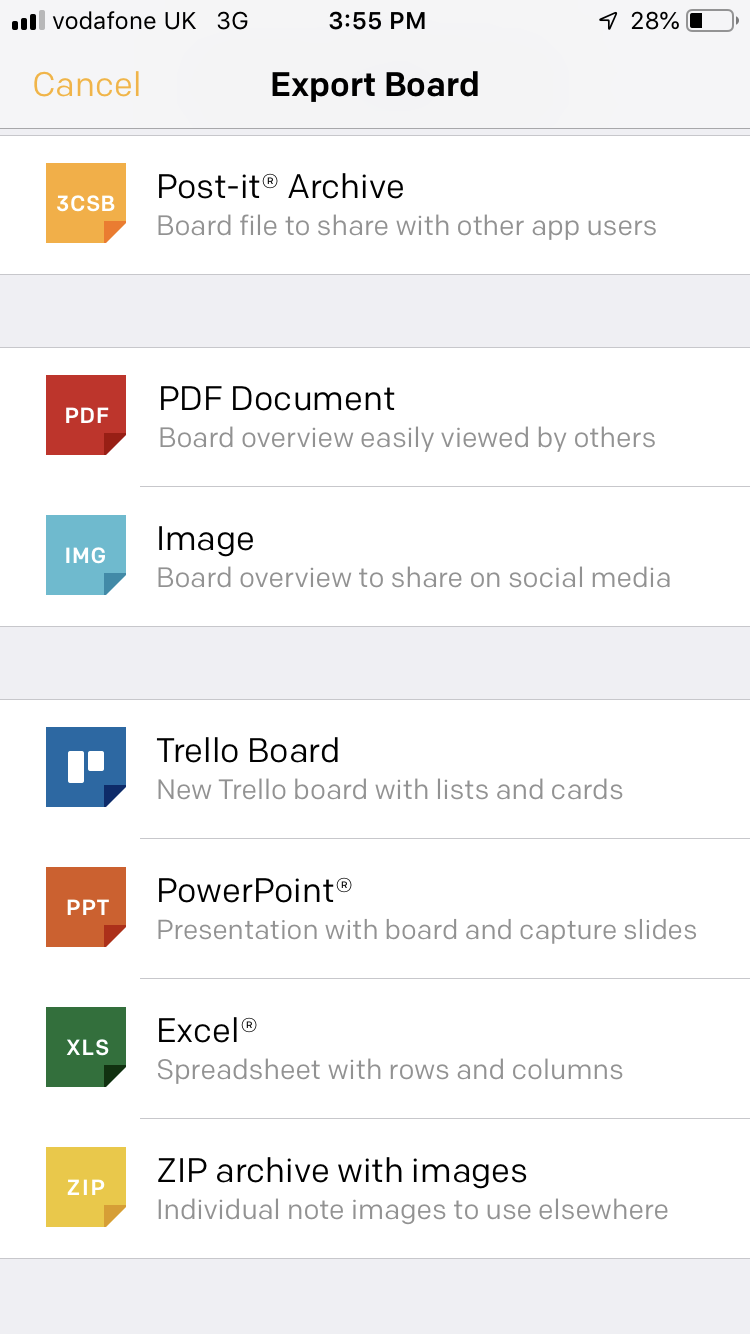
You can then have a variety of ways to output them as a pdf or a jpeg so that you store them or print out to work through. This would also be a way of brainstorming some ideas and moving them around or linking to groups and ideas. It’s very simple and very powerful. Especially for organization and forming ideas into groups .

I like the option to Trello as I use that for projects .

ABLE Summit 2019 in the Lebanon

If you have a spare hour you might like to watch this.

This was my talk earlier this year at the above conference. The first in the Lebanon!

Alexa Skill – Feed Bot


My blind client wanted to have read her local newspaper on her Echo Dot. After a direct talk with the newspaper and finding out that an audio service for the blind do a tape/usb stick of the paper which gives curated news I wondered if using an RSS feed would work as an alternative.

Simple answer is yes it would. Adding /feed.rss to the URL created a text feed of news. Now would this work on the Echo Dot? I created an account through https://servebot.net/settings/feedbot

You will need to link the account to your google account.

Next, I added the URL with feed addition. The Alexa skill is “Feed Bot – RSS Voice Reader ” which needs to be enabled and linked to your Amazon account. Once this is done you say ” Echo ( or whatever you use) ask Feed Bot to play my feed.” Then it should go through the news items listed on your website. You can also link Podcasts to it which is something Alexa is not particular good at but have not succeeded in that area yet.

You can add other feeds which are automatically updated as the website changes. This makes the process much more simpler to manage. Not as clear as a curated audio file but a good alternative and makes your site accessible for all. I would recommend that RSS feeds are put on your websites for specific content to be read out.

What is also quite cool is that if you stop and then restart it will go back to the last read news article . Articles are short and take a minute or so to read. No image codes or code read out.