We are on Sharepoint

AAS has a presence on Sharepoint so why don’t you go over to https://accessability123-public.sharepoint.com/ and connect with us there?

Why Sharepoint?

It allows an integration for us to connect with calenders and emails as well as documents on our Skydrive ( whatever it will be called in the future). In the future it may form a delivery point for subscribers as well as those attending training. With so many things running from the cloud there is an advantage for me to run from any internet connection and this provides a more formal website to use if needed.

Meet with Lync

Again, not a feature we use at the moment but look out for being able to conference with us directly. At the moment I am using ooVoo as a means to meet with you remotely, answer your questions and deliver training in the comfort of your office or setting.

ooVoo

ooVoo is a video conferencing tool. You can have up to 12 people conferencing at once. It links to facebook so you can have your social media contacts there. It also connects to youtube and although I’ve not tried it I think you can record a video to upload to youtube. It’s free! And so I will be testing it to see how well it works ! 

Apps for Special Education

This group on LinkedIn has 1,069 members and is growing daily much to my amazement! Go and take a look at http://www.linkedin.com/groups/Apps-Special-Education-3766135?trk=myg_ugrp_ovr and join the ingroup debates about what pratictioners are currently doing. I will link back to this site as a way of promoting the use of apps

NearPod

nearpod


I came across this app in the last day or two. It is a way for groups of students using iPads to take part in lessons via interactive questions and presentations. There is no cost and you , as the teacher can log in at the silver level.  Your pupils then are given a passcode and they can join in  the presentation. We have featured a range of good tools that link ipads to the class LCD projector like:-

Splashtop  – for teacher to iPad displays

Reflection App– for iPad to teacher displays

Display Note – for two way presentation – teacher to Ipad,iPad to teacher

and now

NearPod -for two way presentation – teacher to pupil; pupil has interaction

These are powerful ways to engage your pupils and to collaborate on projects togetherEach adding to the knowledge being shared.


Google+

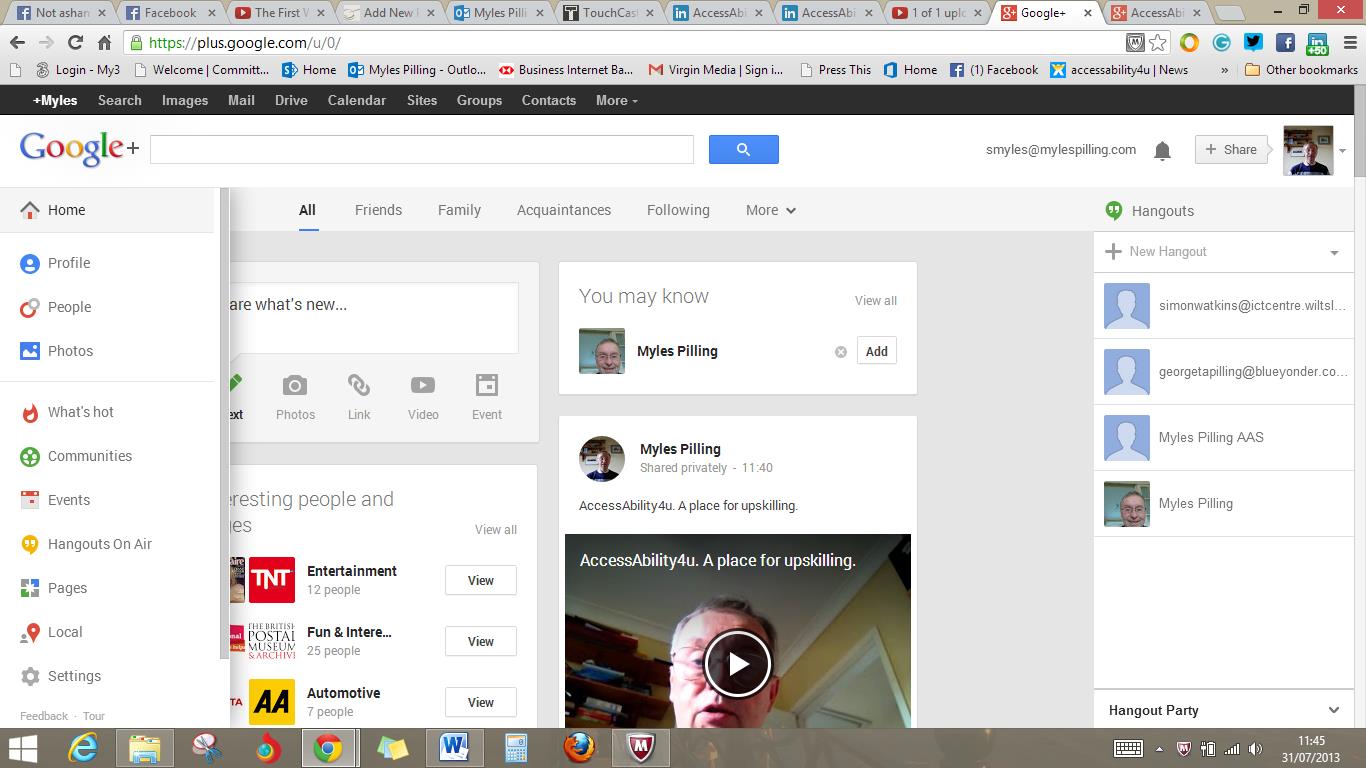
Google+ has had a bit of update. Now it looks cleaner and easier to use . Especially for windows 8 and app users. I have been using the video upload via Youtube Capture on my ipad and this means I can make videos to upload in whichever setting I am in. This could be a space for training content to go as well. Check this out through your google account and see for yourself:-

Google+

You can use Youtube capture a free app that allows you send your youtube videos to a google+ account . Making this a great tool with your iphone or ipad to record and publish instantly  with. Good for media studies – again with the esafety considerations taken into account

Story Writing

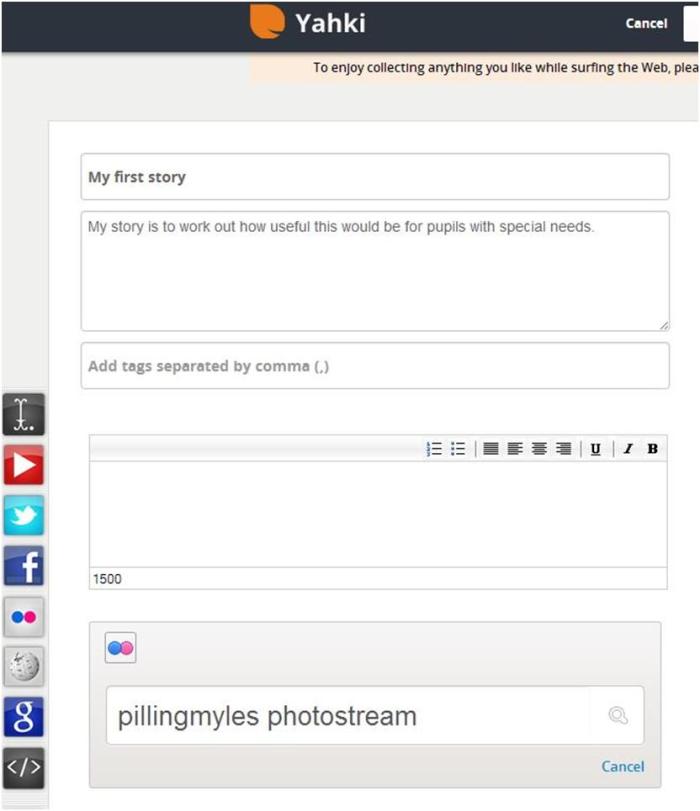
http://ww.yahki.com provides a set of tools such as Video, Audio, Text and Images for you to write for a story online. This would suit high ability pupils not struggling to write pupils but may provide through the audio and video a way to record pupils thoughts. This is free and it is important to be aware of the safety issues. Maybe its also a professional tool too for writing up factual or fiction stories . The interface is simple and clear( see below):-

Using social media sites

Everyone knows about Facebook and Twitter these days but you may not be aware of the wide range of other social media tools out there that can help promote you and your work. Tumblr is a tool to share video,text,audio,links.text in a way that is linked to hashtags (#) so searches can be done using your twitter account. Path is another tool that I use for photo journalism,  similar to Instagram but Path  allows you to geotag your information as well as make comments. Flipboard is a magazine format that collects feeds. Feed collection is a primary tool for the blogger and social networker as pulling together diverse and related information will be a key skill of the 21st Century. Tweetdeck does this for your Twitter feeds.  Vine is intriguing as you can use short video clips to entertain your followers with. Creative use of animated gifs could be an activity for schools to use. Thinglink attaches hotspots to your images so that you can find out using a variety of information types – video,text,links. Touchcast does a similar thing but is linking other users more dynamically than thinglink does. It also embeds websites to show as you speak so is social networking presentation tool!  Aurasma Lite is a virtual learning tool that allows information to be linked to your camera – useful for autistic pupils and aspergers syndrome pupils to follow instructions or gain social skill ideas when a certain image is shown. A bit like sooped up flashcards. To that extent Google Goggles on the Android platform but can be accessed through Google search on the iPad  allows information to be found via photographs. Having wandered off from social media tools to more personal tools this short blog may be giving more ideas on how to use these tools to meet individual needs. Watch out in the online resource section an article describing what personal & social media tools can help individual needs.

Using social media sites

Everyone knows about Facebook and Twitter these days but you may not be aware of the wide range of other social media tools out there that can help promote you and your work. Tumblr is a tool to share video,text,audio,links.text in a way that is linked to hashtags (#) so searches can be done using your twitter account. Path is another tool that I use for photo journalism,  similar to Instagram but Path  allows you to geotag your information as well as make comments. Flipboard is a magazine format that collects feeds. Feed collection is a primary tool for the blogger and social networker as pulling together diverse and related information will be a key skill of the 21st Century. Tweetdeck does this for your Twitter feeds.  Vine is intriguing as you can use short video clips to entertain your followers with. Creative use of animated gifs could be an activity for schools to use. Thinglink attaches hotspots to your images so that you can find out using a variety of information types – video,text,links. Touchcast does a similar thing but is linking other users more dynamically than thinglink does. It also embeds websites to show as you speak so is social networking presentation tool!  Aurasma Lite is a virtual learning tool that allows information to be linked to your camera – useful for autistic pupils and aspergers syndrome pupils to follow instructions or gain social skill ideas when a certain image is shown. A bit like sooped up flashcards. To that extent Google Goggles on the Android platform but can be accessed through Google search on the iPad  allows information to be found via photographs. Having wandered off from social media tools to more personal tools this short blog may be giving more ideas on how to use these tools to meet individual needs. Watch out in the online resource section an article describing what personal & social media tools can help individual needs.

Online music stations


Everyone knows about Spotify and Grooveshark as a means of playing online music. Although advertised for free this is for a trial period and then you have to pay a subscription rate. I have been trying a new tool called Aupeu! . This is a online radio station that allows music to be sorted by mood. This reminded me of when I taught my class of Profound and Multiple Learning Disabilities class. We would link the day by playing music that cue’d the class to the changes that were occurring. For such pupils change can be unnerving as you have no control over how and when this occurs. Similar to Objects of Reference music can be used to tell pupils what the next activity is. Fine if you are a musician but what if you don’t play an instrument?

That’s where using onlne music stations could be useful. Sure you could create playlists of music to show passages of the day and what activities take place. But if you could play up to the minute current music of any genre then using things like Aupeu! could be very handy! You have the music arranged to your mood eg happy, calm, relaxation, lively, etc. These could be set to class activities eg fast paced music for pe and sports, slow paced jazz and blues for relaxation time, classical for learning activities. The choice is yours and the class you work with.

Get parents onboard in finding out what their son or daughters preferences are? Also, what smells they like!! We all know when dinner is coming when we smell it! If your sensory systems don’t work or have difficulities integrating them then we need all the information we can get. So how about smells available for different activities you engage in? Smell is a powerful memory aid and can enable memories to be created so don’t go overboard by using this all the time but use smell sparingly. Pupils can then build up an alternative “smell” memory bank of events for them to access.

Aupeu! is free to use . Premium rate channel available as well which gives you more options and controls over the site.

IGZO glass

This may well become a reality soon and making the portable technologies we use now redundant!

bremhillbob's avatarICT Nuggets

This new display material seems to be just on the verge of coming to the consumer market.  There are 32” displays available for around £2000 at the moment but then that is for an outstanding display that would cost in excess of £1000 using traditional technology.

View original post