Streaming your own material

As new social media present new opportunities for education I thought it might be useful to mention a few social media tools and the way they are being used now. A popular one is Livestream – iOS , £free . You can subscribe to channels and publish your own material  to have people see it. It’s operation is clear and simple and free at the moment. Go to https://livestream.com/solutions/education for more details.

Of course their is Youtube but then you have filtering issues. The same applies for Google Hangout  though this is becoming an improving scenario as schools are seeing the benefit for free or low cost alternatives now that google have improved security.

Periscope  is relatively new and proving popular around the world. I really like the world map and its brilliant to use on the move with your mobile. The drawback is those who use it for pornography and the lack of filering makes this not the tool of choice in schools.

Touchcast is not really a social media tool so much as a multimedia cloud-based tool which combines a range of media all-in-one package.

As this is still a new and emerging media what are they being used for?

Topic based

Livestream  use a subject/topic based approach to video streaming – arts, business, education, science, etc. Materials and methods can be around particular events such as a music concert or a rocket launch as in the case of Space-X .

Talent based

Have a skill to share ? Or a gift like music ? People are sharing their gifting on social media sites like Periscope to a wider audience live. Running Marathon events for music or sport is popular too!

Travel based

Sharing a journey and talking on route. This gives me some conerns over road safety if the driver is doing this! But the idea is to show you where you are and what that place is like! This would be a great idea for pupils who for medical reasons cannot attend a class that day and would like to be connected to the class!

Knowledge  based

Have some interesting knowledge to share? Then set up a question and answer session live. Periscope allows people to send messages to the broadcaster live and answers come back via the live video. People can only interact with the broadcaster live using text. Combining travel and knowledge based uses means a useful educational resource captured and shared widely. Great for class projects sharing to the world! Use Touchcast for this!

Local based 

Link with other people close by or in the same local area. Perhaps not effectively using Periscope but Google Hangout could be used effectively that way.

As an educationalist and teacher I am excited by the possibilites these new social media tools are developing to make learning more interactive, more media rich and fun! For those with disabilities alternative methods of recording can show their ability ( not disability using traditional methods!)


Understanding each other

cartoon_girl
Being misunderstood or at best mistaken is a problem for people with learning disabilities as well as for everyone. The reason this occurs is due to not reading facial expressions as emotions or having what is called emotional intelligence to read how the other person is feeling. And then a catastrophic breakdown in relationships can occur!

I have witnessed this often. Even when showing images like the one above many individuals with a learning disability might be able to read that emotion as it’s dramatic and at an extreme level – anger – as opposed to nuances of emotions like confusion and anxiety which I think is difficult for many people with learning disabilities to read . See the image below and these nuances are more difficult to decipher. What is the ladies emotion for instance? Couple that with body language and being able to not read that a lot of communication is being missed – causing mis-communication to occur. 

To function in society we need to read facial expressions and body language. So is there a hidden and far more impacting disability arising when you can’t make those connections. Autistic people struggle with these skills but my hypothesis is that many people with learning disabilites also have this problem. So how do we teach or improve these skills

Photographs

Use photographs which you can readily get off the internet and use in a 1:1 session or group session asking what emotion is being shown in the images. Choose emotions that are more subtle rather than the extremes of happy, sad. How about worried, fearful, stressed, thoughtful, concentrating, distracted, irritable. Do the same with full-body images to show boredom, anxiety, slouching, slumping.

Feedback

When a mis-communication between people with learning disabilities occur stop and explain that they have not understood the other person . Get each person to tell the other person how they feel or rehearse the message.

Attention

Many mis-communications occur because the individuals are not looking at each other and reading their total communication. Use phrases such as “Look at…name of the person>” and encourage a replay of what each person was trying to explain to the other person. Looking at another person’s face is difficult for autistic people but using the computer can help.

Interactive Materials

“Emotions reader” by John Haberson from the iTune store (£7.49) is a good tool to use as it demonstrates via an interactive book on an iPad different emotions like affection, amusement, approval. This is good for gaining understanding but needs to be grounded in generalisation in everyday settings where the different emotions can be read properly. Just going through a longlist is not going to help

Use a camera

Mobile phones, iPads and tablets all have a camera that can take a facial or body language learning opportunity. Taking  familiar people  may help individuals in your groups to read the emotions of others correctly. Using video can playback situations they have been in where mis-communication has occured to learn from especially if it has just happened. This needn’t be saved and anaylsed too deeply but a way of exploring a situation immediately due to the short attention span and memory of some individuals with learning disabilities.

Use drama

To explore situations in which the individuals in your group or setting repeatedly mis-read their communications and act out rather like a social story showing the implications of their actions which inevitably has consequences!

Although we have used LDA cards with speech and language therapists to do this kind of work I don’t think it is being done enough judging by the adults I meet on a regular basis who are totally unaware of their difficulties in reading other people’s emotions. In this age of personal plans and so much care given around care “the way you want it” it makes people even more egocentric then perhaps they were already. Perhaps we should have a curriculum subject called ” Understanding each other” where empathy is taught more explicitly. Of course you may well be doing all this already and have found this article a bit patronising. I am sorry if that’s the case and pat you on the back for your sterling work!

Myles Pilling is a retired special schools teacher and an assistive technologist for AccessAbility Solutions – http://aas123.com  – he is a blogger, writer and researcher as well as lecturer and trainer. 

Eye gaze

Yesterday I heard a mother’s testimony to the power of eye gaze to open up a severely disabled child’s communication and ability to make choices Eye gaze has the power to do this and more ! Take a look at these websites:-

http://www.inclusive.co.uk/software/eye-gaze-software

http://www.tobii.com/xperience/hello/

Do not leave a man (or child) behind

This is a tile of a NAACE article I wrote expressing my concerns over the present trend for academies and league table positions that might leave children with SEN behind. Are you a SENCO? Do you have an opinion? Please let me know what you think the current state of SEN in schools is. Please click the link below to read the article:-

https://www.naace.co.uk/uncategorised/do-not-leave-a-manor-child-behind/


Windows 10 update

A very large and laptop changing update came in yesterday for those on the windows insider programme. Watch out for this as it might take time to come through to you, . You do have to agree and give it permission to re-install windows 10 on your machine so my experience was it worked first time but did take a lot more than the 20 minutes it told me it would take. The actual download installed in a usual amount of time but the upload to my machine and installation took 2 hours!   One feature that will have some implications for dyslexic users is the note taking facility in Cortana. If you say “Hey Cortana, can you write me a note,” you will then be able to add in a short sentence. Unfortunately it seems to only allow one shot and it automatically goes into OneNote. So what would be useful would be a pause facility. I do like that it goes straight to OneNote! For more about what it does please click below:-

https://blogs.windows.com/windowsexperience/2015/11/12/first-major-update-for-windows-10-available-today/

Sensory Integration Apps

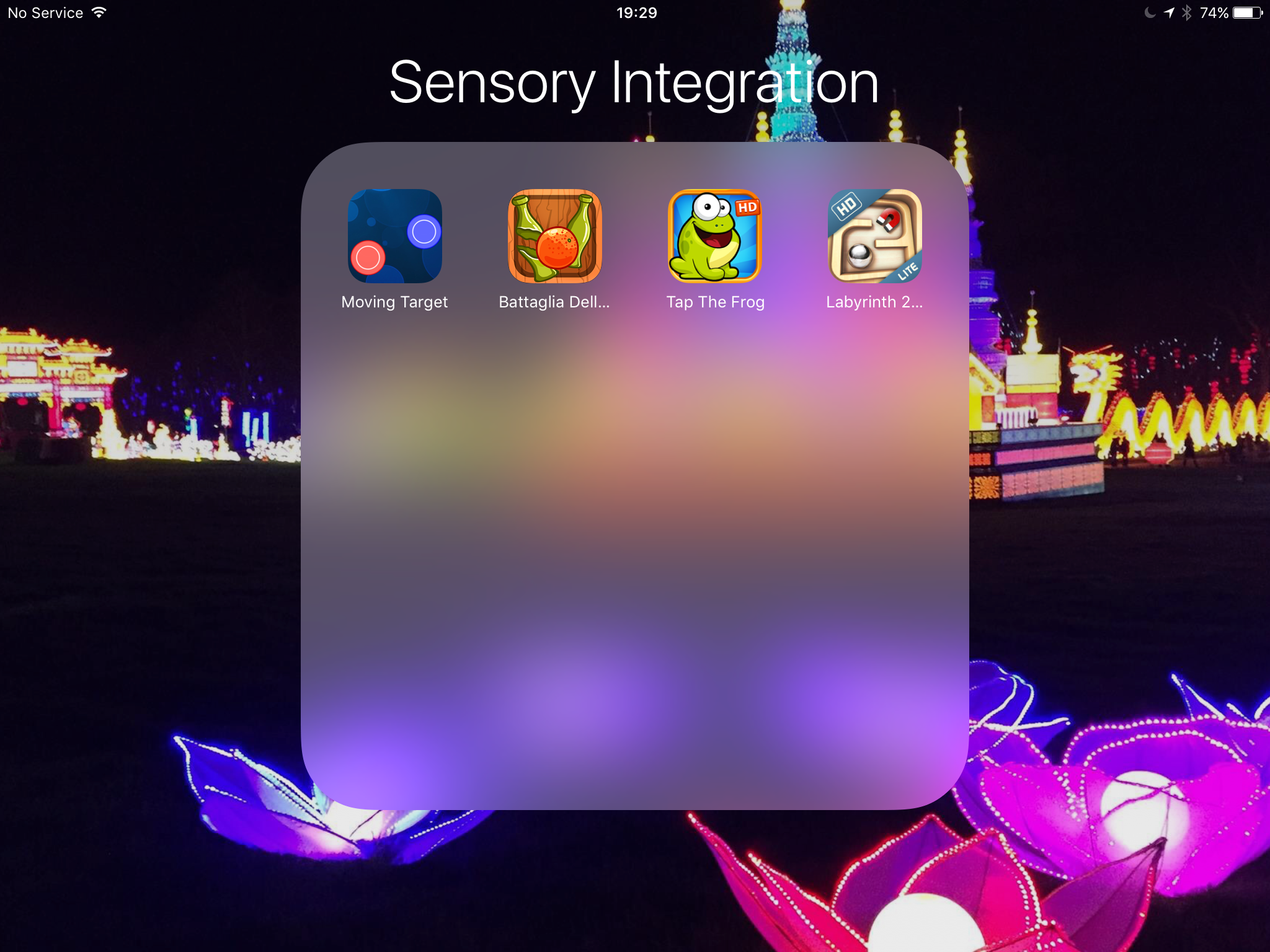
A request came in for sensory integration apps from an OT for cognitively able pupils . Considering the need for apps that integrate action with fine motor skills the best way in my opinion to do this is via games, here are my choices:- moving target,labyrinth 2HD , tap the frog and bagatelle del arrance. All these games require skill in integrating fine motor responses. 


Lima – a true cost-saving cloud device

Always on the look out for a great device that gives innovation. Lima seems such an idea for one-off cost (£70) you can have portability of all your files and folders across all your devices without the cost of a monthly fees.  The way it works it connects your files and you via your external drive and your modem – so its accessible whenever you need it. With powerful encryption that only you can know and access it is safe from hackers – especially if you use an unbreakable code of random letters and numbers. The question to ask is – do you need access to your data all the time – data being photographs, films, documents, etc? I am not sure yet I need that. I do use cloud based storage which I use to do applications with rather than use data all the time. I have a google drive and a dropbox so not sure I need this yet but the idea is based on you being able to access your data remotely – even when you computer is switched off! That maybe a reason. Anyway want to know more?

Lima

Have you heard of Google Carboard?

Well I hadn’t until today where I had a tremendous session at NAACE’s ” Making IT better” conference in Leicester today. Had the chance to try a Occulus Rift device which is a virtual headset using a Samsung Galaxy S7 phone. Then someone mentioned Google Cardboard. You can find this at:-

https://www.google.com/get/cardboard/


Literally you print yourself a cardboard headset! Can’t wait to get home and print one out and try it with my iPhone 6. There are only few apps that will do VR but the Android equivalent has loads of apps. I intend to research this and print it here .

Watch this space!


I did try to print one out but you have to buy one I have one on order with ebay and its going to take till 14th April to get it! If anyone knows how to print your own out please reply to this blog


Supporting older students with Dyslexia

On the front cover of Special World you will find a follow-up article looking at the needs of older students with Dyslexia where ICT can help. It’s not a definitive but gives 10 suggestions for the type of products that would help those at work as well as at University.

Here is the link to follow:-

Supporting older students with Dyslexia

Screening for individual needs

I have come across a couple of useful tools that deal with identification of need. The first tool is doitprofiler. This will identify for your school or workplace a need someone might have and make suggestions to help that individual. Their is a school and workplace tool. Go to http://www.dotiprofiler.com. Costs vary according to the tools used Screening + profiler £48

Vision screening can identify something that is often overlooked when considering someone’s lack of achievement . This free tool can enable you to find out if someone has a visual need. Worth checking your pupils out at http://www.screeningforschools.com/

If you prefer face to face training then take a look at this facebook page https://www.facebook.com/Visualisetraining?fref=ts. It’s not free  but might provide you with valuable insights you could make to your organisation . Here is what they say:-

“I would like to invite you to one of our ‘Visual Impairment Awareness Open Courses’. We are running the following courses:

  • Manchester 29th March
  • Newcastle – 30th March
  • Glasgow – 31st March
  • London – 4th April
  • Birmingham – 5th April
  • Cardiff – 8th April

This training session will give you the opportunity to develop the fundamental skills and knowledge to support your visually impaired customers and staff effectively.

The course will cover:

  • Main eye conditions and their effects
  • Emotional impact of sight loss
  • How to guide and assist a blind or partially sighted person
  • Appropriate language and effective communication
  • Reasonable adjustments in compliance with the Equality Act 2010
  • The importance of eye health care
  • How the built environment can enable or disable people

If you have any questions please do not hesitate to contact me. Please find attached leaflet and invite your colleagues.

Kindest Regards,

Daniel Williams

Managing Director

Visualise Training and Consultancy

www.visualisetrainingandconsultancy.com

tel:07472305268

Twitter:VisualiseTC ”