https://www.podbean.com/media/share/pb-m5ape-13ec1eb
is artificial intelligence cheating? that is what this episode is about so do listen in.
Author: AccessAbility Smyles
Specialist ICT SEND Consultant,
Committed Christian,
Loves photography and computing
Plays piano and guitar - both badly!
parents workshop -Dyslexia Centre North West and Esendi
Assistive technology has the ability to transform the lives of your children who have dyslexia. Along with other more traditional strategies, we could see a generation begin to fulfill their potential . Can’t stress enough how AT impacts self-esteem.
“The Power of AT” is a project that is close to my heart. 80% of schools in the UK have Assistive Technology. But how well is it used and how fit for purpose is the hardware and infrastructure in schools to benefit from it? But there is something you can always do – even minimally. This series of films we want to give freely to schools shows its importance.
We are also in an era where interoperability between the different platforms makes that dream of access possible. Two single most elements that are now in the mainstream operating systems are text to speech ( the computer reads to you) and speech-to-text ( you speak to the computer). Coupled with other technologies that will be demonstrated such as word prediction. They are powerful to enable your child or children who have dyslexia to benefit from AT and help overcome their barriers to recording.
Text to speech with highlighting can enable a student to hear and see the word being spoken in context. This can now be done in browsers. Also via extensions in Google Chrome using the ReadWrite extension or even Hyperbird or Natural Reader free extensions.
The value of cloud-based learning is that work can be saved and retrieved on any device in any location.
The same applies to Microsoft 365. From Office 2016 and upwards the use of Dictate on the Home menu gives you speech to text whilst Immersive Reader allows any work put in to be read back and highlighted. At home this is powerful and not embarrassing to the child. Microsoft Edge has Read Aloud which allows any website to be read back and you can even change page backgrounds to make the reading easier.
You can also have word prediction on your Windows 10/11 machine switched on by going to Settings and typing in Typing settings and switch on suggest as I type option.
Must mention Grammarly as useful tool for my grammer and your child’s grammar there is also a useful add-in to Word (https://www.grammarly.com/office-addin)
This is a short list of apps that I have found useful to suggest to parents. Details of how to get hold of them and the costs involved are below:-
Claro ScanPen – £9.99 Claro ScanPen on the App Store (apple.com)
Claro Speak – £free – ClaroSpeak – Literacy Support on the App Store (apple.com)
Remember the Milk – To-Do List – £free –Remember The Milk: To-Do List on the App Store (apple.com)
Class Timetable -£free – Class Timetable on the App Store (apple.com)
Dyslexia.ai – Smart Phonics – £free Dyslexia.ai – Smart Phonics on the App Store (apple.com)
Clicker Writer – £free –Clicker Writer on the App Store (apple.com)
New Kid on the block – Chatgpt
This is controversial as it does the work for you! So in schools, this would be classed as plagiarism. It is using artificial intelligence to answer questions you put it and provides you with text. There are pros and cons.
Pros
Enables children to find out things – like Google Search – buit have presented in a literate form
Very fast – in seconds
Gets children to learn how to ask the right questions
It’s impressive
Cons
Not always accurate or up to date – so needs checking. Bing ChatGPT gives sources
Does the work for you when the teacher is asking a child to compose it themselves
Schools don’t know yet what to do with it
I don’t know yet what to do with it!!
Comes with a warning! Maybe used for secondary aged children doing research. I think children should state they used Chatgpt to do their work
Customising your Browser
You can make your browser experience more accessible. Dark Theme may help your child to make reading a bit more bearable. Live captions are on Windows 11 and Google Chrome. Just follow these instructions:-
Microsoft Edge
- Go to settings
- Then Appearance – select “Dark”
- Then Theme – whichever colour you want your display
-
Google Chrome
- Go to Settings
- Then Accessibility – live caption
Clicker is just clicker!
No more iterations on Clicker ! Clicker is now just Clicker. They have smoothed their licenses and managing licenses system as well. Clicker on an iPad incorporates what used to be called Clicker Sentences and Clicker Docs so these apps are no longer supported. This makes sense and makes Clicker ( used to be called Clicker Writer) more inclusive.
I suggest you take a look at their website to see these changes and to see their training videos. I particularly like the way you can now make word lists from Clicker Boards. Everything is getting more and more easier to use so the usual excuse for not using Clicker is it takes time to use . Not so now! Well done Crick Software!
BETT Day 3 Radio Interview
Featured in this episode an interview with Russell Prue – love the guy!
https://www.mixcloud.com/russellprue/netsupport-radio-day-three-bett2023/
BETTS 2023
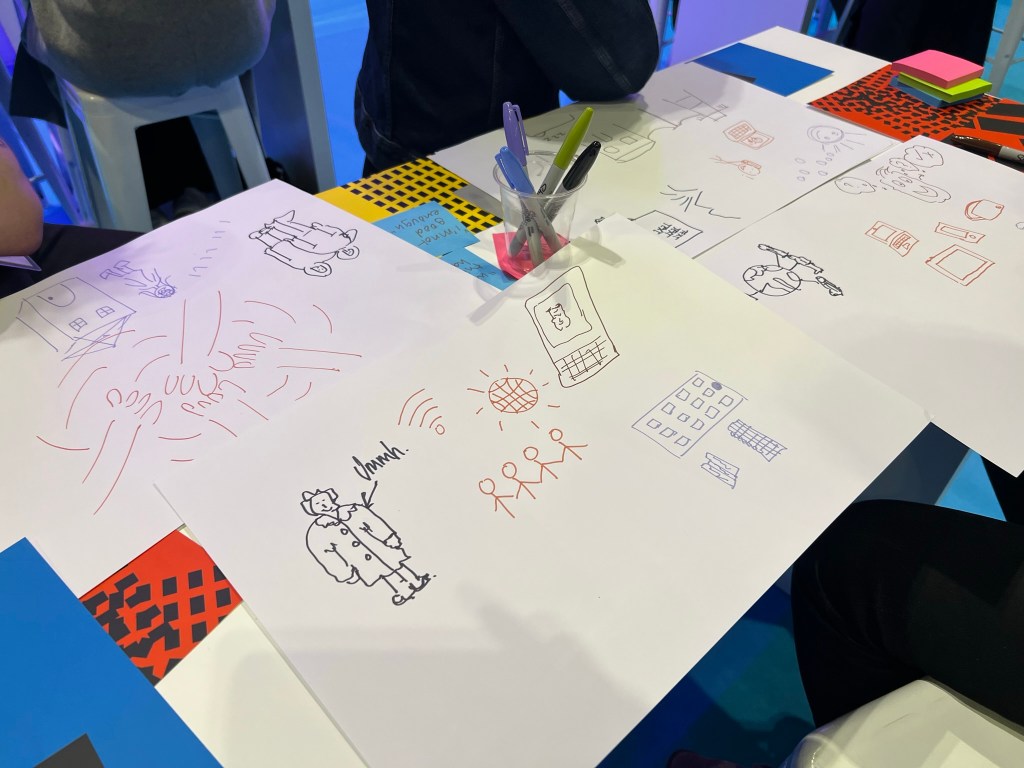
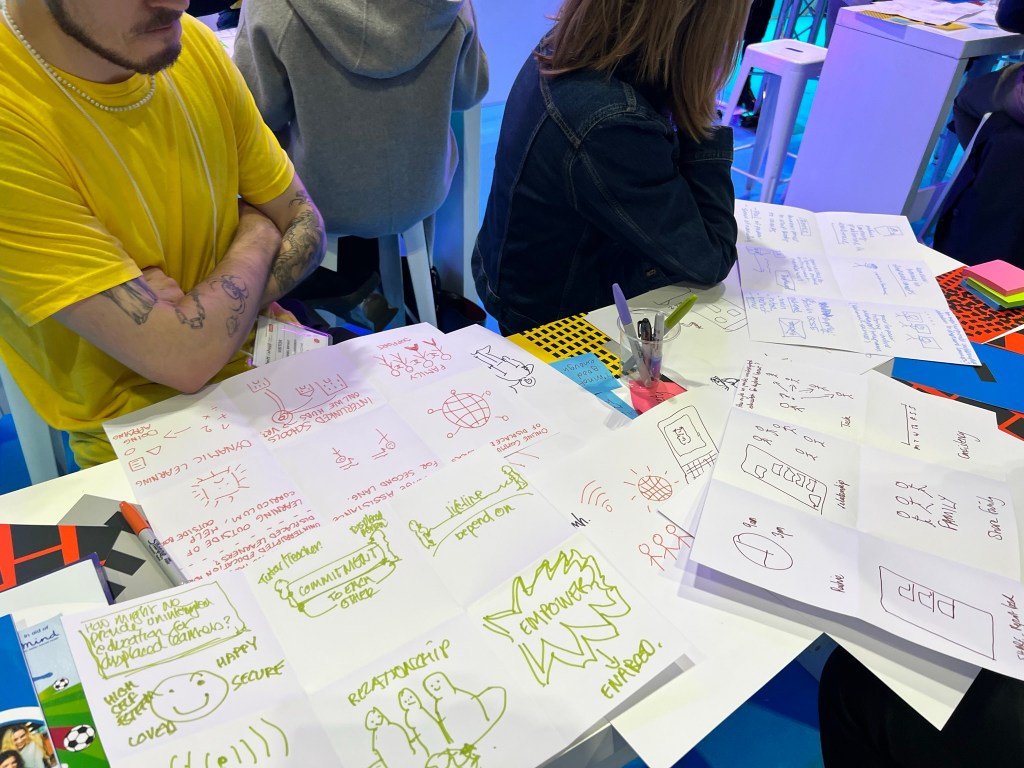
The annual pilgrimage to BETT has become something of a ritual to me. A chance to see the latest Tech Ed and also to network with fellow colleagues. Ironically the wow factor did not come from any high-tech device or app, but by a unique organization called “Work As One.” We worked as a team using colourful graphics and post-it notes to solve problems such as maintaining effective and consistent teaching towards displaced persons. Things are BETT usually last an hour or a few minutes so I was skeptical when I was told it would take an hour and a half but I was totally captivated by it. I can’t give you a website but a name or two. Mike Bond and Erica Neve, Mike is from Bond & Coyne . Working with complete strangers and using ideas such as ideas generalization and visual means such as drawing our answers to their questions. Not a computer in sight!
Here are a few shots of what we did! If you want to solve the world’s displaced persons problem with your ideas go to menti.com and enter the code 5877 4177



So to the rest of the show. I was impressed by two things from 2Simple Python in Pieces which gets educators, parents and pupils all taking part in simple coding activities via your smart phone.

Also attended Aaron Smith’s Accessibility talks and the power of assistive technology built into Windows 11. He mentioned Voice Access Control which can run a laptop offline. Simple commands such as Show Numbers will make you able to control your machine with your voice using numbers and all the action points. We are moving closer to my dream of a speech driven computer. Just a few additions I would like to see such as integration properly with screen readers . I also like Windows key + U to instantly get to the accessibility settings and also on the tray

Also the Microsoft Learning Tools are guides that can help explain how these tools can help interactively. Including a great Reading analysis tool that trains and helps children learn from reading texts in teams. Also, the Edge has great accessibility features that brings text-to-speech to life. There is more….. but for another time when I have gone through my bag! So this is a good start for Saturday morning!
Started the day with Anderton Tiger with Russell Prue with an interview about “The Power of AT“
CHATGPT
This is an Artificial Intelligence natural language tool that automates processes by the user asking questions, This could be very useful for those with neurodiversity who find getting their ideas down on paper slow and laborious due to spelling and processing errors.
The creation of articles takes a few seconds and the responses are accurate up to 2021 when the language engine was made. Important to not that on the version I was using.There is now a ChatGPT-4 which gives even more functionality. If you want to see an example I asked it to write about itself and the link below takes you to the response.
what a great time! – the dyslexia show
It certainly was a great time! So many good sessions and all the dyslexic organisations and suppliers under one roof was very impressive. Apart from the networking it was a great time to team up with people I have worked with and am working with.
It was a full event for my session on Assistive Technology in the classroom and workplace and I saw people making notes about the apps and hardware I recommended. It’s all in the presentation as well.
I think a bonus was Comic Con was taking place at the same time so seeing someone with a giant squirrel on their back and a lady dressed as a cone covered in flowers certainly adds the surrealness of this event.
Hope to see you next year! Keep up the good work!
just a few weeks to go!
Yes, just a few more weeks before speaking at The Dyslexia Show event on “The use of assistive technology in the classroom and the workplace” on Friday 24th March at 12:00pm. I have a few announcements to make that are really exciting as well. I can’t say too much now, but it involves a couple of projects I have been working on over the past few months. So why not come along? There are a multitude of speakers and opportunities to learn and network at the event. Click here to register
The Dyslexia Show – 24th & 25th March
I am looking forward to attending this important event that was such a success last year. Especially as we were just coming out of COVID then. I can truly recommend the show which is free to attend but sessions will be charged for.

My subject will be :-
“The use of Assistive Technology in the Classroom and the Workplace”
It’s a wide ranging topic and will cover both what hardware and software is being used as well as what might be useful to consider to put into practice. Free and costing apps and software will be showed and demonstrated.
So why not book your place now at https://dyslexiashow.co.uk
If you want to listen to content on the days then please use this Spotify link

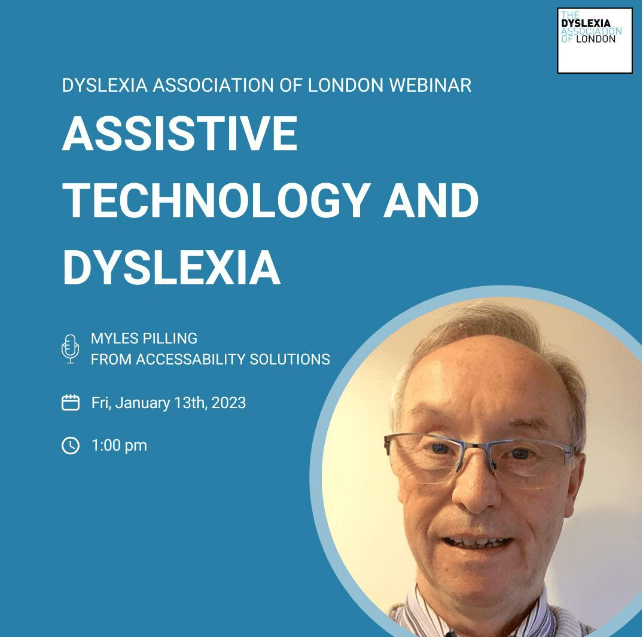
Assistive technology & dyslexia
I am speaking at this event on Friday 13th January 2023 at 1:00pm. Contact https://www.dyslexialondon.org/contact-us/ to book your place.
 AccessAbility Solutions