This is a great website with some excellent visually led projects that would have you and me engaged to learn. Go to http://code.org/learn to find out for yourself!
has ceased trading – but still producing valuable assistive technology information
This is a great website with some excellent visually led projects that would have you and me engaged to learn. Go to http://code.org/learn to find out for yourself!
If you don’t know Toca Boca you are in for a real treat! These apps for the iPad have the engaging and fun element along now with creativity to choose any hair style on yourself. I think it’s a brilliant idea for the iPad to try out that new hairstyle on yourself – virtually!!
At £1.99 from iTunes this has to be a must for any early years, primary or special school . Wonderful!!
iCloud has often been a mystery as to what it does when you use your iPad. Matters weren’t helped when iWorks.com was about as this was apple’s could server at the time. But today I had an epiphany and realised the purpose of iCloud much better. If you have a iTunes account you can download a desktop version of iCloud. Now in its beta version you have access to Pages ( Word), Keynote(PowerPoint) and Numbers(Excel). This means you can access files from and interestingly for me to your iPad. Even drag and drop office written documents! Very handy for students needing to access word, powerpoint,excel and transfer documents made or stored on a PC via drag and drop to iCloud on the desktop . In order to to transfer from your iPad to the PC you need to open iCloud and choose the download option which will give you the transer formats which would be either PDF, Apple App or .Doc. PPT,etc . I think that would help take another process out of the list of things to do to make iCloud a more attractive option than emails!
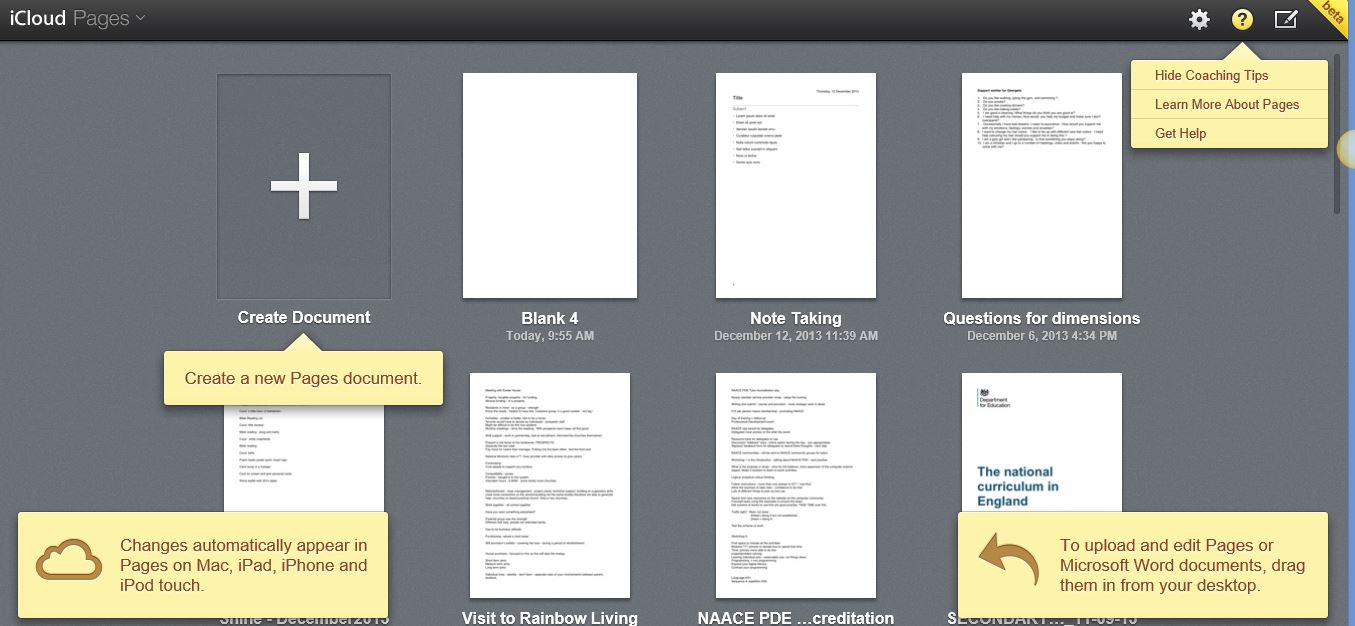
You can even edit in Pages or Numbers or Keynote online via a PC! This is truly cloud-based applications. But remember you need an Itunes account and obviously your own mobile device
Zu3D is a child friendly stop frame animation software that is now available for the ipad. All kinds of interesting work can be done with stop frame eg lego animations, claymation, animated objects . Good for speaking and listening as well as sequencing and creativity. £6.99
I always thought coding was difficult and frankly boring. Back in the 80’s though I worked in a special school and used robots to mimic the real world. The practical outcome was my concern and teaching kids how to control their electric wheelchairs was the aim. Anyway this film says it all:-
Just watched this very interesting Ted Talk which shows the secret world of the algorithm. A term I thought related to a book I used to calculate them at school in my Maths lesson back in the last century. Anyway worth a watch!
eLim provides some helpful advice on app management for devices as well as some useful apps if you are running a mobile management in your school or setting.
https://slp.somerset.gov.uk/cypd/elim/somersetict/appleblog/default.aspx
The above event on 8th january at 16:30-17:00 is free to anyone who wants to find out about how ICT can enable pupils who struggle with handwriting to have an alternative method to use
Chrome is a browser app on the ipad which now has some useful dyslexia friendly features. Namely you can use the google microphone to search with your voice and it is really accurate for an adult. i would like to try it for a child to see if its got the same accuracy. Also there is word prediction built into the search feature as well which is really an helpful addition to the ipads limited keyboard features
This “anywhere,anytime” product can span a variety of platforms creating customised resources that will meet the needs of P level pupils and those with the most severe and complex needs. Click on the link below to find out more:-
http://www.helpkidzlearn.com/shop/online-software/chooseit-maker-3
 AccessAbility Solutions