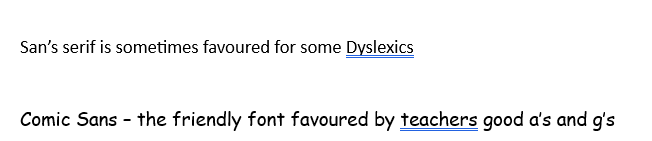
Grateful thanks to TechAbility for this little tip which puts Immersive Reader more visible and therefore more accessible to users. Just follow the link below to LinkedIn and watch the video following the clear steps to make it work for you.
I had to try and solve a problem where the Homepod Mini required a password to use AirPlay. On investigation it became clear that it wasn’t possible to use the Home app on my iphone to change it. So I thought it best to take the HomepOd Mini back to my home and work on it in the morning which I did.
After some research it wasn’t clear how you set it up. But I did find how to reset the device which involves holding down a press on the top of the device in the centre. This gives a factory reset and then releases the Homepod to be re-initalised with your iPhone or IPad device.
The Homepod mini now plays from the iPhone or IPad and appears to work as it should without passwords.
The above device is being discontinued. I presume to fit in line with digital devices that no longer need a landline. It’s due to finish at the end of February. I have a blind client who depends on this device to use her answerphone and access phonelines with auto answerting systems.
This raises the point. Does progress always have to involve changing the status quo? In disability accessbility this is a key question. Sudden and often inexplainable changes are foisted on the disability. Let me give you some recent examples .
smart speakers cannot access emails since 2015
TV guides no longer give information on local regional programmes
smart speakers don’t switch on TV’s , even though they can switch them off
smart speakers can no longer search for phone numbers and ring them
In the UK we have this thing called GDPR ( General Data Protection Regulation) which is there to protect individual rights. But when it actually blocks the rights of disabled person communication it becomes a barrier to access. At least I think some of the above changes are due to GDPR. All the above were once done on smart speakers.
Technicians love to change things. Again for disabled people change can mean the difference between access and non-access. Especially if you are blind and using a screenreader. I was helping someone this week who was blind and he was trying to navigate ChatGPT and there are broken and orphan links all over the site. The webpage looks visually fine but obviously changes have been made and not removed they remained and they are “visible” ( excuse the pun) to a screen reader! Making access to the site less navigable to a blind person.
If consideration is for all surely standard practise should be the inclusion of disabled people into the design process of any website or equipment to check whether it works for them. Apart from providing employment to disabled people it could give valuable inclusive practises that could be vital for the growing numbers of disabled people int the world.
BDA Technology Group – Assistive Technology Update
Myles Pilling, BDA Technology Group presented the following software update on current assistive technologies. This helpsheet will present the material he presented in a printed form. It will also be on his website at http://aas123.com.
Organisation
Trello – organisation tool for dyslexic learners to plan and keep a track of activities, projects, homework, coursework at no cost. Handles coloured labels dates, times, photos and emails
Google Keep – free and similar to Trello and you can add notes, using images, audio and locations. Organise into folders that enable better efficiency for pupils. Because it’s cloud-based you can access it on any machine
Word prediction /Completion
Lightkey – Artificial Intelligence word prediction tool with customised dictionaries. Free version and paid at https://www.lightkey.io/ Lightkey Pro – $49.00 1 year licence
NB. For dyslexic learners it may be more of a learning tool to use a drop down list of words or suggested corrections like Grammarly offer to enable the learning of spellings. But from the point of view of overcoming a barrier the above tools are really useful
Note-taking
Glean – records in real-time any talks and can provide a transcription
Text to Speech
Claro ScanPen – £9.99 take a photo of any typed document and have it read back to you.
Claro Scan Premium – £free – in app purchases – 10 scans before having to pay a subscription.
Editable PDFs
ABBY FineReaderPDF – £free trail – makes pdf’s editable for changing fonts , changing texts, making it accessible for screen readers. https://pdf.abbyy.com/finereader-pdf/
Latest AT software
Cantoo Scribe –£free to subscribe seen at BETT. Create notebooks with 30 assistive technology tools as part of the package https://app.cantoo.fr/
Dyslexia. Ai – £free – in-app purchases – subscription model £0.79 a month or £8.49 for first year then £17.99 per year – skill practise app for nouns, verbs, adjectives, etc Reading, Spelling and Phonics and Extra’s. Free to setup an account. A unique calibration feature to work out your level. https://apps.apple.com/gb/app/dyslexia-games-dyslexia-ai/id1564885095
Post-it £free – if you are a post-it note person then this could be for you! This electronic version makes post-it notes into mindmaps. Exports to the following:- Post it Board to share with other post-it users, Trello Board , Miro Board, PDF, PNG Image, PowerPoint, Excel, Text files/ Work visually then convert to text. https://apps.apple.com/gb/app/post-it/id920127738
Class Timetable – £free – organise a timetable into colour coded themes and set homework on coursework with due dates. It offers a 2-week timetable that most secondary schools operate. Simple, clear and easy to use. https://apps.apple.com/gb/app/class-timetable/id425121147
Remember the Milk – £free – simple to do list – sends out reminders via emails , syncs on all devices , integrates with gmail, google calendar, Evernote and more. Range of outputs to help prioritise your life.
Windows 11
Voice Access Control – you can control the laptop with your voice and navigate windows via the command show numbers and respond with the appropriate number. The biggest benefit is that it overcomes problems of lack of internet as it works without a wifi connection. So you can use it with Word and other applications. You switch it on in Accessibility. It is one of the best features of Windows 11
Typing suggestions – this is switched on if you go into settings and type in the search window – typing settings – you can then choose the option to make suggestions on a physical keyboard and that would allow word prediction to appear in any application as you type.
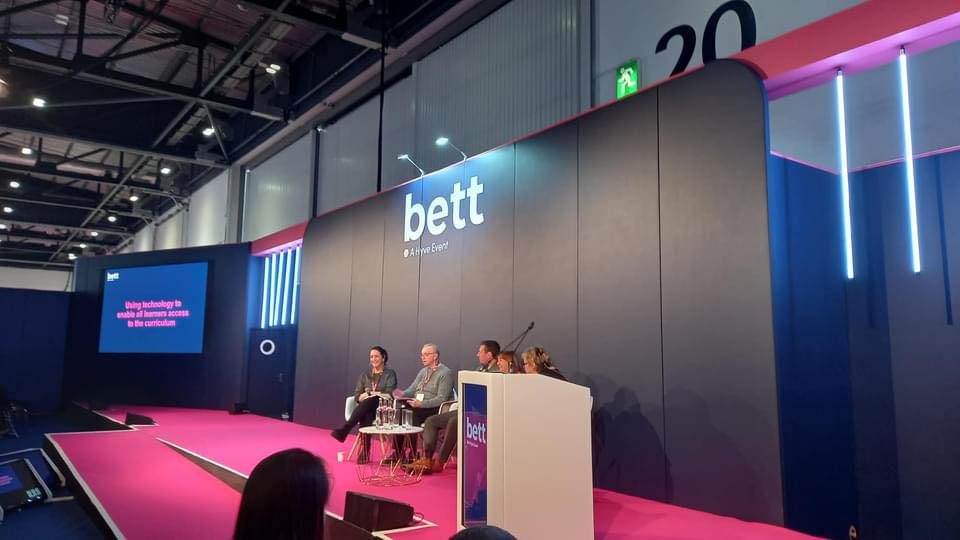
Education Panel discussion on ” Using Assistive Technology in the Curriculum”
I can’t tell you how many years I have been coming to BETT but it’s more than a few years! This year was different in that unlike any other year two things happened.
I was approached to give my advice about Accessibilty at the show to an independent consultant who was advising on this for all the BETT shows around the world.
Networking – I kept bumping into colleagues I have worked with both in the past and present.
But what impressed me apart from those two things? Here goes:-
Scanning Pens of different types are appearing.
There is a new scanning pen ( not from scanning pens though) called Scanmarker Pro £199.06 . This scans text both online and offline, has a phonetic translator into different languages. A larger LCD display, It’s a touch screen and has a bluetooth and wifi connection as well. And more. I haven’t explored this yet so will write about it when I have.
Alos, the IRISpen Reader. Offers similar options including Photo translation, live recording and live translation. It also as a digital display and in effect is a portable scanner too with two versions the IRIS Pen Air which has the above functions and the cheaper IRISPen Reader which is a basic reader pen.
Cantoo Scribe is an innovative assistive technology software that can adapt content to suit student needs with all the access tools from text to speech to magnification and what excitied me the ability to OCR into PDF and magnify content such as a diagrams and geometric shapes and angles. Can’t wait to try this out too! I have one client I am excited to share this with. Designed by a French company I can see the potential.
A lovely set of people ( they come from Blackburn Lancashire!) not that I am biased have a comprehensive computer coding approach and they work in an inclusive way with pupils with special education needs. It was their first BETT and jamcoding offers pupils and teachers a tailored programme to help teachers understand and use programming even if you are not a computer buff to start with. It’s also got a CPD accreditation which you can put on on your CV. In essence it’s a curriculum.
Another company from abroad brought their dyslexia friendly teaching tool to the show C>onstructor has a visual and multisensory way of buidling words based on scientific research done on how the dyslexic brain works. It’s also able to build on visual memory to find the words you want.
On another front I was impressed with Digital Poverty Alliance who are trying to bridge the digital divide that exist in our national who refurbish and send out to schools and homes technology to help those who can’t afford it. Take a look at what they are doing at https://digitalpovertyalliance.org/ it’s really important and I was pleased to hear they work with AbilityNet too!
Back to software. Class is a virtual classroom that looks a bit like zoom but allows more accessible tools and perfect for Hybrid learning in drawing students and teachers together. It can also look and feel like Teams and this virtual classroom can work effectively in creating a more inclusive classroom. Especially important for us the UK when many pupils have not returned to the classroom since COVID. Take a demo at https://www.class.com/demo
Everybody counts is a online maths curriculum that is priced with school budgets in mind. There are characters of a diverse nature – culturally and disabled characters in the package.
Something I am definitely going to follow up is Teachers Talkk Radio. Over a million listeners this sounds a fantastic way to get information and get your messages out . Tune in at http://www.ttradio.org
Last I featured on Russell Prue’s BETT Radio this year. Take a look and listen at this website – go to Day 3 and 10 minutes in you should hear myself and Dave Presky give an interview about the Power of Assistive Technology film series. https://learnradio.net/home/bettradio/
http://bataonline.org/impact if you want to get your copies of the films designed to stimulate discussion in schools.
Found this interesting with Conor Ward of Brain in Hand on the present situation of understanding autism not as a deficit, but as a strength – particularly in the workplace
Microsoft has released a new version of Outlook which visually looks simpler and faster to use. The drawback I have found is that it takes Mail to be more like Outlook app and therefore more complex menus for blind users to access.
Also, I found that my freelance companies who use their own servers you have to go to the web version. The Outlook app doesn’t alllow it now! Grrr!! You have the options to go back to the old version which alllows you to keep all mail clients in one place.
Microsoft have said they will transfer across Mail to the new look Outlook on the 15th January 2024 in a rather forceful and scary way to us. So we will see if my blind client can access it. If not it will be much more complicated for her. This brings me to an ethical point in that should we not have the choice to change our outlook according to what works for us? If that is taken away it may result in less functioanlity than we had before.
Netflix is well known in the blind community for excellent access to films with audio description on numerous films. If you use a smart tv with voice recognition you can search for films and play, pause and rewind.
If you use a remote you should have no trouble accessing netfllix if you are blind or visually impaired. But what if you have no hand function and are blind. This presents some obstacles. The visual menu system Netflix makes scrolling through the films difficult. Even with smart tv accessibility with the LG model frustratingly the voice output stops. The only reason it stops is it doesn’t seem to respond to the latest Google Nest. I am still working on it.
So the present solution with my blind physically disabled client is to use her possum which is a device with limited navigational options but at least I have made the options simpler by moving things around. Commands such as Home, Select, Up/Down, Left/Right are important and have to be learned.
Introducing a new skill takes time and regular practise. All in good time! I still don’t understand why Google Nest won’t completely control Netfliix. My client also lost the power to switch on the TV but she cleverly set a timer to start the TV – like 5 to 10 seconds!
This project will take time to bed in and will keep you posted on this journey of discovery.