Greetings to all

Thank you for a great year and to appreciate all what we have achieved together. I just wanted to wish you and yours a Happy Christmas and a Happy New Year,

retirement!

This is advance notice that at the end of December 2024 I shall be retiring and therefore winding up AccessAbility Solutions.

I am 72 yrs old and due to a medical incident earlier this year which has led to a pacemaker fitted my body is telling me to slow down. In fact, I have always said that if my body is telling me this I should retire so that is my cue!

I have worked in the Special Needs and Assistive Technology area for 40 years and it’s been a privilege and honour to be at the forefront of so many assistive technology initiatives and projects such as “The Power of Assistive Technology” films series and the “Teachers for AT” Campaign.” You can still download the films and join the “Teachers for AT.”

I am stepping down from the British Assistive Technology Association Council, of which I have been a member since 2013. I am also ceasing my subcontracting for Neurobox. I may do the occasional conference or inset.

I am keeping going with AbilityNet as a County Co-Ordinator as I feel that is where my skills are really needed with an appropriate age group of seniors and disabled people.

It’s been a blast! Certainly the last 12 years of doing AccessAbility Solutions. Thank you for visiting here! I will keep this website going and post things that inspire and inform people so keep watching here.

Myles Pilling, 28.11.24

techability 2024

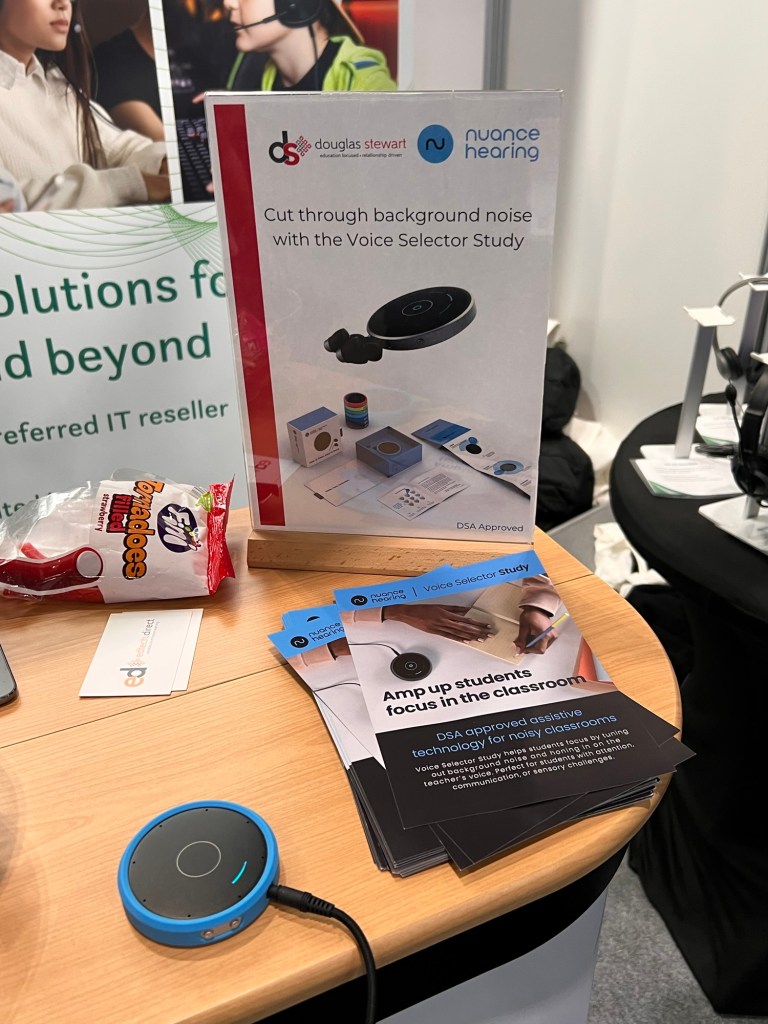
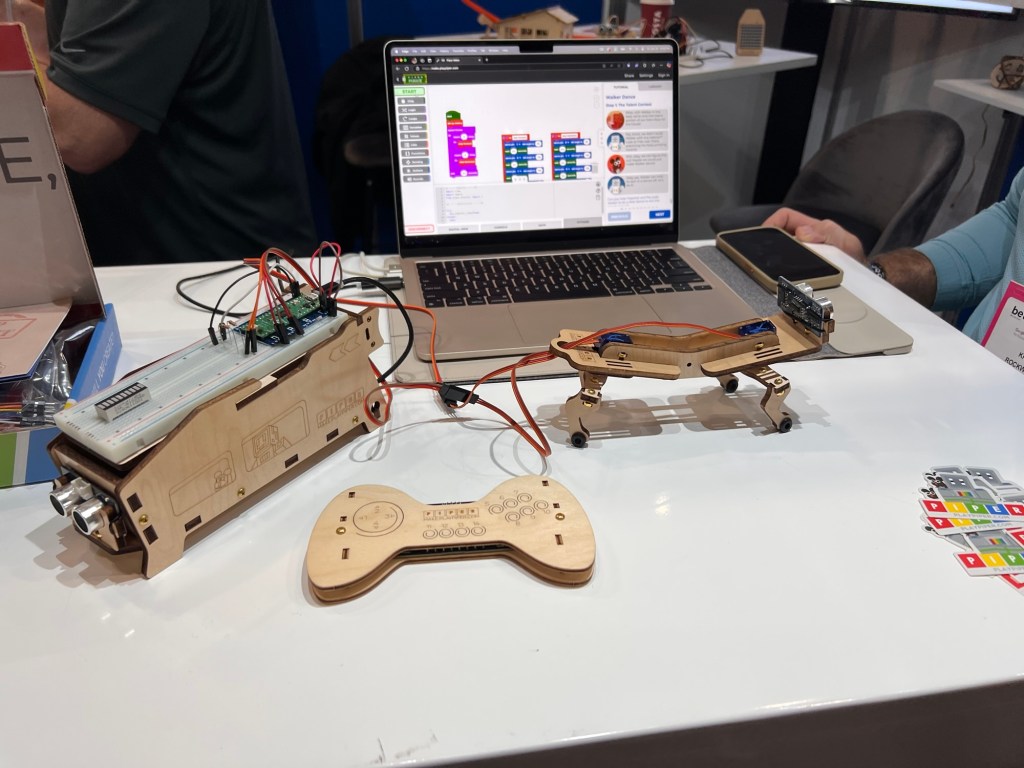
As always a great show that takes me back to my roots in education which was special educational needs teacher for severe and profound learning disabilities. In terms of new kit Dr Paul Blenkhorn and David Stephens have some exciting additions coming to their Sensory Readable software in the new year. Making use of Voice Access Control and Live captioning there are going to be new features that give instant text to speech feedback and the saving of live captioning into MP3 format if needed. This could have huge implications for hearing impaired students as well as those needed text to speech feedback for their work and studies. Really pleased to meet David and Paul as the first exhibitors to TechAbility 2024.

The actual conference itself proved to be very worthwhile and well planned. The have the keynote just after lunch was genius to allow people to get there and settle into the conference. I also love the hot topics sessions – a round table affair where things like Supporting the Supporters of AT and Professional Members for Assistive Technology were discussed. All good news and the right direction for us to take at this time in our history.

Rohan Slaughter gave a detailed and important lead on AT Competancy Framework based on research and practise. He did a brilliant job of collecting information from delegates and then recording this back live and comparing it to what a live team of research contributors have told him. The good news they were very compatible and we all felt we were all singing from the same hymn sheet by the end of the talk. I look forward to the research being published and more tools being developed that can help assessment and training to occur.

Training was the theme for Professor Jane Searle also as she has been looking at assistive technology for people with learning disabilities. She’s produced a set of videos with SeeAbility & the Open University to help train support/care workers to make effective use of AT. As someone who has been in this industry for as a long as I have means their is a kindred spirit who see the changes needed in our care system to make the phrase “ It’s not my job” as regards assistive technology for people with learning disabilities go away!

Thanks to Fil McIntyre and the TechAbility team for yet another great conference. I recommend you head over to the training section of the TechAbility website for some great resources that can help you. https://www.techability.org.uk/training/

assisitve technology for adults in the workplace

With the advent of Access to Work a goverment initiative that enables employees to access a range of services including asissitve technology has a significant impact on the workplace. So what kinds of technology and what needs can assistive technology help with differently abled people ( like this term as the more negetaive term – disabled people).

Sensory Impairments

Asisitve technology can enable those with visual impairment to have maginification available to them to enbale there visual impairment to be alleivate to a major extent. All software can be enhance through a toolbar that works with any software. Tools that enable enlragement of text for PDF’s and websites. Some of the tools are free or built into the operating systems but also can be met by admittedly expensive software but necessary to get the customising potentials of this software. Some visual conditions vary each day so this customisation offered byt these specialised software can aide access. For those with hearing impairement the use of hearing aids that can be customised to suit the situation is useful. Captioning tools especially for online meetings is key. Both free and padi for solutions can help those with hearing impairment to take part in meetings. Smart glasses with AI that can help hearing impaired users to interact with colleagues and customers as captions can be gernated diredtly to thr screen,

Physical Disabiliites

Access is now avaialble via specialised periphherals from eye-gaze to swtiches to joysticks and on-sceen keyboard. Moutning and positiioning are key to enable the user to access their hardware and fulfil their productivity in the workplace. Such users are generally wheelchair users and therefofre ramps and physical access to a desk for a wheelchair.

Neurodivergency

Perhaps the most significant category of need and the most impactful as solutions can almost make neurodivergency almost disappear. From spelling correction to mindmapping to organisational tools enable and empower the neurodivergent user to be productive. For those with ADHD prioritisation of tasks can be signifcantly impact the user in the workplace as their stress levels reduce onve that felling of being in control of your workflow is felt. For meetings thte use of AI can enable a revolution in note-taking means manual note takigin is history. Checking the AI notes is worth doing to ensure action points and notes are accurate. AI can also be used to comprise detailed breakdown and explanation of projects for those who find writing such documents difficult.

We have spoken in general terms so far. So what products do this? As an independent consultant I have to be aware of multiplatform solutions as well as a wide range of free and paid for solutions. So the following list is not exhaustive but essential

Visual Impairment

SuperNova form Dolphin Compute Systems – £425 https://www.visionaid.co.uk/supernova-magnifier

NVDA Screen reader – £free – https://www.visionaid.co.uk/supernova-magnifier

Windows 10/11 – £free – Magnication access within the operating system

Apple iOS devices – Zoom and Voice Over for maginifcation and contol

Hearing Imparment

Windows 10/11 – £free = captioning tools

PowerPoint – £free =captioning option

Microsoft Teams – £free – captioning

Caption Ed – subscription-based Lite £25.00 a month or £50.00 for prfessional. https://caption-ed.com/

XRAI Glasses – Free, Premium and Ultimate subscription packages for smart glasses https://xrai.glass/

Physical Disabilities

Incluisve Technology – one stop shop for switches, joysticks, mountings. https://www.inclusive.com/uk/

Neurodivergency

Texthelp Read&Write – £250 per year for individual users enterprise – talk to texthelp systems for detailed pricing for organisations – https://xrai.glass/

Global Tasks – access to work and talk to texthel for subsription model – https://www.texthelp.com/en-gb/solutions/dsa/global-tasks/

Grammarly – free grammar tools with ai https://www.grammarly.com/

Goblin Tools – £t – range of ai tools to aide writing for specific audiences – https://goblin.tools/

Co-Pilot – £free – artificial intelligence – great for finding research and pracical jobs – https://copilot.microsoft.com/

For a wider discussing of ai please look at and comment on my discussing ai blogsite. https://discussingai.blog

discussingai.blog

Take a look at discussingai.blog. There are interesting posts on current work in artificial intelligence. An important subject at the moment and there should be discussion about it. discussingai.blog is set up to allow that discussion to take place, so feel free to comment as ai is here to stay whether we like it or not!

discussingai.blog

discussingai.blog is now open and ready to take your comments, thoughts and ideas about artificial intelligence. Both Tereza and I feel the way forward is to start a debate on the subject and gather as many uses of ai that people care to share with us.

Working collaborative on this subject can help to have a healthy idea of ai and it’s use. We need a balanced and constructive approach which we can’t do with out your help. So please go across to https://discussingai.blog now and look at the content and add your own.

Look forward to reading your comments and content! It would be great if you could put some comments on the site so that we can move the conversation forward. Look at for news of conferences on AI that is taking place.

discussingai.blog

Probably in the next week or two depending on training commitments and family matters I might be launching a new website. Artificial Intelligence has become the “elephant in the room.” Some teachers embrace it, other teachers fear it and still other teachers see it as a threat to critical thinking.

It is the buzz word of the moment but what actual research is being done to compare these AI tools to ethical standards and criteria? The blog I am about to publish will explore the possibilities and give a chance for others to comment and make their contributions to the cause of seeing it’s potential and recognising the safeguards needed. Join the debate. I will be publishing soon and will give you a heads up when it’s ready to go!

making life less stressful with goblin tools

One of my clients introduced me to this invaluable tool for those who feel overwhelmed by the tasks they have to do each day. Wouldn’t it be useful if you could just pour out your thoughts onto a website that just does the organising into tasks for you.

Well that is what Compiler does in Goblin Tools does. I just blurted out a list of things that I have just thought of. No need to format or make grammatical correct just get it down onto the website. Then by pressing Magic to Do it automatically makes this list for you which you can sync with you cloud account and set times for. A really simple and useful idea.

Goblin tools can be accessed through your browser for free at https://goblin.tools/

adding productivity to your filing methods

Having a paperless office is a concept that was the aim and dream of every organisation and company. We now have the tools to go straight from tablet to cloud filing .

Cloud-based file storage has made the dream a reality. It offers the following

  • Direct posting from a source device to the cloud
  • Handwriting recognition software can translate any writing on a tablet into an electronic document.
  • Having a sensible and clear filing method can enable work to be stored directly into a folder accessible to not only you but your PA’s and support assistants.
  • Saves space rather than physical filing cabinets.
  • Important to have a backup drives to avoid any loss of data and system of backuop- form daily through to monthly backups.
  • Most cloud-based storage systems have their own backup systems.

Examples of cloud-based systems are:- Dropbox, Google Drive, Microsoft OneDrive would be the main contenders and of course their other cloud-based systems to use the above are the most popular.

Security of data is extremely important and good systems have the ability to encrypt the data so one can access it without the proper authentication. This usually referred to as two-step authentication . One example of this would be Microsoft Authenticator which uses your mobile phone to verify a number visible on the cloud=based storage before accessing your files.

Without these methods data would be less secure. We have all heard of data being leaked by the use of USB devices, They can get lost and if not password protected will be a security risk. This is another reason for using the cloud. Even hard disks are not totally secure and safe. I have had hard discs fail and lost data that I cannot retrieve. Devizes that fail also can cause a data lost that is not recoverable.

So the ideal would be for mobile devices to connect to the cloud with automatic backup and linking directly to the folders you need your entries to go into.

Things to avoid are nesting. That is the creation of folders within folders. Losing your way around an electronic filing system. Having a clear understanding of your organisations filing system which could be done via a mindmap software that can show you the filing structure and ways you can access the folders. Such cloud-based systems are hierarchical and that suits the way mindmaps can be viewed – top down, left to right, etc. .

Choose an accessible home with these considerations

Photo via Pexels

Choose An Accessible Home With These Considerations

House hunting when accessibility is a key requirement presents unique challenges and necessitates careful consideration. This guide, courtesy of AccessAbility Solutions, is designed to help you identify essential features, anticipate future needs, and make informed decisions to find a home that enhances your daily living. With strategic planning and the right resources, finding the perfect accessible home becomes an achievable goal. Let’s take a look:

Understanding Non-Negotiable Accessibility Features

Identifying key accessibility features and building standards is crucial. Consider door widths, ramp access, and bathroom modifications. Look for lever handles instead of knobs, as they are easier to use. Check for lower countertops and light switches for wheelchair accessibility. Ensure the home has a step-free entrance and wide hallways, and evaluate the kitchen layout for mobility. These elements can make daily living more comfortable and safe.

Thinking Long-Term for Evolving Needs

Planning for the future is essential. Your needs might change over time, so consider homes that can adapt. Look for properties with open floor plans that allow for easy modifications. Multi-level homes might not be ideal if mobility decreases. Consider a single-story layout to avoid future renovations. Think about potential changes in health and mobility and choose a home that can evolve with you.

Budgeting for Your Accessible Home

Determine what you can afford before house hunting. This involves assessing your finances and understanding your budget constraints. Research the local housing market to get an idea of prices. Use online real estate platforms to compare prices and features of accessible homes. Knowing your budget helps narrow down your options and prevents financial strain.

Evaluating the Surrounding Neighborhood

The neighborhood is just as important as the house. Ensure the area is accessible and meets your needs. Look for neighborhoods with smooth sidewalks, curb cuts, and accessible public transportation. Check the availability of nearby healthcare facilities, grocery stores, and other essential services. Consider the community’s overall safety and accessibility of public spaces. Evaluate the proximity to family, friends, and support networks.

Planning and Completing Repairs

When it comes to maintaining your accessible home, ensuring that necessary repairs are completed in a timely and efficient manner is crucial. Whether it’s widening doorways, adjusting countertops, or upgrading bathroom fixtures, it’s important to address these updates with professionals who understand the specific needs of accessibility. By using an app designed to connect you with home repair services, contractors, and experts, you can easily schedule appointments or even video chat with specialists to discuss your needs.

Exploring Grants and Loans for Accessible Homes

Financial assistance can ease the burden of purchasing and modifying an accessible home. Research grants and loans available for accessibility modifications. Various government and non-profit programs offer financial aid; the U.S. Department of Housing and Urban Development (HUD) provides resources for home modifications. These funds can significantly reduce the cost of making necessary modifications. Understanding your options can help you find financial relief.

Conducting a Thorough Accessibility Inspection

When you find a potential home, conduct a thorough inspection with accessibility in mind. Hire a professional inspector familiar with accessibility standards and find out exactly what they’ll check for, which might include even flooring, adequate lighting, and accessible entryways. Ensure that all rooms are navigable and that essential features like bathrooms and kitchens are accessible. An in-depth inspection can reveal hidden issues that might not be immediately apparent.

Finding an accessible home requires careful planning and consideration. By understanding key accessibility features, planning for future needs, budgeting wisely, and evaluating neighborhoods, you can find a home that suits your requirements. Digitizing documents, assessing modification potential, exploring financial aid, and conducting thorough inspections are also crucial steps. With these strategies, you can navigate the house hunting process more effectively and find a home that enhances your quality of life.

Suzanne Tanner , ablesafety