Windows 10 installs

During the past few days and over the past years I have had to install Windows 10 on laptops that either needed repairing or upgraded. Neither process is swift but please ensure you make a backup USB or DVD of your system. This could save hours in re-installation.

Windows 10 has a MediaCreationTool.exe program that enables you to install Windows 10 on your machine. But be warned – it does take a long time! So always plan to have lots to do while the install takes place.

In every case the install always gives unexpected results. Today the system I upgraded from Windows 7 had not pins and the start button didn’t work. Right mouse click over the Start menu icon ( bottom left) worked and so was able to run some system software but couldn’t understand why this didn’t work. The solution I came to was to re-install again in the hope the problem resolves itself!

For long periods the install doesn’t seem to be doing anything- stuck on a percentage – but its wise to leave it running. It will eventually come good despite the long wait.

Antivirus software. Well Windows 10 does appear to be pretty good but I wonder why my trusty laptop failed spectacularly. Not sure if that was due to having only Windows Defender on ( that’s Windows 10 antivirus software). On the safe side I am running a different antivirus software – McAfee which I think slows my machine down- especially when it updates. I did notice a massive improvement on speed when NOT using McAfee but that could be due to the age of the machine.

I have to say it’s brought a new lease of life into my 6 year old laptop to have it re-install Windows 10. That has save me a few quid! And now with the aide of a lot of cloud apps I can keep on using this machine for assessment, demonstration and training.

Drivers that are needed on your laptop can be a pain as well. Even though Windows 10 is pretty good at locating them it can still throw something of a wobbly. On my laptop the intell graphics driver ghosted my laptop producing a myopic display. Once the Intel Graphics card was disabled everything was back to normal.

As I have written this article the desktop I am currently upgraded to Windows 10 is still on 80% install. That is maybe 20min- 30mins it’s taken…. oh, well time for lunch!
Go Red

To celebrate October being Dyslexia Awareness I am going GoRed which means all my logo has gone red ! Well, at least a reddish tinge !

Widgit September News

Just had an email from Widgit with some good resources for teachers to use with their pupils. I suggest you get over to widgit. com and sign up for a free newsletter yourself:-

https://www.widgit.com/

The Big Picture

Felt inspired to write about some principles about how to help people with disabilities use the Assistive Technology on LinkedIn. Feel free to share it if you think it is useful.

https://www.linkedin.com/pulse/bigger-picture-myles-pilling-ba-m-ed-

…and also a guide on Accessible Street Furniture

From the same source:-

Guide to Accessible and Responsive Street Furniture
https://kingswoodstructures.co.uk/guide-to-accessible-street-furniture/

The Full Guide to Flying with a Disability

The guide is called “The Full Guide to Flying with a Disability” and offers plenty of valuable information such as:

Understanding the struggle disabled travellers face when they try to fly. Figures show 57% of these travellers said they had difficulty when accessing an airport or flying. 33% of people also said they were unhappy with the service provided for them at the airport.
The barriers disabled travellers face when they fly. Did you know that 26 wheelchairs are damaged across the world on a daily basis? and some of these can cost tens of thousands to replace!
Practical advice on the best places to visit as a disabled holidaymaker, how to book up a hotel room which is right for you and how to get special assistant on your flight if you need it. The resource also covers medical information which you might find useful.
Other helpful tips and resources that can make planning and taking a trip abroad safe and easy for those with disabilities.
Feel free to check-out the guide below:

“The Full Guide to Flying with a Disability”
https://www.parking4less.com/flying-with-a-disability/

Post -it’s

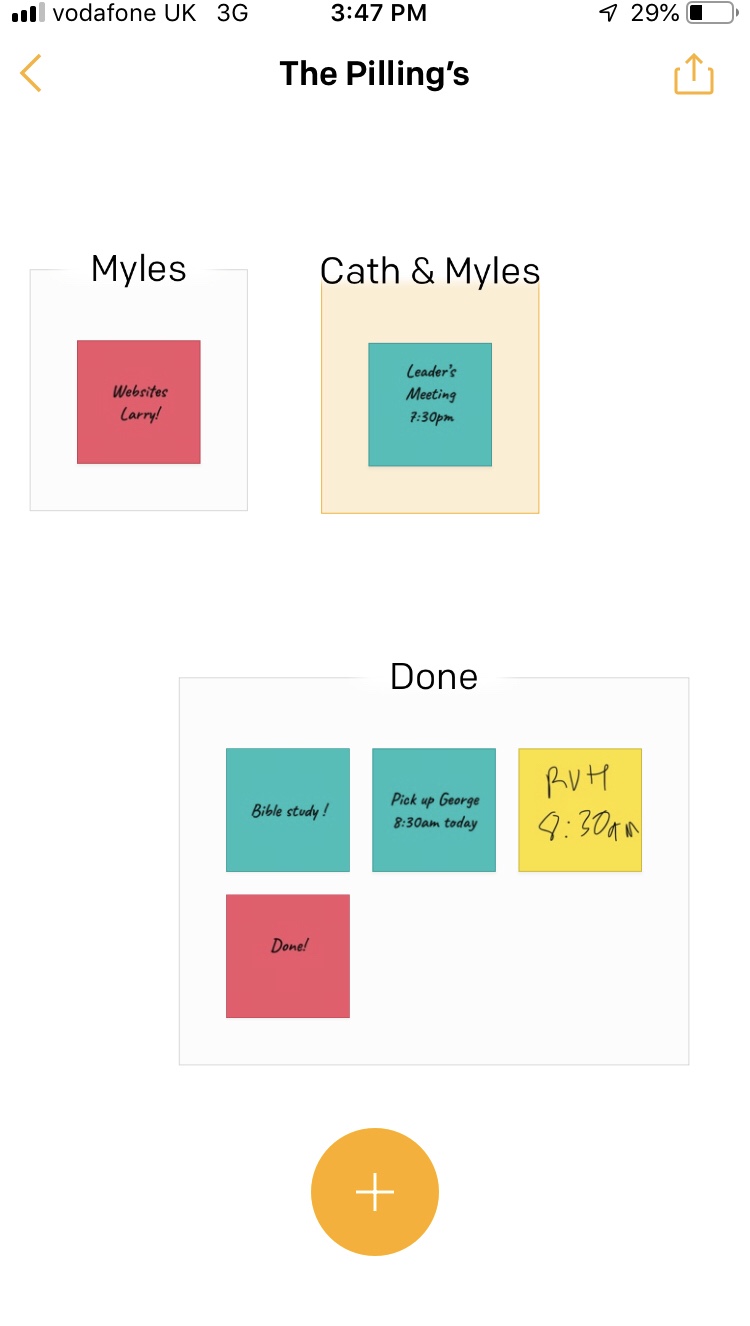
We have all used them and attached them to our fridge or computer. But now Post-it is an app. A very useful one has your post-it’s can be group. Great too for to-do- lists .

Now it’s gone digital you can dynamically make them, change them and swop them around .

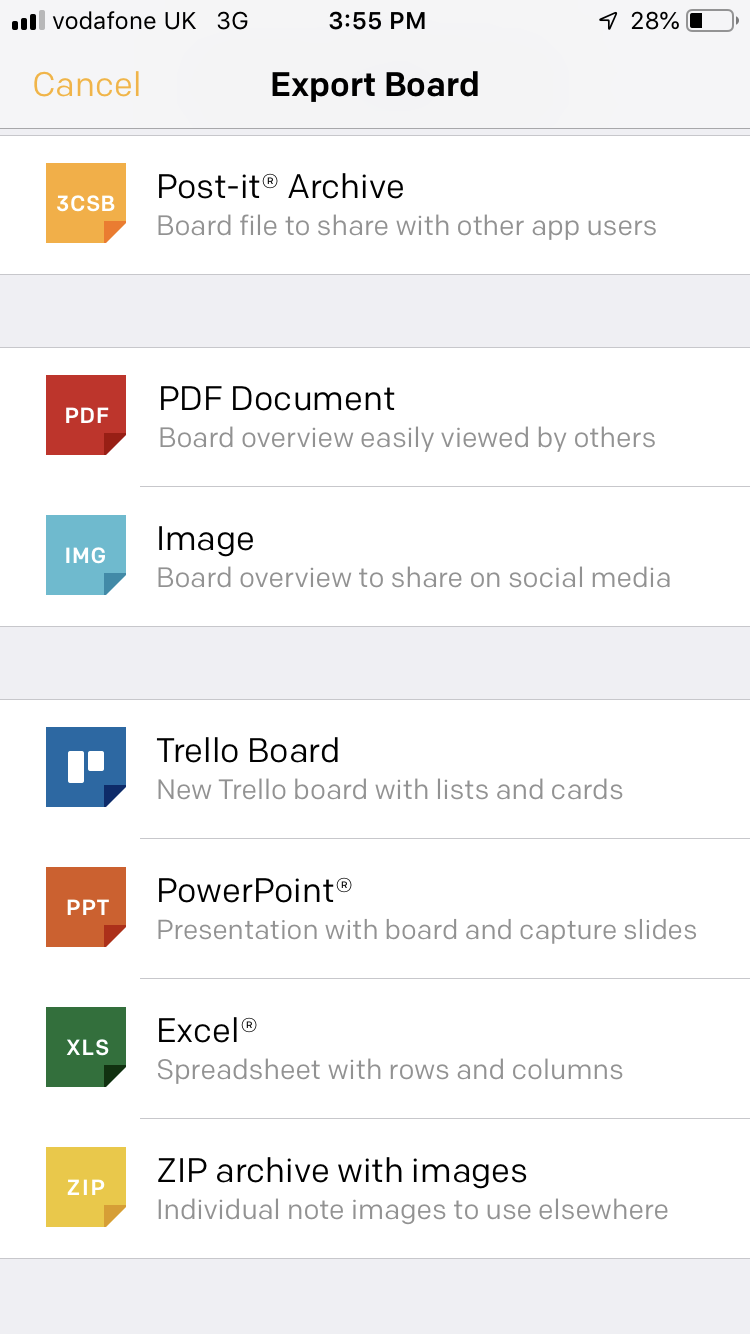
You can then have a variety of ways to output them as a pdf or a jpeg so that you store them or print out to work through. This would also be a way of brainstorming some ideas and moving them around or linking to groups and ideas. It’s very simple and very powerful. Especially for organization and forming ideas into groups .

I like the option to Trello as I use that for projects .

ABLE Summit 2019 in the Lebanon

If you have a spare hour you might like to watch this.

This was my talk earlier this year at the above conference. The first in the Lebanon!

Alexa Skill – Feed Bot


My blind client wanted to have read her local newspaper on her Echo Dot. After a direct talk with the newspaper and finding out that an audio service for the blind do a tape/usb stick of the paper which gives curated news I wondered if using an RSS feed would work as an alternative.

Simple answer is yes it would. Adding /feed.rss to the URL created a text feed of news. Now would this work on the Echo Dot? I created an account through https://servebot.net/settings/feedbot

You will need to link the account to your google account.

Next, I added the URL with feed addition. The Alexa skill is “Feed Bot – RSS Voice Reader ” which needs to be enabled and linked to your Amazon account. Once this is done you say ” Echo ( or whatever you use) ask Feed Bot to play my feed.” Then it should go through the news items listed on your website. You can also link Podcasts to it which is something Alexa is not particular good at but have not succeeded in that area yet.

You can add other feeds which are automatically updated as the website changes. This makes the process much more simpler to manage. Not as clear as a curated audio file but a good alternative and makes your site accessible for all. I would recommend that RSS feeds are put on your websites for specific content to be read out.

What is also quite cool is that if you stop and then restart it will go back to the last read news article . Articles are short and take a minute or so to read. No image codes or code read out.

NQT’s

After reading CanDoElla I felt it appropriate to give some information for NQT’s. As a part-time, external lecturer to Bath Spa University I often meet teachers to be and those working in education as fellow professionals. Without exception the knowledge of assistive technology or ICT SEN is little and sparse on the ground. Therefore I see it as vitally important that information gets out there. I am a Co-Director of the British Assistice Technology Association and our agenda is to raise the awareness of assistive technology in the UK. We run a free group for teachers and you are welcome to join . We run webinars and invite discussion about this topic of what new technologies can do to enable and empower pupils. To join click here

What can Assistive Technology/ICT SEND do?

Alternative methods of recording can enable dyslexics to have different methods to record with not just pen and paper which is an unsurmontable barrier for learning which makes the governments insistence on handwriting laughable if it weren’t so sadly tragic.

For those with  severe cerebral palsy it’s an impossibility to handwrite so using technology such as switches and joystick inputs along with eye gaze and other new technologies are opening up the world to many children who have been denied a means of expression by traditional means

For the autistic technology provides an avenue of communication that is non-threathening and motivating as well as finding a way into their special worlds which we should enter with their permission and not assume our approaches are welcome!

Finally, for those with sensory needs the advent of smart speakers are changing the leisure world of many blind or partially sighted users. Giving enjoyment and pleasure as well as communication means of accessing landlines and mobiles without the need for keypads.

Where do we find out about Assistive Technology/ ICT SEND ?

By looking at this site and others. I have a SENCO update page which would give NQT’s an avenue to find out about useful technology. I do seminars on “What you can get for little or no cost?” and ” Making the most of what you’ve got” as the reality at the moment is little finance in schools to buy things like eye-gaze systems. That may be changing let’s see. But systemic change in education will not occur by bringing in the bright shiny technology but by dedicated, hard working teachers like yourself who are committed to making a difference to a child;’s life no matter what the disability and barrier to learning they have.

Also, check out http://bataonline.org  There is a wealth of knowledge out there but since the demise of BECTA there hasn’t been a place for impartial advice and information to go to. BATA would like to be a current source as we represent suppliers and professionals. Also, take a look at NAACE’s website  They have useful information built up over years of advisory practise.

Finally, contact me here at this website. I’d be happy to come and speak to you and your staff team. I feel there is a huge skills gap in the kind of problem solving work I do as an Assistive Technologist working with schools and families. Sharing just small things of usefulness can change lives for the better. I am a firm believer of a can-do approach even in times of austerity you can still do something ( maybe not the best you could do but something postive!).

NQT’s should be energetic and willing to take on challenges being fresh out of training. If there is anything I can do to help you  – just ask!