Widigt Symbol Resources in Covid-19

Our good friends at Widgit are making a generous offer at this time of Covid-19. Please read and use the information below:-

Widgit Online Free access

To make sure symbol users have access to the systems and resources they need, we would like to offer free and unrestricted access to Widgit Online and its ready-made materials for 30 days.

You can create your free individual account here: www.widgitonline.com/offer. Use code WIDGIT30


If you already have an individual account subscription or trial you can use the same codes to unlock all of the ready-made materials available in Widgit Online worth over £180, more information and instructions can be found here: https://bit.ly/2QGH1f7

New Coronavirus Symbols 

In response to the Coronavirus outbreak, Widgit have developed a range of new symbols to help you create teaching resources and supports around the subject.
A list of all the new symbols can be found here: https://bit.ly/2WOLKiD 

These symbols are now live and available to use in Widgit Online: https://widgitonline.com/. InPrint 3 users can download the latest update free from here to access the new symbols: https://bit.ly/2QObjwp 

Boredom Busters

We also have a range of symbolised activities – called Boredom Busters which we have been releasing for children to utilise. These can be found at https://www.widgit.com/resources/popular-topics/index.htm

Dyslexia & Technology

With the BDA Thursday 23rd April at7:00pm about the latest developments in technology that can help dyslexic learners of all ages . Why not book your ticket now at :-

https://www.eventbrite.co.uk/e/dyslexia-and-technology-alternative-methods-of-recording-tickets-101057975124?ref=eios

BATA – 25 AT resources during Covid-19

BATA has listed suppliers who are offering AT resources during Covid -17

https://bataonline.org.uk/articles/overcoming-coronavirus-sector-puts-its-resources-your-disposal

Google share resources for remote learning

twitter.com/google/status/1247124393190469638

Webinar on the C-Pen

youtu.be/D6XGlmKvUV4

More webinars from BATA

EducationalistsSIG continue their series of “Accessible Education “webinars on the following topics over the next months. Covid-19 can’t stop them . Only £6,00 each it’s a great opportunity to learn about these important topics in the education sector. We cordially invite you and your colleagues to attend. Please publicise them widely. Links below will take you to our booking system on Eventbrite and your entry will be sent to you on completion via Texthelp Systems who are hosting these events on behalf of BATA. All sessions will be recorded and participants will get copies.

Study Skills and Presentation Tools – 28th May at 12:00pm  ( PLEASE NOTE CHANGE OF TIME) https://www.eventbrite.com/e/83661845833

Outcomes from the DFE Edtech Strategy – 9th July at 3:45pm
https://www.eventbrite.com/e/83678365243

What is UDL? – 8th October  at 3:45pm

https://www.eventbrite.com/e/83681761401 

Remote Learning

As teachers are looking for ways to teach remotely then you may want to consider the following tools and methods. I have used Prezi in a branching tree way to give choice to pupils of the activity and direction of the lesson. If you like to use your browser as a source of content then consider using Nearpod – interactivity over the internet by tapping in the room code. There is load of prepared content for primary and secondary phases. You can also create quizzes, polls, interactive questions, media, etc. Padlet is like a pinboard that every pupil can contribute to and share thoughts together, great for discussing ideas. IXL provide Maths, Science, English structured to Yr groups and covers a range of activities and skills. Its time limited on the free option but it is easy to re-engage again. All the above I have used for free. Trials are available as well.

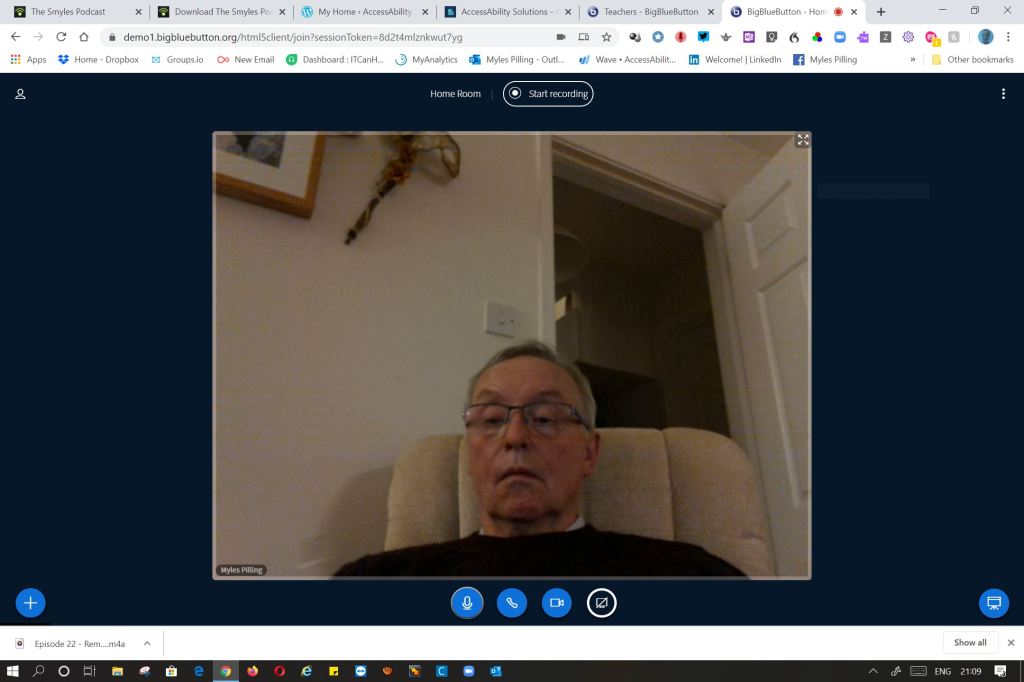
Video conferencing with Zoom for the paid version incorporates whiteboard, breakout rooms and mobile screensharing now which is useful for demonstrating apps. BigBlueButton has a lot of those features i.e whiteboard ( except the mobile sharing!) and incorporates polling as well as recording the conversation and activity of the session. There is a lot going for BigBlueButtton for teachers for who it was designed for.

I know one of the problems parents expressed is the need for off-computer work . Seesaw fufills that request by having activities and step-be-step instructions of what to do off the computer. I know it is used by teachers for that reason. If you are into games then Kahoot provides educational activities that gives motivational content. Other tools to consider would be the London Grids for Learning where there is a wealth of activities aneged resources as well as the old but still useful Myths and Legends from the SWGFL .

I hope that gives a brief overview of what we are learning about this new way for us to work.

BigBlueButton – Teacher Video Conference

A question came up this week about what is a preferred tool for video conferencing. I came across BigBlueButton which has features teachers would like. There is sharing a screen and recording your session. Both brilliant for playback useful for pupils with neurodiversity needs. Also, there are breakout rooms where if you are teaching a large group it is useful to split them into small groups for at least part of the session.

This I was able to do as on a free trial. I can login with google or microsoft office365 or email. Also you can share your screen. You can have multiple web cams in a gallery view. You can also poll your students.

As teachers are having to teach remotely having a tool like this seems a real way forward especially as all the activity on the session is recorded including the chat as well.

Uberconference

Looking for alternatives to Zoom? Having trouble with connecting and having stable connections? I cannot state that uberconference doesn’t have those problems but I do like the simple interface and engaging wait music it uses. Which might in itself get pupils in the right mode for a conference. Teachers are asking how to teach online so I and others will be thinking how we can achieve that now that it looks like we will be doing this for more time.

There is a free service for up to 10 people and for those on phones they will call you when a schedule is made. Sounds good. Watch out for teaching tips in another post!

Glassouse

We aim to help disable people who have limited movement ability or amputees, and cannot use a traditional mouse or keyboard or touch screens to touch technology.

Our assistive device, GlassOuse worn like glasses and detect head movement to move cursor. It can control computers, mobile phones, tablets and smart TV using Windows, MacOS, Linux, Chrome OS and Android operating systems through Bluetooth connection. G-Switch Series boosts nine switch options and do the click.

You can know more information about us from: https://glassouse.com/