Google Home Mini v’s Amazon Echo Dot

Voice controlled devices have a powerful role to play in bringing Assistive Technology to mainstream public use. Although their functions are similar and overlap simultaneously they are different as well. For instance the Amazon Echo Dot coming from a media platform in Amazon is better at dealing with things like audiobooks and finding out skills you can use your device with. By contrast Google coming from a system operating system background is better at doing tasks like making a phone call, which the Echo Dot is not as good at ( though using Skype you can do similar things.) Both devices control smart appliances but this area has not been investigated by me yet.

In order to do a comparison between the devices I have laid out my findings in a question and answer format using tables for easy comparison. My conclusion is that both devices might be needed in certain circumstances eg for the totally blind. I am looking at both devices from the point of view of disability and how accessible they are. And I am always learning new things so this will be a growing resource as more is discovered. I have also included the TV control devices – for Google Home Mini the Chromecast device and for Amazon Echo Dot the Firestick TV device.

If you want this as a PDF click Google Home Mini v’s Amazon Echo Dot

So here is my comparison:-

  1. How easy is it to setup the devices?


Google Home Mini Amazon Echo Dot
Very easy and within 5 mins, the setup procedure is led by a free app – Google Home Can be problematical to get the wifi connected. Runs through a procedure of connecting to wifi through the devices own wifi. Also needs a free app called Amazon Alexa ( avoid Setup for Amazon Alexa)
Once connected the device is ready to use straight away Once connected the device is ready for use and you can start collecting skills to use.


  1. How extensive is the range of things you can do?


Google Home Mini Amazon Echo Dot
Claims to have a million uses but hard to find out but essentially you can find out information and play media Skills are clearly listed on a website and on the free app.
No listing on a website Alexa.amazon.co.uk gives a mirror of the alexa device and you can add or delete skills from there


  1. Are the things you can do free?


Google Home Mini Amazon Echo Dot
 Yes, apart from media streaming music and tv  Yes apart from media streaming music and tv.

If you have Amazon Prime your music streaming is part of that, otherwise you have to pay extra for each device connected!


  1. What about streaming TV?


Google Home Mini Amazon Echo Dot
 You need an additional device called Google Chromecast (£30) to “cast” to your TV. Setup is easy through the device and app Google Home  You need an additional device called an Amazon FireStick TV (£39.99).
 Despite the blurb so far it has a limited range of entertainment channels to use  Wide range of channels to use which is being extended all the time. Easier to find programmes


  1. How accessible for the blind is the streaming TV?


Google Home Mini Amazon Echo Dot
 Voice control works from the device Press mike on the remote which won’t be possible for those with fine motor skill problems as the button is small. You can set up the Amazon Echo to respond and playback audio through your Echo but if you have two devices switching between the two is difficult
 No remote device to press , easier to operate with your voice, no accessibility options available. Have to run the service and make accessible changes there and then play.  Built in Accessibility options will read back the main menu.  VoiceView speaks on-screen text out loud as you navigate menu options and settings on your Amazon Fire TV.High contrast text for partially sighted. Screen magnification available
Subtitles and Audio description from the services. Best to search for “Audio Description for English” and see what programmes listed have that Subtitles and  Audio can be set by pressing the menu button but there are range of tools available than just subtitles For more details go to:-


https://www.amazon.co.uk/gp/help/customer/display.htmlnodeId=202105050


  1. Can you make phone calls?


Google Home Mini Amazon Echo Dot
 Yes, claims to be free in the UK to landlines and mobiles. Uses VOIP and Google Contacts and so it does seem to be free and a big advantage over the Amazon  Yes, but free to other amazon app users. So get your friend to download the app.


Landline and mobiles  with Skype which incurs cost . The lowest being unlimited minutes for £2.40 a month for landlines only. 400 minutes limited on landlines and mobiles cost about £6.00 approx.  monthly


Amazon promised a device called an Echo Connect but it hasn’t materialised yet!


  1. Can you email?


Google Home Mini Amazon Echo Dot
 Lists “Email to <name>”  but have not been able to get this to work yet.  No. There is no skill for this and shows that a media platform like Amazon struggles with this.


The only way is to send a short shopping list to up to 20 people using http://iftt.com workaround.


.

  1. How much are the various devices needed?


Google Home Mini £29.00 Amazon Echo Dot £29.99
 Chromecast £30  Fire Stick TV £39.99
TOTAL: £59.00 TOTAL: £ 69.98


       9.What Smart Home Devices do they support?


Google Home Mini Amazon Echo Dot
 Plugs, lights, heating systems, cameras ( for security)  Plugs, lights, heating systems, cameras (for security)
Due to expense these have not been tried or tested yet Due to expense these have not been tried or tested yet


  1. Which is the best system for accessibility and function and why?


Google Home Mini Amazon Echo Dot
 Best voice control for streaming tv without hand use  Best navigational system for accessibility if you have hand function
For making FREE  phone calls For playing media like audiobooks from Kindle
Not easy to find out what other uses you can do. Needs a better way to search for things Easier to find skills to use but the quality of the skills and uses are varied.
Use for controlling tv and phone calls if you are totally blind and have no hand function Use for music and controlling TV if you have hand function and partial sight


Google Home Mini

This past week I have managed to successfully connect up a Google Home Mini to make voice activated  calls to landlines and mobiles. I am still not sure how it does this but it did work for my client. The client has been waiting for Amazon to produce their Echo Connect. It was  going to be autumn this year but nothing has appeared. We are still waiting. So when I heard that only this week in the UK they had made Google Home able to make (apparently) free phone calls to landlines and mobiles I thought this would solve my blind clients problems. And I am pleased to say it did!

Although I did find it difficult to add contacts . None of the instructions tell you this in the app or on the website. But it is working through Google Contacts which is via your google account. What is so cool is that my client has a kind of Verbal Aphasia which means she doesn’t get the right sounds for the words she wants to use which makes a voice activated device really, really hard to use. But the beauty of the Google Home Mini is that it actually allows you to create a custom label for

round grey speaker on brown board
Photo by John Tekeridis on Pexels.com

contacts which  then connects via Google Search to actual real details of that person as listed by Google. Really neat, eh? And such a boom to those who may for various reasons such as Stroke or Parkinson’s cannot say the right word. Fascinating!

Here are some helpful notes which does explain how to make contacts, but also other useful things like showing your number to your caller so they know its you,

Google Home Mini helpsheet

Today I purchased a Google Chromecast so I could try the voice control of netflix. Using the command ” play the crown on netflix” gets the Chromecast to play the chosen item. Only some items have audio description and this has to be pre-activated by a sighted person to get it to speak in audio description. My client requested the menu to be spoken but the Chromecast and the Echo Dot both can’t do that. This would be a fantastic feature to add to the device, Still what do you expect for £30! So for less than £60.00 you can have a tool that makes phone calls and control and run movies, some with audio description,

Chromebooks have screen readers built into their browser

ChromeVox is the built-in screen reader that comes as accessibility tool as part of Chrome OS. It is quite useful and with it’s range of shortcuts powerful for those who are visually impaired on blind. I was testing a website on my chromebook and found that it was there!

If you have a Chromebook and want to try it out. Press CTRL+ALT+Z to enable it and to unenable it repeat the CTRL+ALT+Z.  Use TAB to step through the options , speech guides you through. Search + space acts like enter and the cursor keys navigate in detail around a menu. Here is the help section link

New Surface Go

Microsoft have announced the Surface Go which is akin to the Surface Book but actually looks like a Surface. Confused? Yes! So am I! Not sure of the advantage but as I have said before the Surface Pro 2 I bought a few years ago is still the best PC I have ever used. It’s fast , 98% reliable and reasonable battery life at 2.5 hrs after several years! So I do like them. Therefore any new Surface device that runs Windows 10 ( and is not a cut-down version) is of interest.

Click below for a techspec:-

https://www.microsoft.com/en-gb/surface/devices/surface-go/tech-specs

Virtual Reality for Special Needs

AAS good friends at Inclusive Technology have joined the VR bandwagon and provided what looks like a comprehensive and practical tool for special needs. As usual they don’t just sell the product without thinking about how it would work in a busy special needs classroom. Headsets don’t need a mobile phone. Sets come charged and ready to be used whenever they are needed. Only the price would put you off!  £1,995! But look at what you get:-

We are excited to introduce Inclusive ClassVR, the first virtual reality system designed for special education classrooms!
Special and early education is all about learning through experiences. Rather than sitting in front of a screen or printed resource, InclusiveClassVR immerses students in spectacular 360º environments that enhance and complement their real-world exploration and play.
The package includes
Four standalone InclusiveClassVR Headsets, delivering fully immersive experiences under the teacher’s control.

Unlike other VR headsets, Inclusive ClassVR does not require any additional devices, such as phones. Everything is fully integrated into the device, making it easy to use and super reliable.

Inclusive ClassVR includes Virtual and Augmented Reality Resourcessuitable for students with learning difficulties, sensory impairments and physical disabilities.

There are currently over 500 pre-made activities aligned to UK National Curriculum and US State Standards.

Inclusive ClassVR includes a ruggedised Storage and Charging Case with active cooling fans, ensuring all your headsets are safe, secure and fully charged. Ready for students to use at any time.
The Teacher Portal allows the teacher to deliver a defined playlist of resources to multiple headsets simultaneously. The teacher can highlight points of interest and monitor what each student is seeing to help guide them through the experience.

Bierley USB Mono Mouse

Henshaws have produced a video to explain what the mono mouse is and does so over to them – the cost is £200 but maybe cheaper than a MagnaLink or CCTV device.

BETT Show Report – Day 2

For the second day I programmed myself to go to the seminars and to contact hardware and software suppliers in the show. Having been disappointed at the lack of SEN input yesterday I was determined to make the most of it today. So I started with :-
Accessible Ai – talk BETT arena – Friday 26th January 2018
A very exciting and interesting seminar which said :
  • AI Predicted to increase over the next decade
  • China racing the US in impacting this market
AI offers Deep learning- voice and image recognition which is already here
Seeing Ai available – a product that has been created by Microsoft I believe that makes sense of the world through the mobile device camera. You can download it on the all store and will be enourmously helpful to the blind community. It is freely available now.
In terms of what skills we shall need to make the most of this explosion of AI in the future we shall need:-
  • Investment in maths for young people, programmers,engineers
  • AI will Invade all our lives in the future


There is a schools’s project which has just been run that gives 6 Stand alone sessions using video imaging and amazon servers.
And now for the exhibition stands
IMG_5468
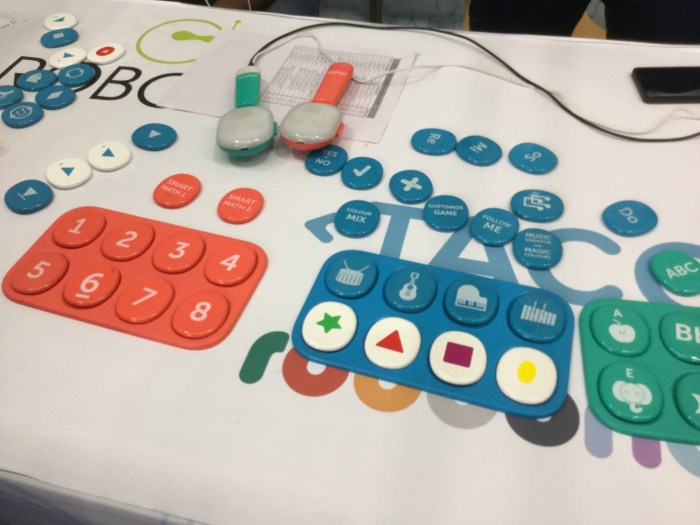
 At stand 440 robitixs usa – this uses programmable tiles to create learning events.
Suitable for even pre-school. A hand held device using NFC tag technology or similar has created learning events that speak.
IMG_5470
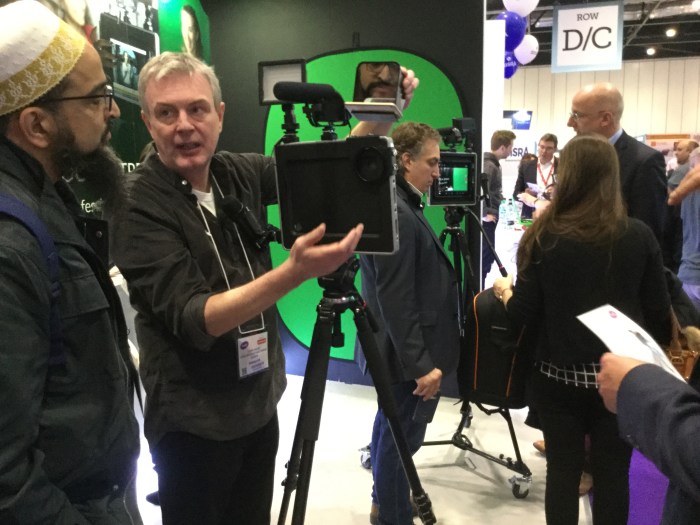
 Padcaster is an expensive but useful tool which if I had the money (around £1000) i would buy where all the tools for producing professional video from video , sound capture, lighting and teleprompt are built in
Image (1)
Texthelp with Google Education explaining the free benefits that are available to help dyslexic users via Google Chrome

Back to the talks… for a sitdown!
Stephen Heppell – Workload and Wellbeing
IMG_5471
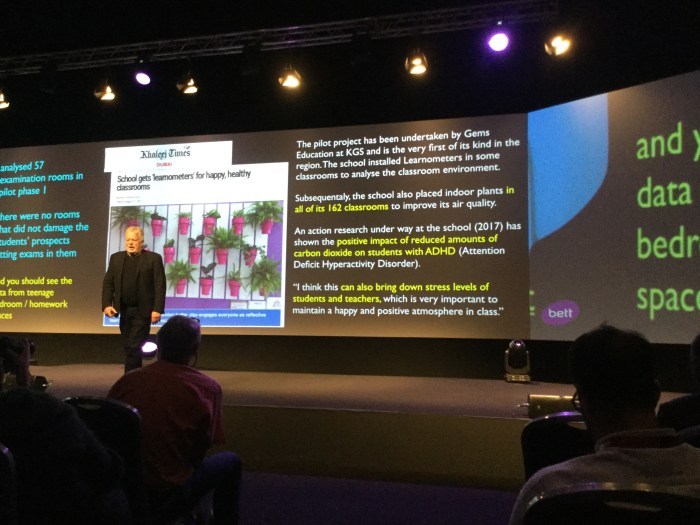
 Stephen Heppell on co2 in the classroom- note the quote on adhd 
Stephen inspires and shows insight into present education system by focusing on health and wellbeing not only in the uk but worldwide
Image
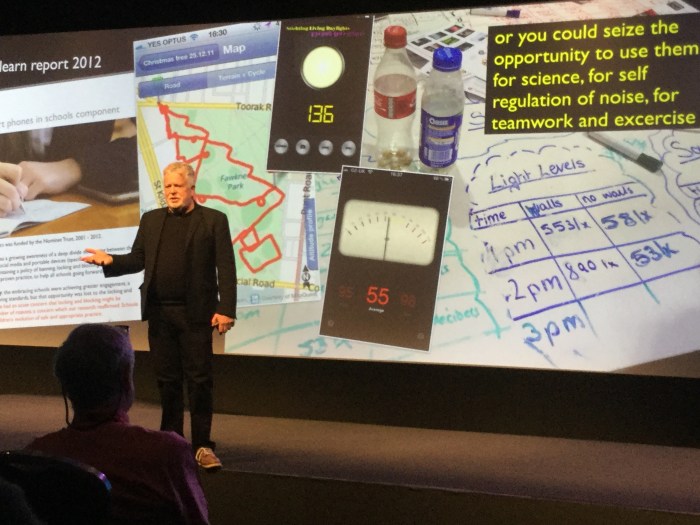
Look at the Christmas tree trail! Great idea for mapping and treasure trail. Get your pupils to draw over a screenshot of an area and draw on it. Then go outside and do the walk or cycle ride till you complete the shale using GPS.
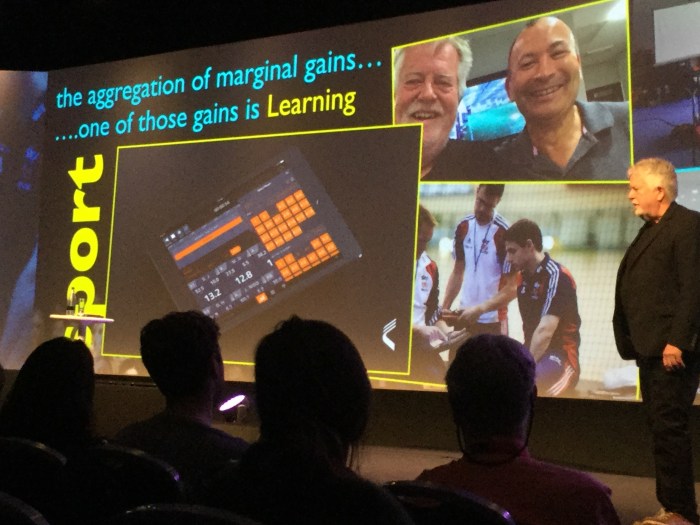
How we make gains in the sports world is by marginal gains if only we apply this to education!
IMG_5472
Where can we move one step forward in making maginal changes and improvements.
Lack of finance doesn’t stop innovation
Ideas for creating innovative learning spaces.
 Image (2)
Learning situations that work.Act of asking works – despite budget cuts
Where do we get esteem? Tell people. How good to thank people and encourage each others success.
Engage with adventurous learning – world champions breaking records from the guiness book of records. Shout it out!
What’s next?
  • Quantum computing and AI
  • Qubits – you can do anything you like. What can you do with your learning.
  • Blockchain – completely opposite of multi-academy
 Image (3).jpeg
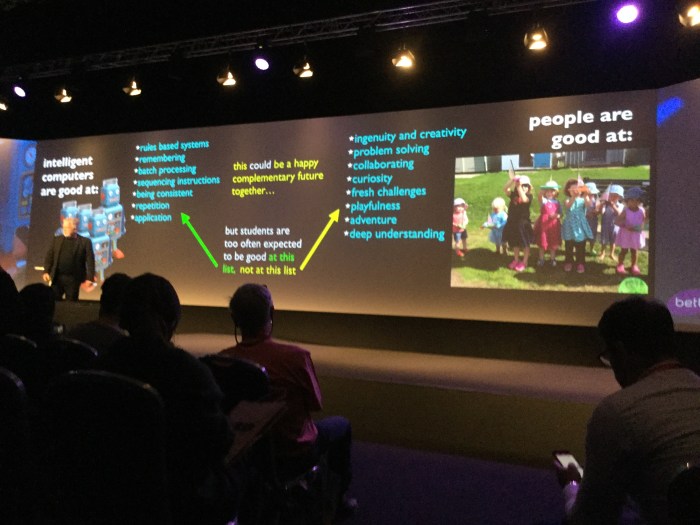
Be on the right not on the left!! It’s both/and but we need to consider how important to our well-being the right hand side is when currently our IT education is more on the right side with computing and programming. 
Interesting talk by a parent – Emilie-Kate Kidd
 IMG_5482
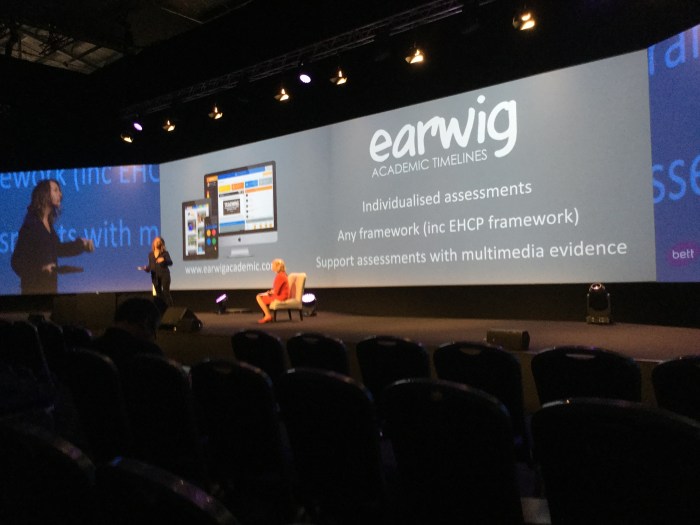
Individualised assessments company
 IMG_5483
Charity funding assessments
And now from the head teacher of the school her son attended.
IMG_5484
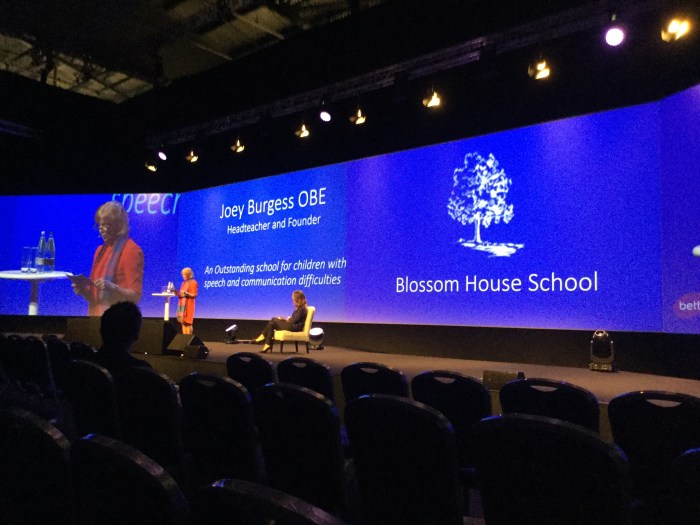
Joey Burgess , Blosson House School
She emphasised that the system was letting sen children down as result of underfunded and over- stretched educational system. She offered some tips to help teachers in supporting special needs pupils such as smile and encourage. Don’t use the negative use the positive “after we do this you will be able to do what you wanted to do.”
Back to the exhibition……
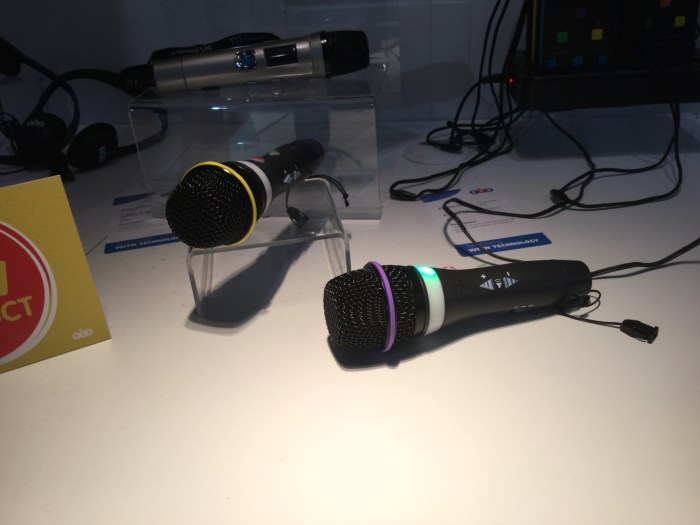
TTS stand also has some interesting products for SEN . Easi-speak microphone has gone Bluetooth with better buttons and the facility to send to a Bluetooth speaker for the class to hear!
IMG_5473
There is a wrist band device which can be programmed with a short  message. Useful for cerebral palsy children but not yet perfect as it requires accuracy for the child to activate the device. I think if they make it the whole area switchable then it would be great for that need.
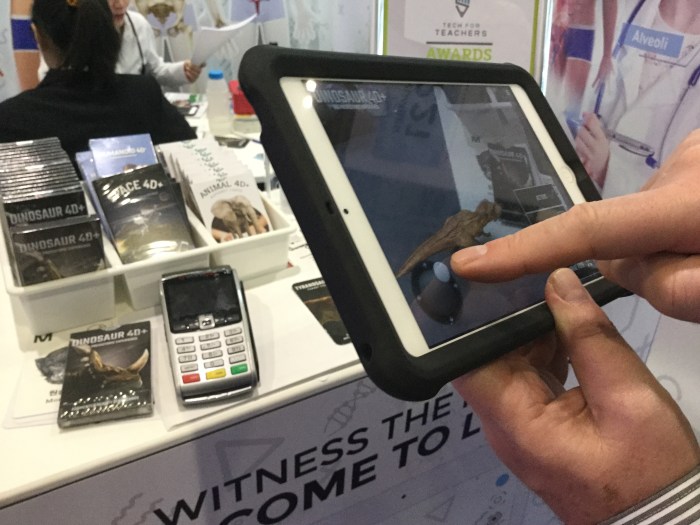
Octagon studios have produced an augmented reality set of cards that you can download an app to activate. Dinosaur 4D+ and Humanoid 4D+ are the packs I bought at a bargain show price of 2 for £10 i think the normal price is £15 per pack. Which in the dinosaur case gives you 14 dinosaurs to play with . I particularly like the t-rex as i can make him walk around the room and over people using a joystick control. Not all the dinosaurs do that!!
IMG_5481
IMG_5479
That is my visual tour of BETT 2018!
I also visited 2Simple software and had a chat with long-time colleague and friend Nigel Canvin who introduced me to his team and looked in depth at the tools and activities on Purple Mash  which is online teacher lesson resource and tools area to create activities. I will be using it on my pupil’s 1:1 where I have internet access.
Also did a short interview with Russell Prue on his BETT Radio station about current trends in SEN, apps and new technology and their assistive uses such as the Amazon Echo Dot – a cost effective device . A useful website for creative apps to use with the Echo Dot is http://www.iftttt.com . You can create useful workarounds as you can’t email directly from the echo dot but you can set up to 20 people to be emailed when you add an item to your shopping list!

BETT Show Report – 25.1.18

This must be at least my 12th BETT show . There have been a lot of changes over the years but this is the first time I have felt that there is less for SEN than ever before to see. Stalwarts in previous years like Crick Software and Widgit are not there. The other trend is that it is becoming more and more international teachers and less and less UK teachers which is fine for those companies with an international operation. Even the seminars tracked as SEN are thin on the ground. BETT is expensive for companies to attend now costing tens of thousands for a stand.

Despite the above and the lack of SEN focus I can talk about a few things I found useful to know. Educate  provide a research service for app makers to validate their Edtech product. ” We provide educators, researchers and technology developers with the best and most up-to-date research evidence and expertise , so they can design and manufacture EdTech products and services that will make a difference in schools.”

Scanninpens are an established company making a useful contribution for those with dyslexia to overcome difficulties with reading by providing a handheld scanner that can be used in examination settings. This saves money and pays for itself in terms on amanuensis readers. One comment I had on a degree level teaching training on dyslexia course was ” I wished I had one of these when I was taking my degree!”

Noble Doughnut is a digital magazine about Ideas, People and Wonder. It provides health and wellbeing tools such as relaxation techniques as Mindfulness. Their a few examples on the website but to access the whole site you need subscribe to the magazine. It is hoped it will challenge , encourage and inspire young people. It is very well designed and laid out that would be accessible for pupils with special needs.

Emoji-Go are a music learning scheme based on stickers and tactile velcro stickers. It provides a framework on how to remember cord sequences using visual means (stickers) and tactile feed back to imprint chords and musical patterns in a fun and story – like way. They are looking for schools to trial this product. If you are interested drop them a line at me@kevinmthomson.uk  

More tomorrow……

BETT 2018

So it’s the beginning of the year it must be BETT! The largest education show in the UK and Europe. Recent trends as the large amounts of foreign visitors to the show. It is an international show.

In the pre-show publicity there is the usual expression of high impact tools, adminstration and hardware companies. There will be the usual round of seminars from Microsoft and Google. The reason I go is to seek out new and exciting new companies in the future zone.

I am also there for networking opportunities. To meet up with friends and  companies such as Crick Software. I will report back here what I saw that was interesting from an SEN point of view.

Be an Amazon Echo Pioneer!

These  twebinars look really interesting. Unfortunately I can’t make the 14th December but maybe some of you can! Programming for this device is a lot different than programming for other devices. Learn the nuances and be an Alexa Pioneer

Be anAmazon Alexa Pioneer