Crick have formed a user group for Clicker Communicator User Group on Facebook for users to share their experiences :-
Author: AccessAbility Smyles
Specialist ICT SEND Consultant,
Committed Christian,
Loves photography and computing
Plays piano and guitar - both badly!
Periscope – social media streaming of live events
Seeing the world through other people’s eyes as events unfold. This was the purpose of periscope. If you or your school wish to promote or invite people to be present at your event whilst being elsewhere then this app maybe for you. Free to use and available on iOS and Android then take a look at the promo video on:-
TextHelp
Tablets are now an accepted part of the ICT strategy . How are you meeting the access needs of your disabled workforce ?
http://campaign.r20.constantcontact.com/render?ca=3c1b8cef-fd3f-4116-b193-99879f00fd33&c=9a4cb4d0-fc48-11e3-afcd-d4ae529a8250&ch=9b9365a0-fc48-11e3-b0f3-d4ae529a8250
Sending automatic direct messages to new followers on Twitter
As a social media addict I have been lacking in connecting with my “new ” followers by not sending them messages as soon as they connect with me. Tonight I made a step forward by using a website called twitterdmer.com. This is a free autoDM that sends out a response to new users. I also signed up to SocialOomph as this schedules tweets to be sent at specific times. Optimum timing of your tweets can increase your effectiveness as a contact. Mid-afternoon is often cited as a good time or first thing in the morning. As I can use twitter to connect with my followers in a more interactive way across multiple accounts this is a realistic way to communicate with your hoards of followers!!
Tobii Dynavox I-series+
Inclusive Technology have published that they are marketing this new Eye-Gaze AAC device . For more details go to:-
Cortana – Windows 10 expert speech recognition system
I have been looking at Cortana on Windows 10 and trying out some of its functions. Cortana is built into the search window and integrated into Bing so the two are simultaneously supporting each other. You can make appointments, search maps and look for local restaurants. Much of which I wouldn’t need to do. There is a feature which lets you alert when you need to set off back home from work. Useful for me these days !
How good is the recognition?
Best to wait till the full version. I am using Windows 10 build 10074 which is not the latest. In this version its accuracy is medium to poor. It often gets the ending of what I say wrong. I tried different ways of saying it but as with any speech recognition system if it doesn’t pick it up it isn’t going to be great. I suspect the major use of Cortana will be on mobile phones and that may show its true potential.
Compared to Siri?
Siri and Contana do similar responses.For instance, when I ask ” Can you book me an appointment?” Siri replies ” When is the appointment?” and Cortana says ” When is your event?” Asked what the traffic is like on the M4 today – Siri takes me to a relevant map of where the blockages are whereas Cortana takes me to a generic website. Cortana plays my music on request on the command ” Play music” and Siri takes you to a playlist.
Overall Cortana does OK as these systems do. Will it replace typing? No, other more specialist speech recognition systems do this. This is another tool to add to the toolkit that users can use if they find useful;. How useful to each individual will be the question?
Clicker Communicator
Blog traffic is showing a lot of interest in the states about Clicker Communicator:-
HelpKidzLearn apps for iPad and Android
Helpkidzlearn apps are for both ipad and android so if you use an android device you can use these great special needs apps! Follow the link below:-
Clicker Communicator – a new app from Crick Software
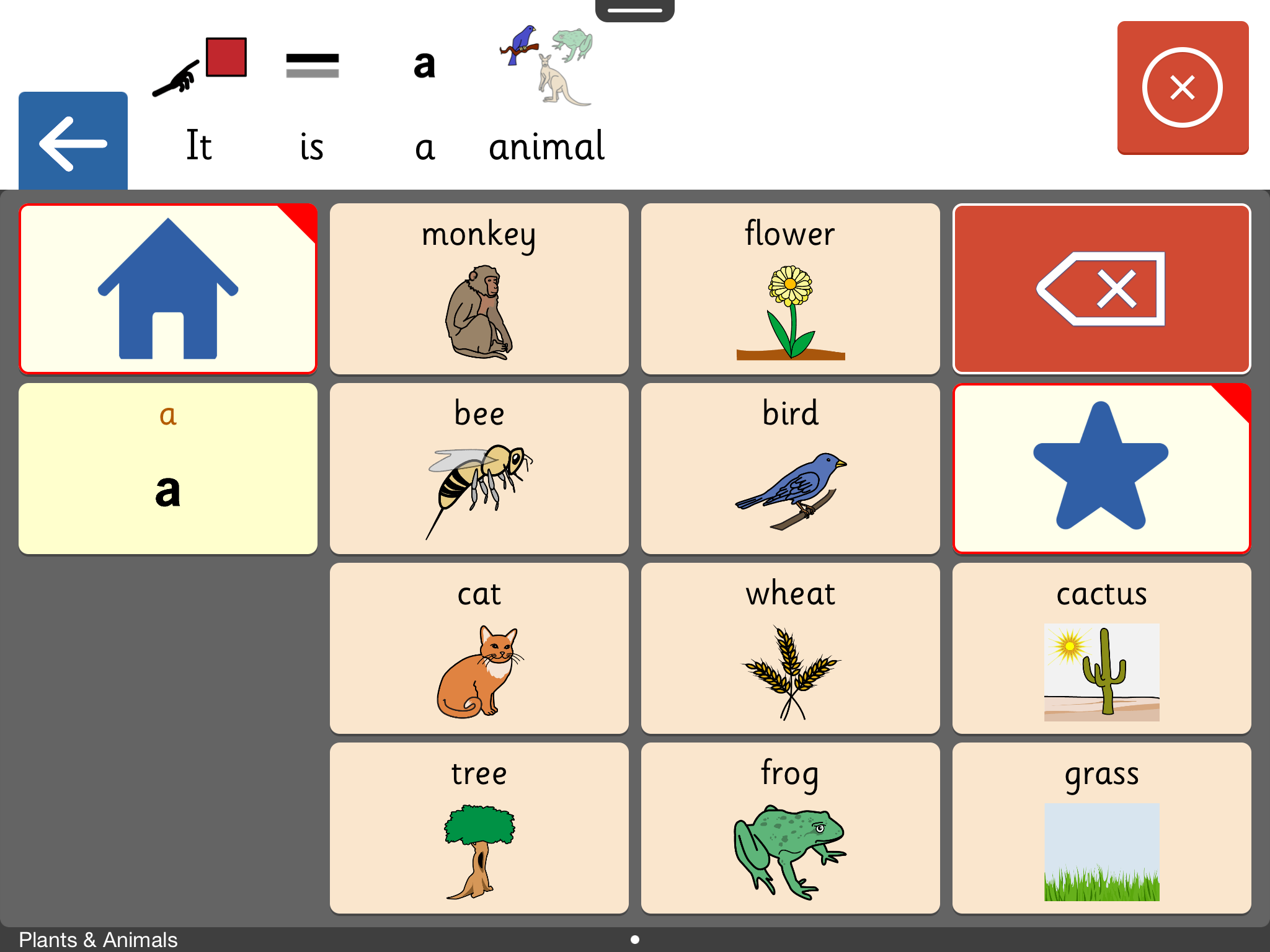
Clicker Communicator £109.99 ( from the iTunes App Store)
Clicker Communicator is the latest Crick software app and one of the best ones! Although expensive its equal in cost to other similar communication apps . It was developed with consultation with a wide range of consulting professionals in the field of speech and language. It supports Widigt and PCS with SymbolStix as the default communication set.

You can purchase two additional vocabulary sets eg widgit symbols and -mayerjohnson PCS Out of all the communication tools this is one of the easiest for me to program I made a simple grid within seconds. The fuctionality has been thought through from the user’s point of view. This makes it very user friendly approach.There is a choice of 4 voices with further voices to download with bi-lingual voices to pay for . In-app purchasing is required for this app.
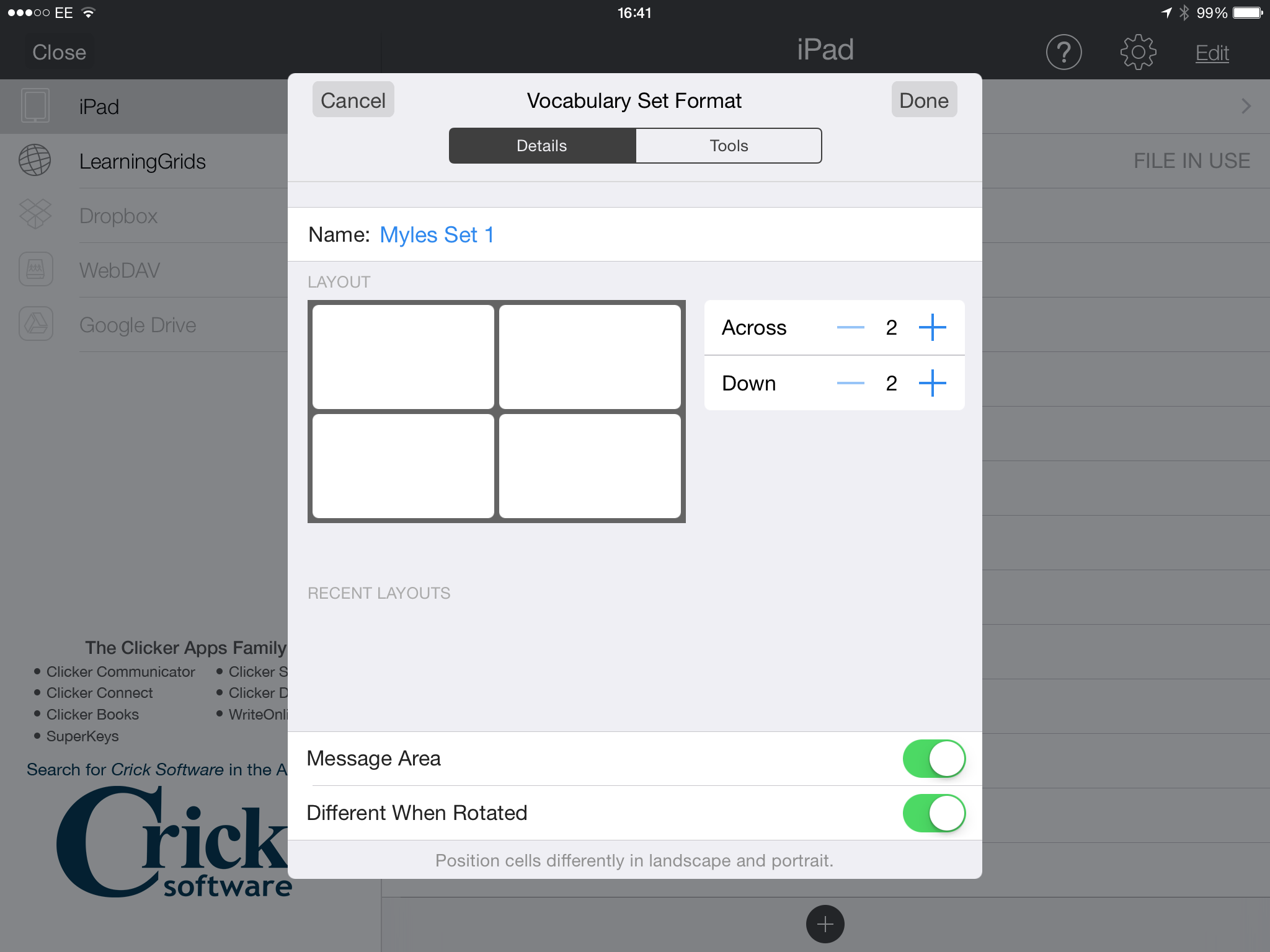
You can make grids of any size – so making simple 2X2 as well as more complex sets
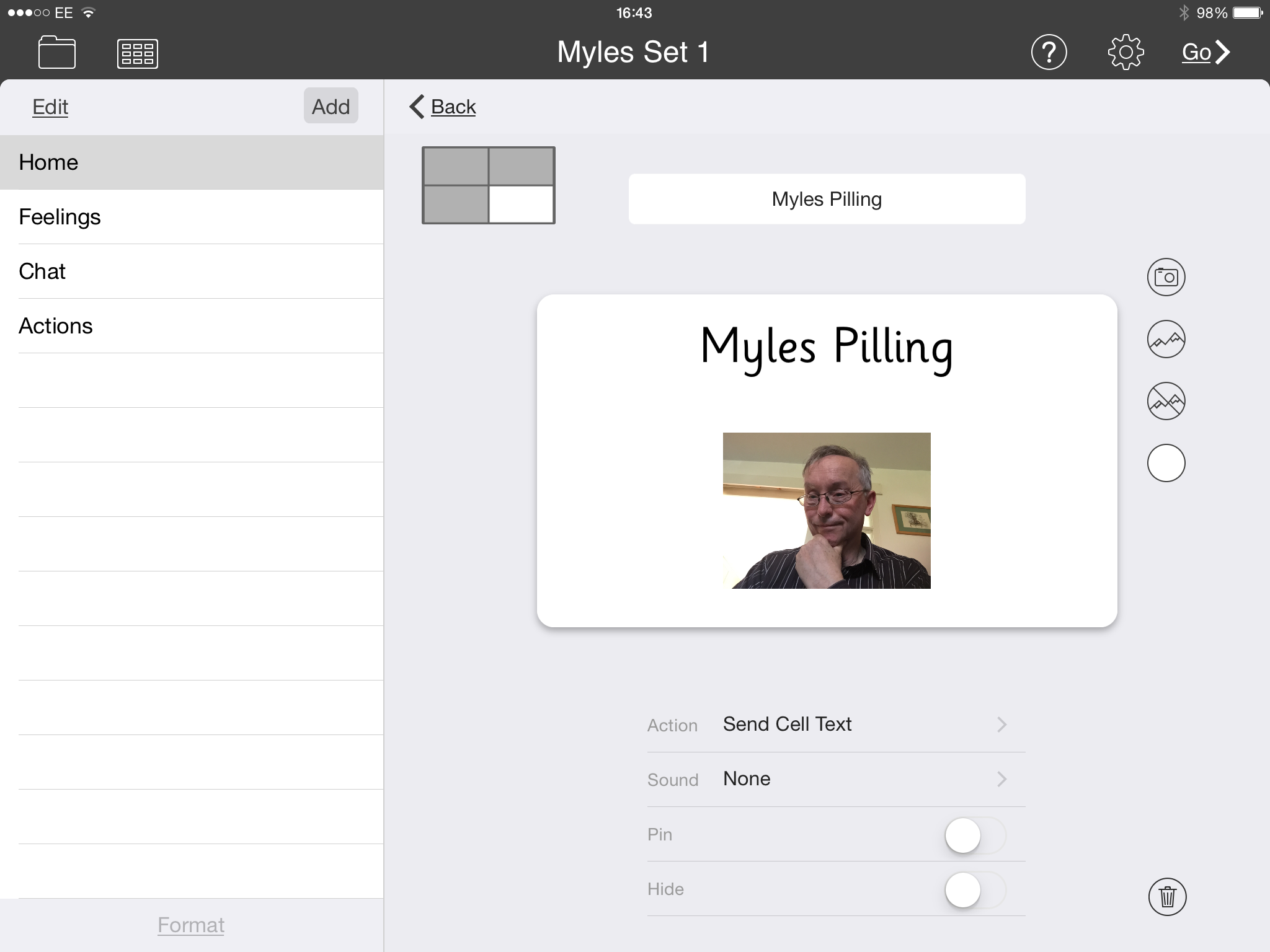
You can either call up sets to link to or make your own grids
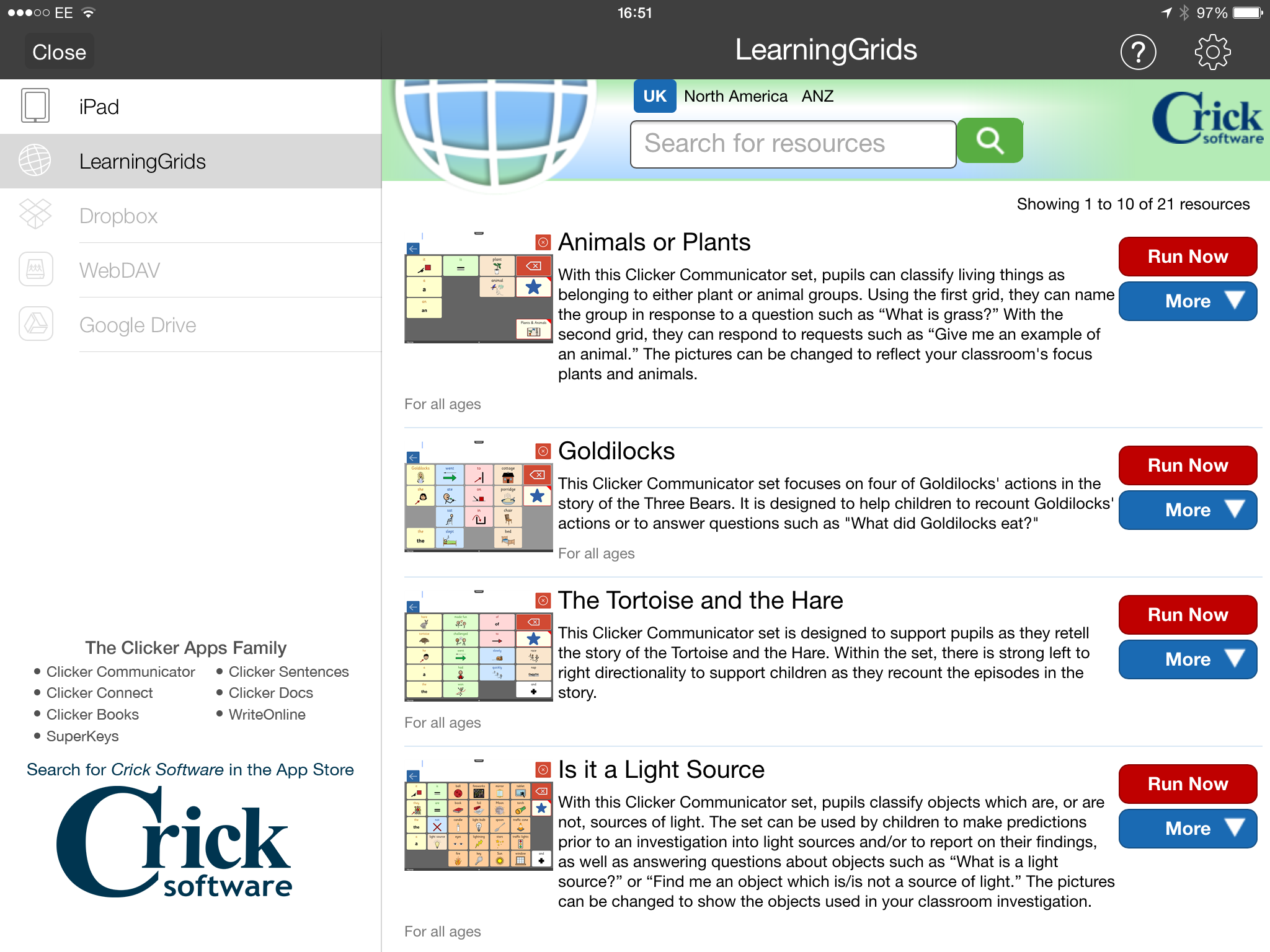
Or simply just upload a set covering a topic you are teaching. !
Programming a communication aid for a school topic takes time – Clicker Communicator makes this so quick and easy by comparison.
Clicker Communicator won’t be as powerful or as complete as other communication tools out there who support environmental control , but its value is in its simplicity and quickness. Having said that it has the capability to do some powerful things and have screens working with each other – called dynamic screening. Techniques such as copying the home screen to be on each page is the way its done. This is something that in a busy mainstream classroom will be a great selling point. This is for non-verbal communicators to use alongside their writing tools. So you use your ipad to do your school work with and combine it with communication with your support staff and fellow pupils without having to switch to another device. It is easy to program for the non-technical. I like the way you can print out the grids – so in a sense it captures the students thoughts and ideas in spoken form. I also like the way it really supports teaching and learning through the excellent learning grids site. Support staff are going to love using it – especially with the online grids. This is very much a tool would recommend for use in a busy , mainstream classroom to support the inclusion of a child with non-verbal communication. Well Done Crick! Ace in the Hole!
The Cloud – A Brief Guide
What is the cloud?
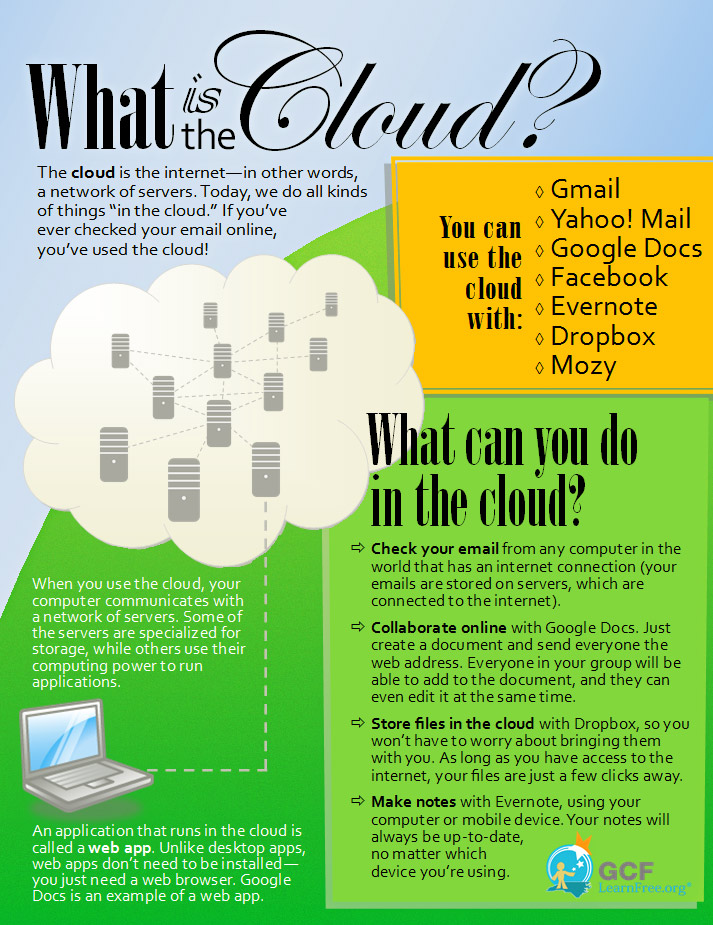
There is a lot of confusion in people’s mind as to what the cloud is so here is a brief description of what it is:-
“ The cloud refers to network servers that are on the internet that can store your data and allow access to your software.”
In reality this means the following:-
- You data can be stored and accessed remotely
- Meaning you are not dependent on a particular computer to have your data stored
- You can share that data if you so wish with others
- You can have apps that are always the latest version and deployed remotely, thus saving maintenance time
- Cost-effective way to deploy and maintain software
- You can protect that data so that others don’t see it!
But there is a safety issue! Data can be compromised . Accidental uploading of your images can lead to safety issues and problems with your clients.
Using the cloud has been a liberating experience as I can turn to any computer with an internet access and be able to continue working. The cloud is ideal for the mobile person in their mobile office.
What are cloud apps?
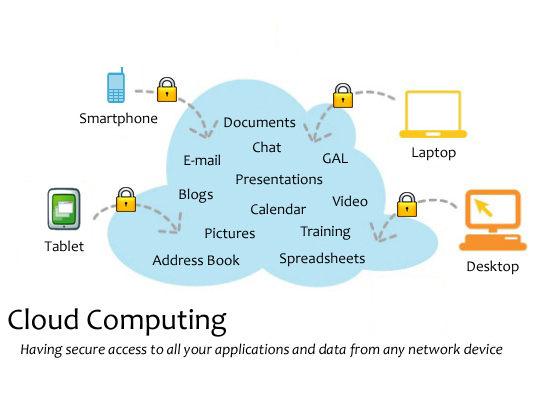
These are software applications that can be stored and deployed to your computer remotely. Software companies are moving more and more to providing their customers with cloud based applications. Some of the major applications are:-
- Office365
- iCloud
- Google Drive
- Dropbox
- Evernote
- Box
- Flickr
- Adobe Photoshop and related products C
- And many are coming online daily
In terms of special needs we see applications like:-
- ClaroCloud
- Choose it Maker 3
- Matrix Maker
- HelpKidzlearn
- Symwriter Online
Is this a trend that will continue?
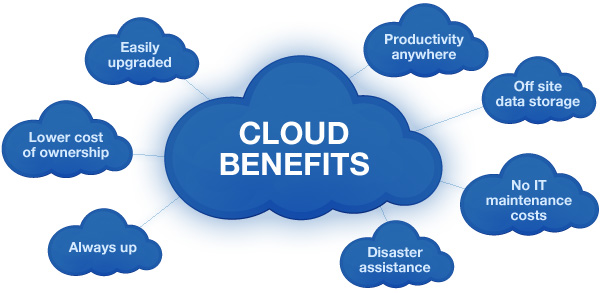
Yes, pretty much so I think as its cost-effective. The downside is compatibility issues and internet connection problems. As the applications run remotely they sometimes are not downloaded on the device having limited to no internet access causes users to experience frustrations due to not being able to access the application or data. So like in everything it is best to have a range of alternatives to use. In other words have devices with software on them but take advantage of having the online alternative. The advantages outweigh the disadvantages at this time.
From my personal experience having the ability to switch devices and still access my data has been huge on my work. Syncronisation of your files are key for this so its important to make this a regular habit. Auto-syncronizations is good as long as you are able to keep an eye on what the content is. The major danger is images of people without their permission!
Any Platform, any Software!
I have been really impressed by the fact that I can use my £169 Chromebook and have access to my work at anytime. Even Microsoft Office with Office 365. Starting up is a dream at 6-8 seconds and the fact that browsing happens at a speed that is useable saves me time. Going back to my standard laptop and I am subject to waiting and crashes. I must say I thought I would find the change to a virtual operating system that runs nothing would be limiting but actually I am pleased to report that the opposite is true! Can I do everything? No, I will still need my PC to do my specialist software but the admin and many everyday essential tasks can be done. Using a chromebook you need to adapt to using two fingers to scroll and double tap to open a menu to save things with. This needs to be the learning curve.
The fastest PC I use is my Windows Surface Pro 3. A great device and if they made a more user friendly stand for your knees it would be a perfect PC. Load times are comparible with the chromebook and its battery life is equally as good, Again with only a small hard disc it requires cloud-based storage to be practical. And then the touchscreen is there and a pen which with the one press puts you straight into the most underused application of the Microsoft Family – OneNote. Having run Windows10 now for a few months the integration of the new browser system code name “Project Spartan” has enabled the annotation using the stylus to go straight into onenote. A useful feature which will make the tablet a more effective browsing and research tool. Cordano speech searching is also included into the browser so may have uses for the visually impaired. This is a work in beta so best to see what the final results will be.
iPads offer the benefit of ease of use and speed as well as long battery life. Apps are generally stored on the iPad but where cloud based apps are used they have a good interface. Flickr has a useful and practical interface to use as well as Dropbox and Google Drive. File handling is a key thing when using an iPad so being able to transfer data to the cloud efficiently is key to its success.
We are still someway off in practical terms of any platform , any software but as the trends continue the reality will occur. In the meantime, back to my lovely, cheap , chromebook!
Myles Pilling
Specialist SEN&D ICT Consultant
AccessAbility Solutions
5.6.15
 AccessAbility Solutions