yes, that’s right! If you are are a user with a disability you can still get Windows 10 for free just follow the link below:-
https://www.microsoft.com/en-gb/accessibility/windows10upgrade
Thank you Microsoft.
has ceased trading – but still producing valuable assistive technology information
yes, that’s right! If you are are a user with a disability you can still get Windows 10 for free just follow the link below:-
https://www.microsoft.com/en-gb/accessibility/windows10upgrade
Thank you Microsoft.
News from Crick software. Clicker communicator coloured grids:-
http://www.cricksoft.com/email/UK/LGWNews/2017/JuneInterim.html
Our new British Assistive Technology Association site is active now and can be found at http://bataonline.org
1 in 10 children have mental health needs in our schools. That means a possible 3 children in a class! Positive Pyschology for Education offers help and training through it’s FELT program. Approaching this problem in a positive manner is the mission of Dr Linda Mallory. Wellbeing is what Linda promotes and the research in psychology backs her up saying that “Wellbeing precedes outcomes.” With our present education system focused on outcomes this seems a timely time do this.
Linda I have known and worked with when I was working for Wiltshire Council, She is presently working on her “FELT – Feel, Enjoy,Learn, Thanks ” with schools in the Trowbridge area doing training sessions with staff. I think if children feel good about themselves they will achieve more. So I heartily recommend Dr Linda Mallory’s work to you. Please contact her via her website:-
Our team here at Open Educators usually focuses on sharing education-related resources, but I was so moved by the R-word’s site mission that I wanted to shift our priorities to support all of the amazing children with special needs, as well as the families who love them. Below are some wonderful informational – yet thoughtful – articles I hope you’ll add to your site so they can help as many people as possible
How to Create an Autism-Friendly Environment for Kids
Discipline Strategies for Children with Autism Spectrum Disorder
If your site is better suited to hosting original articles rather resource lists, I hope you’ll consider allowing me to write one for you. My inspiration would be ways to support special needs families, but let me know if you have a more specific direction in mind.
Thanks in advance for your support!
Tilda
Tilda Moore
openeducators.org
If you aren’t interested in hearing from us in the future, kindly send me an email to let me know. Thanks!
Our good friends and colleagues at Iansyst are putting on a webinair about dyslexia next week on Wednesday 17th May at 11:00-12:00pm . For more details go to:-
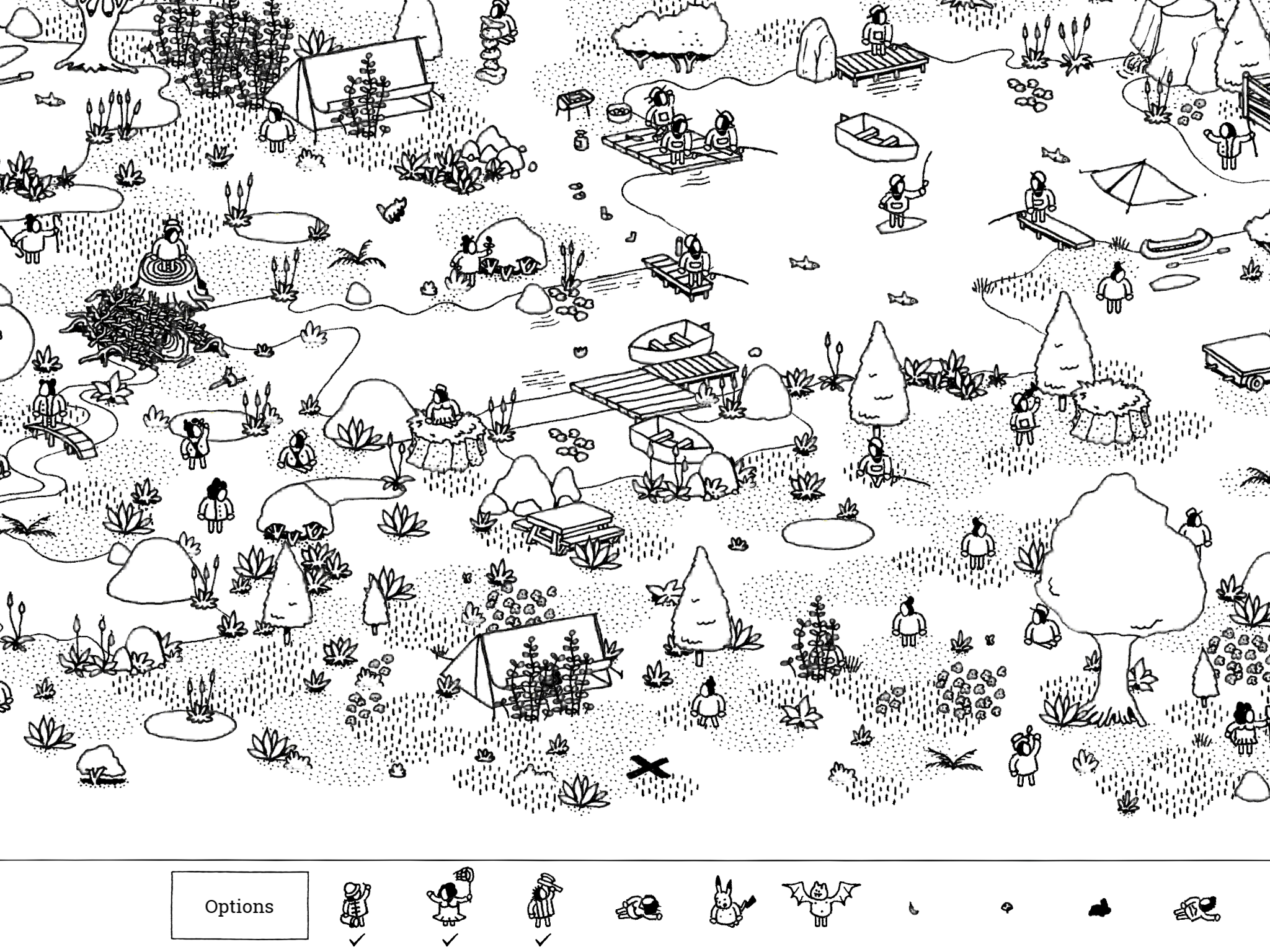
Hidden folks £3.99 iOS and Android is an intriguing little app that introduces the user to a minature world and invites them to “look closer” to find people busy doing things. It’s a little excentric in its approach but would encourage observation skills to develop and visual discrimination to occur. Client groups it would be most appropriate to use would be ASD as it works om their strengths. Those with ADHD might find it helps improve their attention as the app naturally draws you into its virtual world.as people are collected you travel through different scenes to the goal of finding all the hidden folk. It’s a charming app to use.
Research is underway at the USC School of Medicine using Speaking Email and other low cost tech to assist people with disabilities. We are very proud to be involved in this study, which is so far helping people living with macular degeneration and severe dyslexia.
This month Speaking Email was named a finalist in the 2007 Hi-Tech Awards.

Many users have asked for voice commands and reply dictation – they have been our most requested features. We now have both these features fully baked and released. (You may have seen these features already – we put them out and refined them over the past couple of weeks.)
Personally, I was skeptical about how useful voice would be.
These features took a while to come to fruition because we wanted to do it well or not at all. Given the experiences I’ve had using software like Siri, Talkler, and trying out other voice assistants, I thought voice would be annoying to use.

If Siri mishears a command it just says “I didn’t understand that” and stops. No chance to try again.
We’ve tried to address these sort of issues. I’ll give you a rundown of how it works.
Tap anywhere to see the command buttons. Then either tap a button or you can say its name, like “trash”.
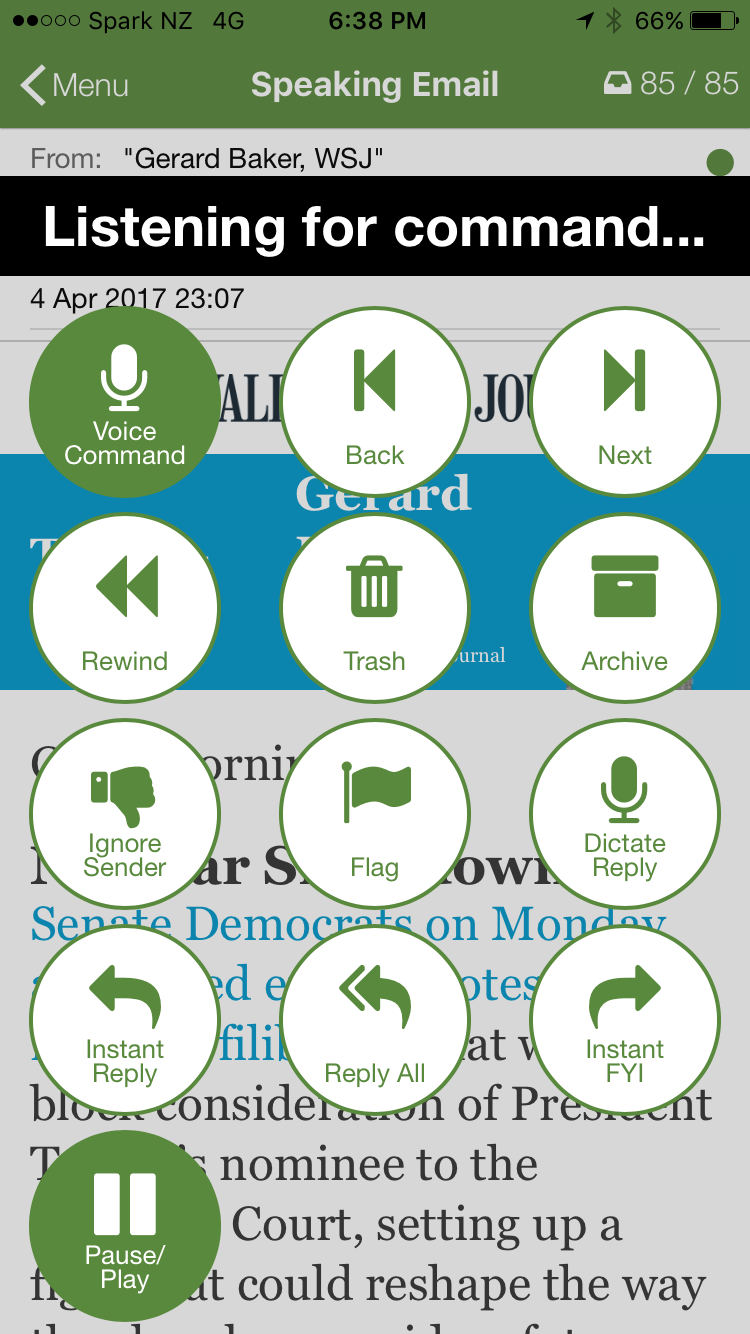
You can say any of the labels on the buttons: “archive”, “trash”, “ignore”, “flag”, “repeat”, “reply”, “forward”, “play”. This makes it very easy to remember what you can say and when.
For the “forward” command, a list of your preset forwarding recipients is shown. You can say the first word of the email address to select the person to send to. For example for “mike.nelson@beweb.co.nz” say “mike”.
Anywhere you can say a command you can say “help” to find out what you can say, or “stop” to stop listening.
Speaking Email dictation keeps listening as long as the operating system will allow – on iOS this is two minutes and it’s ok if you pause for breath during this time. At this time on Android unfortunately a pause of a couple of seconds will stop the dictation (so you need to speak without pausing).
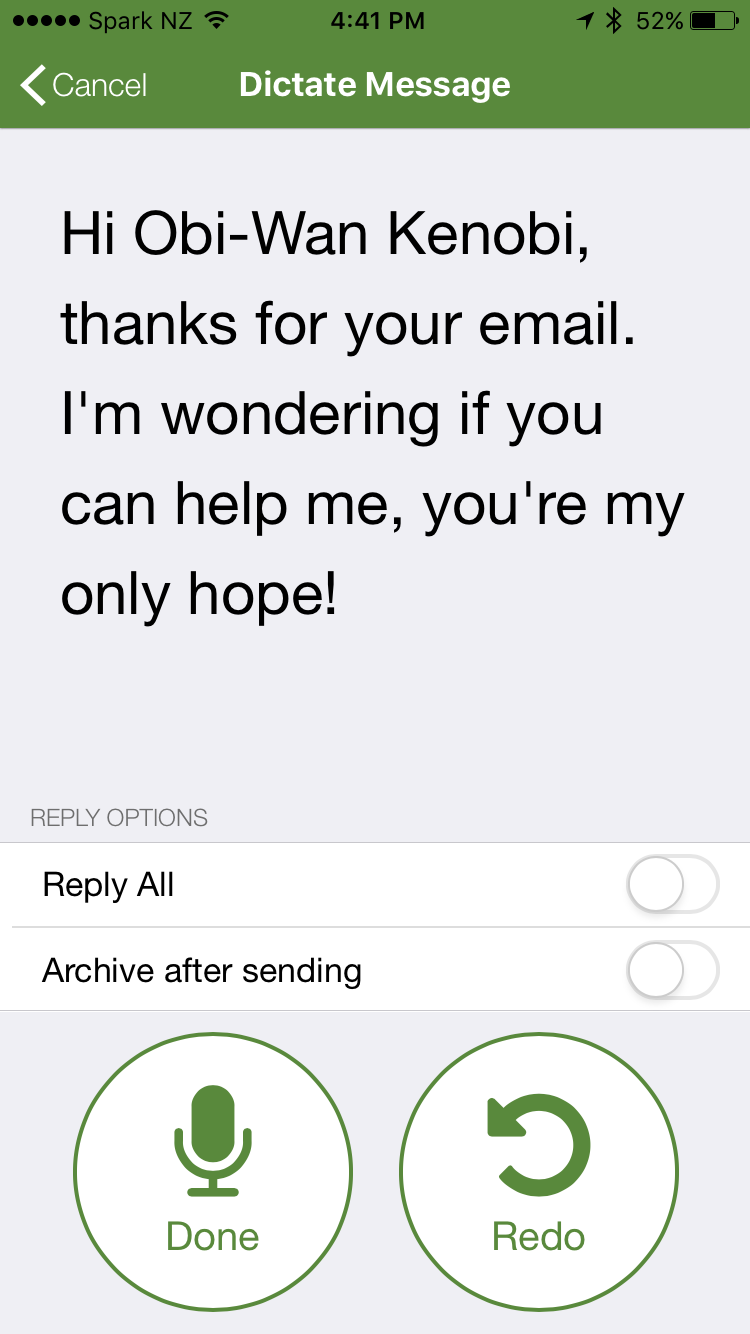
When you tap “done” or pause for 10 seconds (2 seconds on Android) Speaking Email repeats back what it thinks you said so you can change it before sending. You can say “redo”, “send”, “cancel” or “more” to add more. If you say “send” or “cancel” it carries on reading your next email to you without further ado.
We’ve taken care over the little things that make all the difference:
In dictation, Speaking Email uses voice recognition in the language set in your operating system settings. In case this is not what you expect, it’s shown on screen. If you have any problems with the recognition, check your system settings to make sure this language has voice recognition downloaded and available for offline use.
And you know what? After my initial skepticism I now find the voice commands and dictation incredibly useful and don’t know how I got by without them!
Actually, it’s not just me, other people agree. Here’s Scott Middleton, a sales VP at Access Partners in California:
The game changer for me with your app was your new feature that allows dictating replies and functions. That is a huge advantage for Speaking Email over all the other apps…
I absolutely love the app and being an outside sales rep in the car 4 to 6 hours a day find it incredibly helpful. It is literally freeing up and hour or two of time for me every day I am on the road by having a lot less time at the desk doing email. THANKS!!!
Now you can write with symbols using this app “Widgit Writer” (£0.99) on your iPad. You can the login with your widgit online account and get writing. Great idea and great app. Thanks to Widgit for producing this. I am sure it will be greatly used in all kinds of settings

 AccessAbility Solutions