“Win with Dyslexia”

Our good friends and colleagues at Iansyst are putting on a webinair about dyslexia next week on Wednesday 17th May at 11:00-12:00pm . For more details go to:-


Free seminar ” Win with Dyslexia

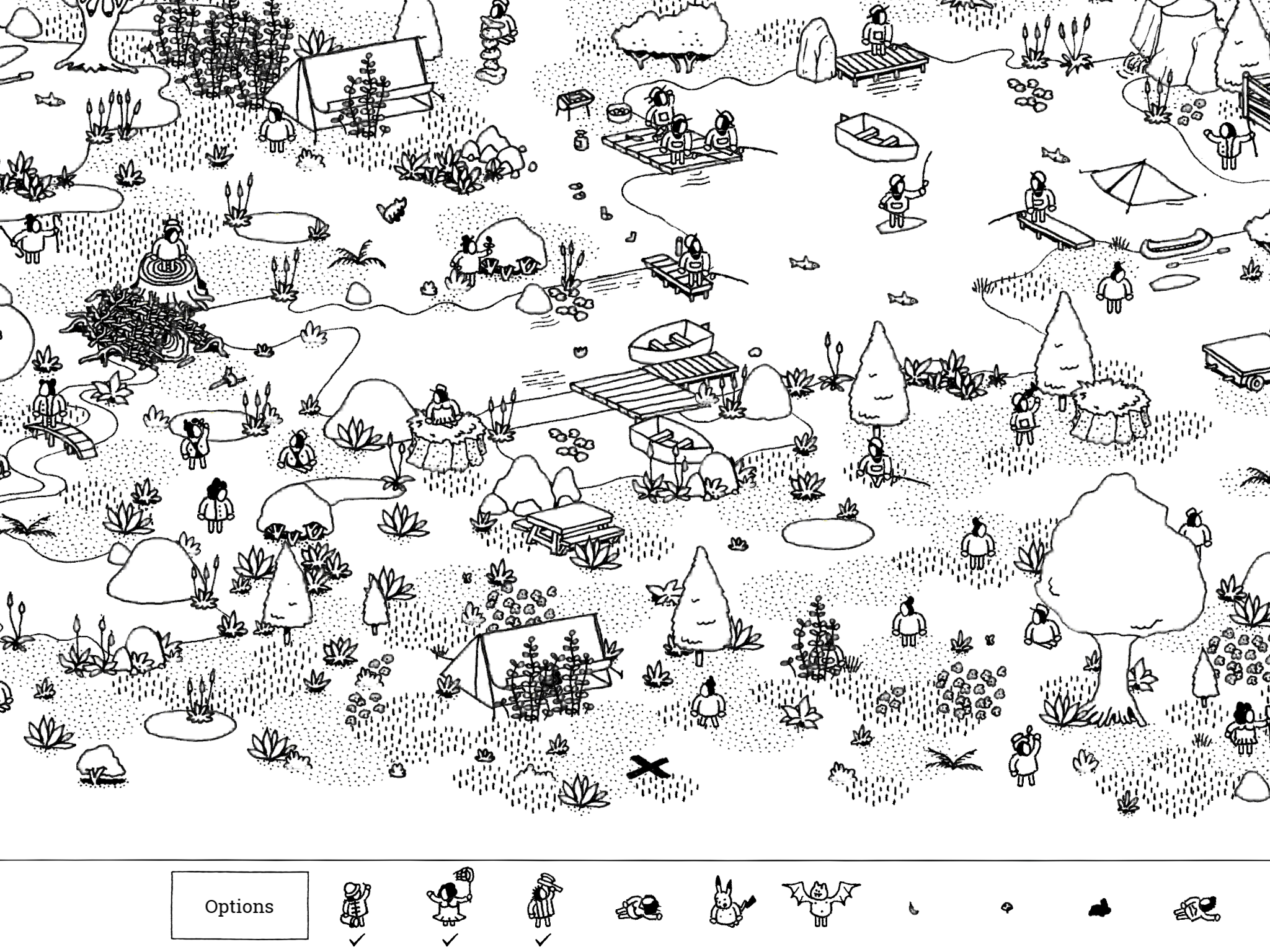
Hidden Folks

Hidden folks £3.99 iOS and Android is an intriguing little app that introduces the user to a minature world and invites them to “look closer” to find people busy doing things. It’s a little excentric in its approach but would encourage observation skills to develop and visual discrimination to occur. Client groups it would be most appropriate to use would be ASD as it works om their strengths. Those with ADHD might find it helps improve their attention as the app naturally draws you into its virtual world.as people are collected you travel through different scenes to the goal of finding all the hidden folk. It’s a charming app to use.

Speaking Email – Android,iOS

University of South Carolina low-cost tech disability study

Research is underway at the USC School of Medicine using Speaking Email and other low cost tech to assist people with disabilities. We are very proud to be involved in this study, which is so far helping people living with macular degeneration and severe dyslexia.

NZ Hi-Tech Awards

This month Speaking Email was named a finalist in the 2007 Hi-Tech Awards.

Voice commands and reply dictation

Many users have asked for voice commands and reply dictation – they have been our most requested features. We now have both these features fully baked and released. (You may have seen these features already – we put them out and refined them over the past couple of weeks.)

Personally, I was skeptical about how useful voice would be.

These features took a while to come to fruition because we wanted to do it well or not at all. Given the experiences I’ve had using software like Siri, Talkler, and trying out other voice assistants, I thought voice would be annoying to use.

If Siri mishears a command it just says “I didn’t understand that” and stops. No chance to try again.


How we did it

We’ve tried to address these sort of issues. I’ll give you a rundown of how it works.

Tap anywhere to see the command buttons. Then either tap a button or you can say its name, like “trash”.
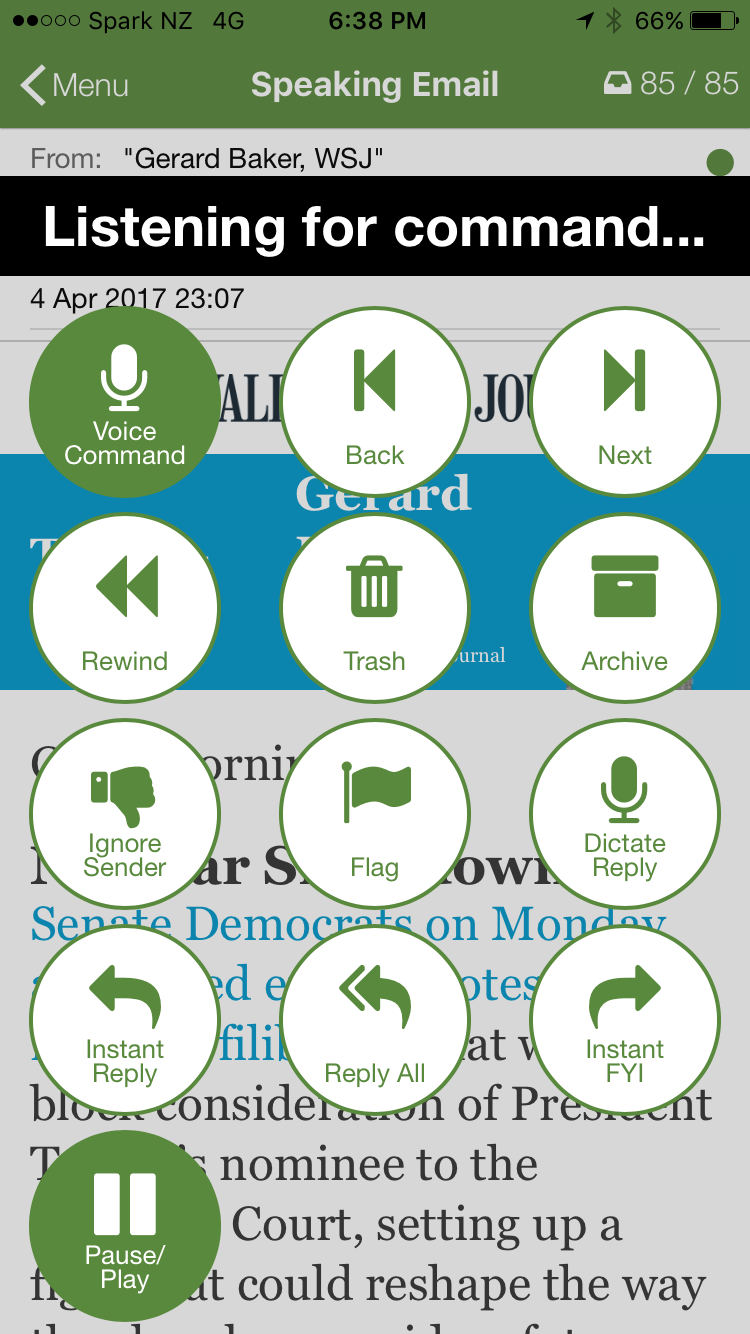
Listening for voice commands on Speaking Email

You can say any of the labels on the buttons: “archive”, “trash”, “ignore”, “flag”, “repeat”, “reply”, “forward”, “play”. This makes it very easy to remember what you can say and when.

For the “forward”  command, a list of your preset forwarding recipients is shown. You can say the first word of the email address to select the person to send to. For example for “mike.nelson@beweb.co.nz” say “mike”.

Anywhere you can say a command you can say “help” to find out what you can say, or “stop” to stop listening.

Dictation too

Speaking Email dictation keeps listening as long as the operating system will allow – on iOS this is two minutes and it’s ok if you  pause for breath during this time. At this time on Android unfortunately a pause of a couple of seconds will stop the dictation (so you need to speak without pausing).
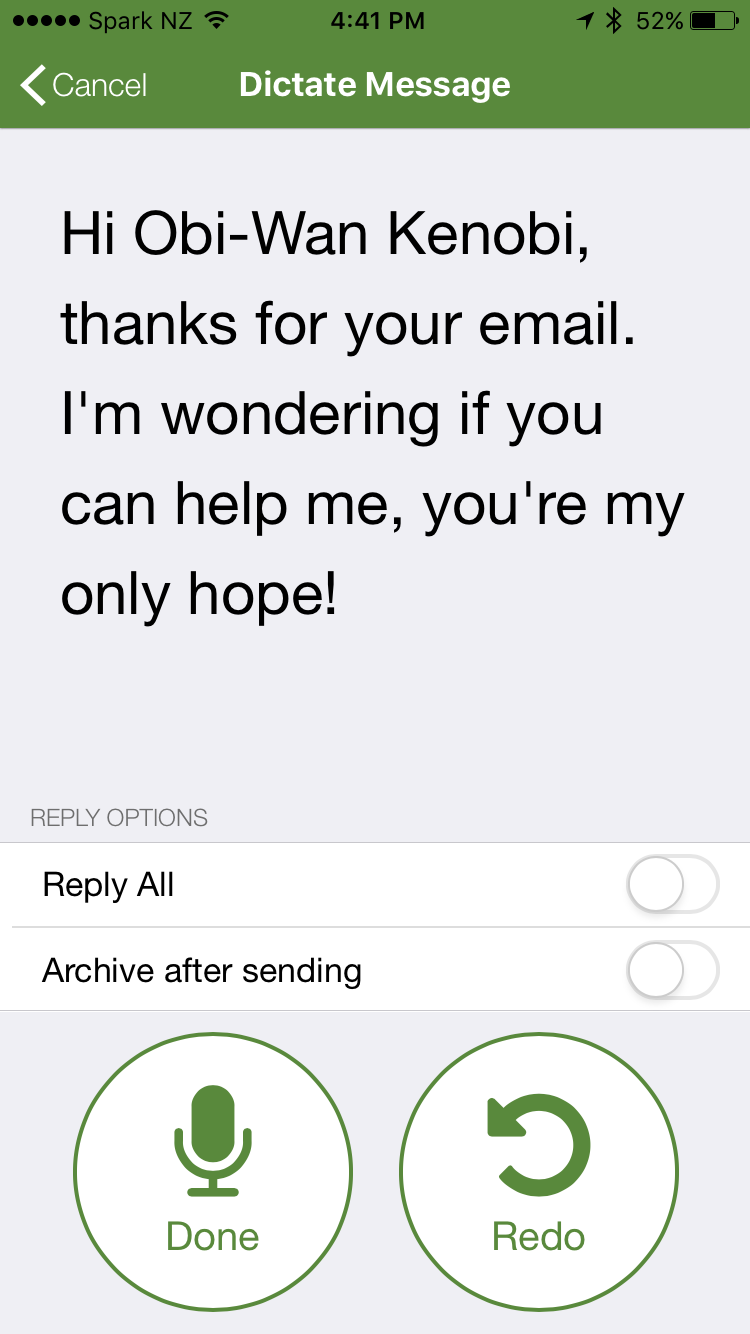
Reply dictation with voice commands on Speaking Email

When you tap “done” or pause for 10 seconds (2 seconds on Android) Speaking Email repeats back what it thinks you said so you can change it before sending. You can say “redo”, “send”, “cancel” or “more” to add more. If you say “send” or “cancel” it carries on reading your next email to you without further ado.

The little things

We’ve taken care over the little things that make all the difference:

  • Your words always appear on screen as you talk
  • If you say a wrong command, we don’t leave you hanging, we just listen again
  • When you say a command, we repeat it back so you know what action you triggered
  • After a command we keep going, moving on and reading the next email as usual
  • If you say a command like “forward” that needs more input (the recipient name) we’ve made sure the entire experience can be done by voice
  • When we say commands can be done by voice, we mean without looking (not like Siri where half the time you get visual feedback only and hear nothing)

In dictation, Speaking Email uses voice recognition in the language set in your operating system settings. In case this is not what you expect, it’s shown on screen. If you have any problems with the recognition, check your system settings to make sure this language has voice recognition downloaded and available for offline use.

One satisfied user

And you know what? After my initial skepticism I now find the voice commands and dictation incredibly useful and don’t know how I got by without them!

Actually, it’s not just me, other people agree. Here’s Scott Middleton, a sales VP at Access Partners in California:


The game changer for me with your app was your new feature that allows dictating replies and functions. That is a huge advantage for Speaking Email over all the other apps…

I absolutely love the app and being an outside sales rep in the car 4 to 6 hours a day find it incredibly helpful. It is literally freeing up and hour or two of time for me every day I am on the road by having a lot less time at the desk doing email. THANKS!!!
National Backup Day: points for discussion, and 8 potential elements of a Computing project

https://www.bloglovin.com/blogs/ict-computing-in-education-1442982/national-backup-day-points-for-discussion-5535949297

Widgit Writer

Now you can write with symbols using this app “Widgit Writer” (£0.99) on your iPad. You can the login with your widgit online account and get writing. Great idea and great app. Thanks to Widgit for producing this. I am sure it will be greatly used in all kinds of settings

Swype – Android

Free and Low Cost Assistive Technology of the Week 12/17 Swype – Android

Swype is a great onscreen keyboard for Android – which now integartes Dragion Dictate into itrs features

Some of the new features include

* Emoji prediction based on text analysis
* Number row option
* Text engine improvements
* Handwriting improvements

Swype lets you customize your keyboard including long-press delay, vibration duration, keyboard height and mini left/right keyboards in landscape mode.

Swype enables you to backup your personal dictionary to the cloud and synchronize it with any Android device with Swype on it – never lose the words that you add to your personal dictionary again! (Opt-in feature)

Swype keeps you always up to date with a real-time, crowd-sourced and news derived language model that gives you immediate access to our continuously updated language dictionary. Imagine having instant access to the hottest words and phrases that people are using at that moment.(Opt-in feature)

Word Prediction – Language models train your device to learn your unique vocabulary and predict your words based on previous usage, Swype can predict commonly used words and phrases.

Swype supports more than 80 downloadable languages and dialects.

Swype now lets you enter words from two languages at once! Words suggested by Swype will automatically adjust to your bilingual language preferences.

Swype features three unique tablet keyboard designs: a full screen keyboard, a small and moveable keyboard, and a split screen keyboard.

Swype comes with voice recognition so you can go hands-free and dictate text quickly with a simple press of the voice key on the Swype keyboard.

Use Swype gestures for quick everyday tasks such as:
• Select All (Swype key to ‘A’)
• Cut (Swype key to ‘X’)
• Copy (Swype key to ‘C’)
• Paste (Swype key to ‘V’)
• Search (Swype key to ‘S’)

Swype supports Android’s “Talkback” and “Explore by Touch” accessibility features. When accessibility features are enabled the user’s entered text will be spoken back.

Swype Keyboard screenshot

Download from

https://play.google.com/store/apps/details?id=com.nuance.swype.dtc

Want to change how you receive these emails?
You can update your preferences or unsubscribe from this list

Also you can subscribe to our free weekly newsletter and roundup of all that is happening in the world of Access and Inclusion through Technology at

http://paper.li/e-1452749534  

New 9.7inch iPad in USA

Apple are replacing the iPad Air 2 with guess what they are calling it ….iPad . This is released today in the states. Read the following article curtesy of MacRumourd:-

New iPad

Understand all this technology stuff then?

If not then you might like a spot of training.AAS can offer you courses from as far ranging as speaking ict sen to in-depth support to LA and other services. In order to be relevant you need to up to speed on the fast changing world of ICT SEN.

Take a look at what we have to offer you. AAS can deliver onsite or via webinair which is a great way to interact at very low cost to all. AAS doesn’t charge the earth. Our primary objective is to serve you and help you. That is our number one priority. For that we ask a modest renumerationn based on cost and travel to you!

IMG_8179.PNG

HandyBook Dyslexia e-reader Now Available as APP.

https://www.linkedin.com/pulse/handybook-dyslexia-e-reader-now-available-app-dyslexia-applications

When Mobile Technology comes of age!

This is now, not something in the future. I promote the use of the device that can take photos, record video and sound , write text ( even with your voice!) and draw. These are the tools that you can use effectively on any make of mobile – from Apple to Android to PC. All mobile technology does this.

Why is this useful?

Essentially it is a tool of expression in th 21st Century. Not to do away with handwriting but to provide another tool to go into your toolbox. Pupils can be freed from the physcial process of handwriting into the bright , shiny world of image, text,video and sound – and that’s without having to buy apps for your device. These tools are often part of the system and can be used effectively as soon as your device switches on.

Book Creator App (iOS)

In a course today I learnt a new feature of the app. Text to speech! Not only can you add text, images , video you can also have your text read back with highlights on each word. Something that was brilliant and easy to use has suddenly got better! Love it!

And the fun doesn’t stop there with Puppet Pals 2 you can create engaging movies that were unthinkable 5 years ago ( quote from an ex – computer teacher) . Movies that aide children in using speech and language for a purpose. Learning and having fun! Something that is sorely needed in our education system these days I think!

So why are those bright shiny things still in the cupboard?

This is a phenomena that is being played out in settings where bright shiny things ( iPads or similar) are waiting in their boxes until the app licensing and time spent setting up to be done.

Seems like we need a reason to get them out of the cupboard !

If we understood what they did well then we could utilise them in any teaching situations. So instead of thinking of these devices as the “must have” device but then what?!  Get ahead of the game by seeing them as:-

– tools to record experiences with

– tools of spontaniety creating moments to share and enjoy together

– mobile devices work best when used by two people not one in certain learjng situations

– pair more able communicators with less able communicators

– get training in apps that explore the above

– and then model the apps to your pupils ( pupils learn apps from you!)

The list is ongoing as we move forward in our understanding of how best to use these bright shiny things and its not in the amount of apps but the quality of the app to do something amazing that can’t  e  easily done another way

So mobile technologies – you have come of age!