Great shout-out after my North Idaho adventure . Thanks Dax and Chad lovely to meet you again. For the record my last name is Pilling (comes from a marsh name near Lancaster near the Lake District in the UK).
What is good about this event is the friendliness of it. There is a sense that everyone who is there is buying into the idea of making the best accessibility decisions you can. The three days have flown by. Landmarks were meeting Will Wallace and his amazing mother who travel the world for the conferences like this one. Dan Praedo is an inspirational speaker who definitely makes you have the feel good factor. Then other people and networking opportunities to develop a wonderful network of diverse individuals who are committed to making a difference for the disabled.
Thanks Jeremy its a blast and look forward to the next one which we believe will be in 2025. Two years time.
A range of devices including keyboards to have braille keyboard as well as combos with usb keyboard . Euro braille is a brand new windows OS keyboards. Fully integrated to other software.
Dyslexic + Braille – an interesting tool for Dyslexics
Dyslexia and Dragon Speech Recognition – difficulty with speech. Speech production can be difficult to decipher. First drafts done . Then screen reading.
Many tools out there – to help overcome barriers – high and low tech.
Leslie Gwartney – Supporting Autism in Higher Education
More to less autism is a myth – stereotypes
Menu of different strengths and abilities – different impairments and functioning
Alienation through eye-contact
Social awkwardness – anxiety, language processing, hypersensitivity
Reflective listening
Provide a solution – full list of resources that can provide health and support. A menu of options to work with
Sensory Overload – fabric, sounds, tag in her shirt, clothing.
Intervene before a meltdown.
Creating an inviting open environment
Karina Mason-Rorris – What makes a good leader?
Build relationships
Develop people
Lead change
Inspire others
Think critically
Communicate clearly
Creat accountability
“Don’t Complain, Don’t Explain”
Based on respect and feedback
Over-reaching needs to spot a situation and support their employees
Building a family-type team. Spend time on building relationship in teams.
Employee’s
Trust Compassion Stability Hope
Work to strengths not to our weaknesses. Establish and find a person’s strength. Honour and respect people’s strength
Amy Taylor – Building a Neurodivergent Community
Not every brain/mind are the same
Range of different needs within these divergent brains
time management
emotional regulation
sensory regulation
social network
clear communication – both expressive/receptive
accommodations
Hygiene and health
Deal with sensory issues with environments, organization:-
Providing choices of environments –
Organisation – class
Encouraging to try new things
Accommodations that work for them.
Clear communications and new dates
Emotional regulations:-
Understanding emotional regulation
Lead to stigma and judgment
Create calm spaces
Create communities connection.
Training in emotional regulation.
Partnering with other departments.
Social :-
Include all
Creating quiet spaces
Clear schedules – choose their level of interaction
So it’s the second day for me and I will be on around 3:00pm Pacific time here in Ceour D’Alene at the North Idaho College. Looking forward to an exciting and interesting conference put on by my good friend Jeremy Seda. We just hope everyone shows up. I will write up some of the highlights to you about Accessibility.
Yesterday we studied testing Accessibilty on PDF’s for screen readers using NVDA. It is surprising that so many people get this wrong by not doing the right things at the right time. It’s detailed but worth it. Companies like Nagix actually do bulk transfers on standard templates eg bank statements, bills and other kinds of documents that have a standard feel.
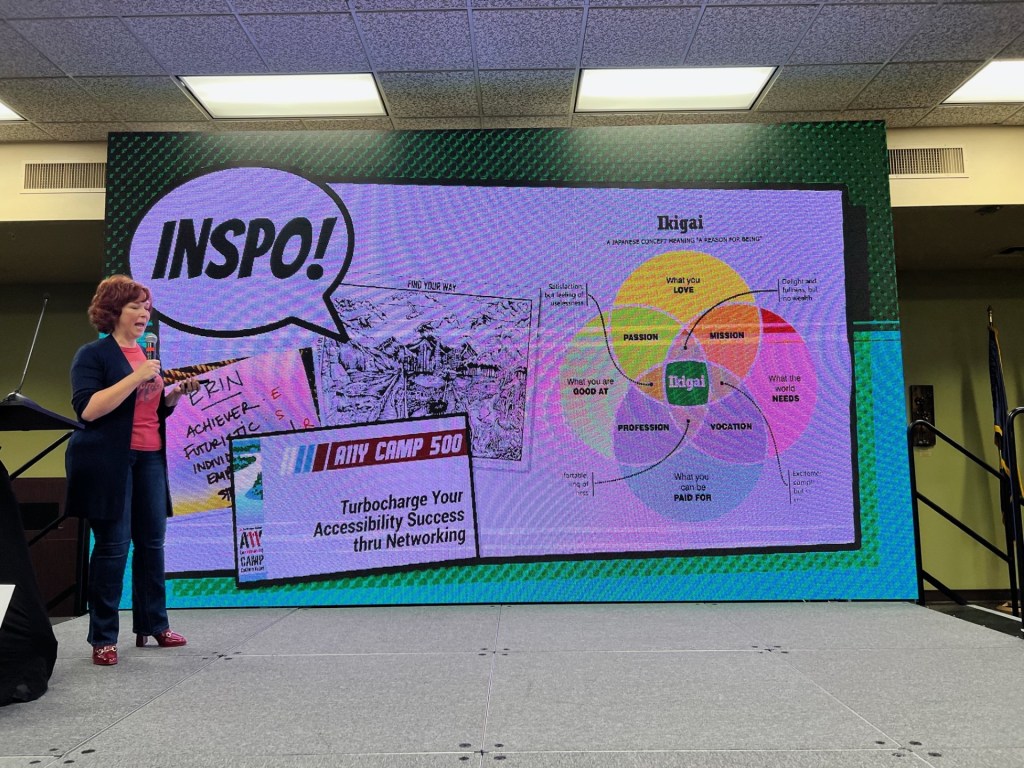
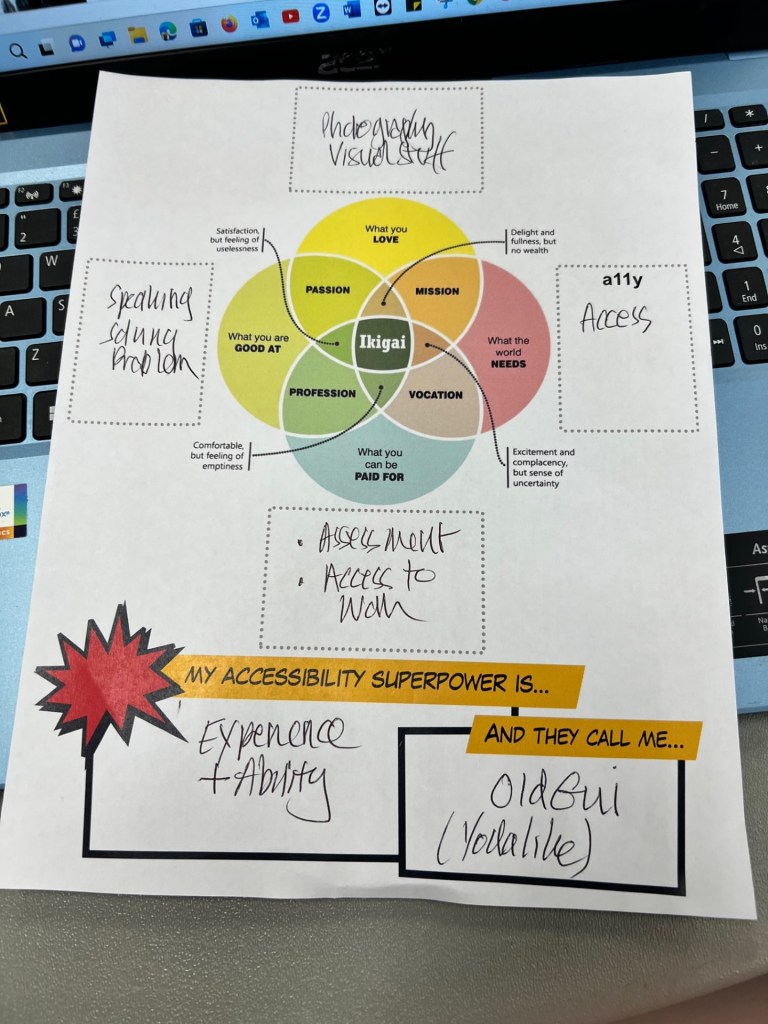
Great presentation by Erin Lucas of Microsoft. It’s about our Accessibility Superpower based on a Japanese philosophy called Ikigai. Here is my Supowerpower chart and my Superhero name ” OldGui” Pronounced “Old Guy” Yodalike so ” Awesome is he. Accessible is he”
Fellow is an app I have come across that is useful for your meetings. I have downloaded this app and to try it out for meetings. My teams meetings are difficult for me to record notes with as it’s not got a feature that is next to the meeting. Fellow does provide that and I look forward to using it and reporting back here.
I was looking for an AI tool that helps with my organisation as I work with a number of different companies and organisations. Fellow looks like fulfilling the requirements I was looking for i.e a sidebar that has the bullet points and headings I need. Does this cost you anything. Certainly there are more bells and whistles to make this more widespread and meaningful but I would be happy with just one method for note-taking.
It irritated me to have an American voice on my google maps and my wife’s google maps had a British voice. I tried changing it in the settings on Google Maps and it just didn’t work. So here is how to do it. It’s done in your iPhone’s settings
1. Go to Settings
2. Then General
3. Language and Region
4. Set the region to United Kingdom
5. English should be the preferred language for your iPhone and your map should have an English voice!
Doing a dynamic duo with the amazing Arran Smith. Might go off-world for a Virtual Exploration. Making the tech work for creative purposes.#morethantyping.
The day began with the trailer for “The Power of Assistive Technology.” Arran explained what Assistive Technology is and demonstrated some products. A new text to speech tool has been made called “Readable” which pretty much speaks everything even rich text. I think it can also be a screenreader.
Then I introduced a 360 virtual museum called “ThingLink” it’s a brilliant tool that allows Immersive Reader to read it back. We looked at Spoken Content in Settings-Accessiblity- Vision.
I took some notes in Google Keep. Mainly shortcut key combinations that Arran mentioned. Here they are:-
Microsoft Windows Shortcut keys
Windows Key + U
Global dictation Windows +U
Emojis Windows Key + . (Full stop)
Word.doc.new – produces an online version of Word
OneNote.com for using one note yourself
Apps featured ( free) Poplet Lite – Simple mind mapping Thinglink.com – creating hot spot links on images What3words.com – mapping using 2 separate words – we didn’t actually look at this but I thought I would add here for interest.
In the afternoon I took people on a virtual explorer by using a mindmap to get them to think about different roles and use some apps that could enable them to create 3d mapping, augmented reality. Still loads to show and share that the computer can do that’s more that writing. We used an app that’s adventure-like called “realMyst.” Tim Ryland’s used this in Chew Magna Primary to improve pupil’s literacy skills by 3 levels. Impressive achievement. Getting the pupils to think about what they were seeing, the weather, even what it might smell like! Try this yourself. Other possible sources would be ” Epic Citadel, ” to explore. The idea is to use it for creative writing and problem solving. Not one for people who get frustrated easily.
If you would like my powerpoint slide set there is a link here:-
Speaking Email – iOS & Android – £free but subscription based for voice features – designed for use in cars when travelling but not something to encourage!
What was neat we used one log in for everyone so that all our explorers could write about what they have seen and experienced in realMyst. Really awesome.
If you would like a copy of the popplet we used with a bonus for finding out about people here is our link for that:-
Soft published today at #nasenlive2023 a mini guide to help SENCOs and teachers use Assistive Technology effectively and strategically. Written by Julia Clouter of Scanning Pens and myself . Proud of what we have achieved. Get your free copy at https://nasen.org.uk/atminiguide. if you are not a nasen member you will need to joipn nasen for free first then download the guide



 AccessAbility Solutions