Volvo Ocean Race

This is not really the IT I usually describe in my blog  I know but it is ICT – it does make smart use of a lot of tech which is built into the “blogging” station on board which is updated in realtime but I like the Ocean Tracker which  I have given you a link below. It shows the race in progress and if you like this kind of thing it’s very good indeed.

I stumbled across this event in progress whilst on a personal photo shoot in Cardiff. It was a magnificent day in Cardiff Bay and I went along to the festival that was happening there. I bought Mapfre – the overall race leaders at the time. Here is there team :-


And now the Volvo Ocean Race Tracker

This will end when this leg of the race finishes. Presumable opens again when they set of on the next leg!


Timeline in Windows 10

Following a sequence of posts about Windows 10 I discovered the feature timeline. Try to remember what you worked on a week ago? You would like to date a piece of work you did and access it or maybe you forgot what the file name was and you needed to find it again . Then timeline is for you.

It’s located down at the bottom task tray next to the search windows:-

timeline

When this is clicked tiles appear with the things you have worked on. Useful for logging what you have done and when.


Bierley USB Mono Mouse

Henshaws have produced a video to explain what the mono mouse is and does so over to them – the cost is £200 but maybe cheaper than a MagnaLink or CCTV device.

New features in Edge will help dyslexics

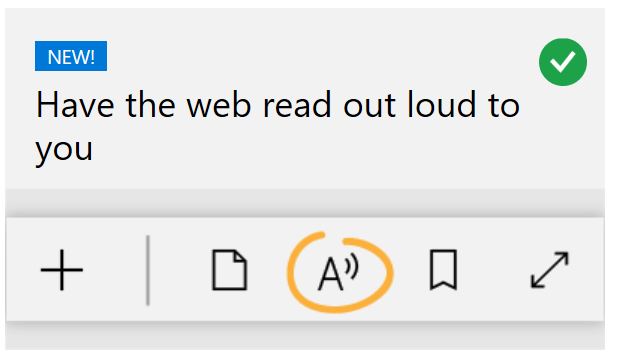
In the latest update on Windows 10 there are some features built into Edge that will help dyslexics. The first is the browser can read aloud and not read out code. Also words are highlighted as spoken.

Text to speech is the no1 feature that most dyslexics ask for. So that has given a powerful  tool at no cost to the user. It should help Edge to be the browser of choice for Dyslexics.

aloud

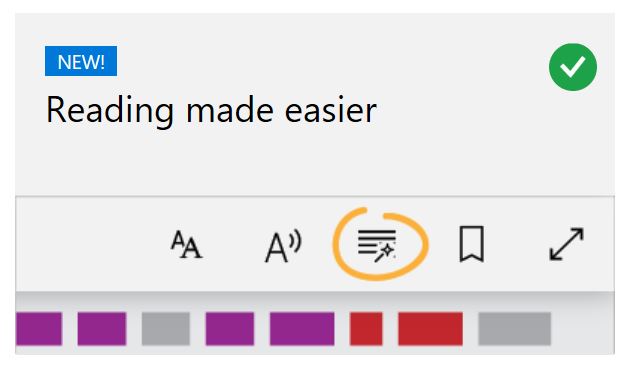
Another useful feature is  making use of Learning Tools to make the browser a more useful learning tool. By analysing the text for its component grammar elements it allows users to see what makes good writing.

reading in edge

Disabling programs on Startup in Windows 10

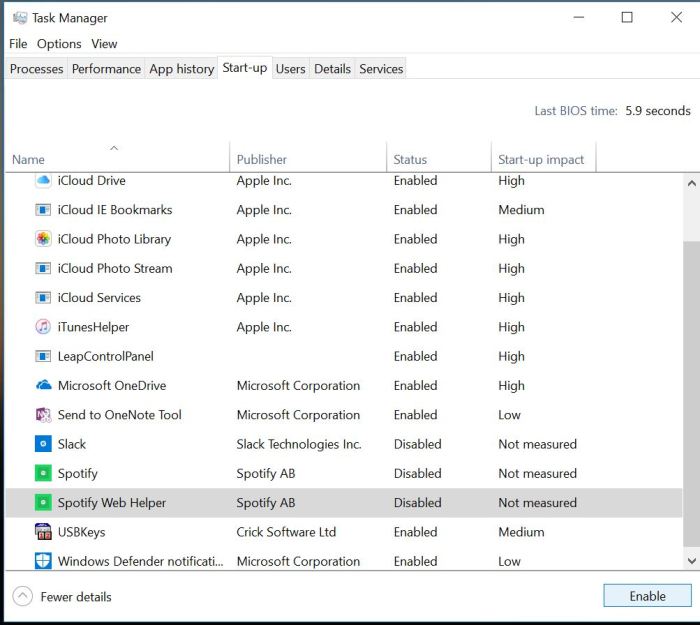
Another annoying issue is when programs that are installed startup automatically on your desktop. There is a way to stop this and it is via the Task Manager:-

  1. Press Ctrl+Alt +Delete
  2. Task Manager
  3. Go to more details and to the StartUp TAB. You click on the program you want to disable from startup and click the disable action button at the bottom right of the TAB. The next time you start your computer it will not run those items.
  4. If you need to restart them repeat 1-3 but instead of disabling the program enable them. task manager

How to add a program to the startup on Windows 10

Occassionally I find a technology solution that can help make life easier for the disabled user. This enables a program to startup automatically when the computer is switched on. This is useful for speech recognition programs as well as communication programs. Beware though, making system changes can effect the running of your laptop. I take no responsibility if this goes wrong for you!

In Windows 10 it is more difficult to find startup than it was for Windows 7.

First , find the program you want to put into the startp folder

By creating a shortcut from the windows start menu and putting it on the desktop it should be possible to put this directly into startup via this method

1. Copy your shortcut from the desktop

2. Win+R

3. Type: shell:startup

4. Paste into the startup folder

Job done!

Here is a handy video to show you the process:

https://www.youtube.com/watch?v=htkkZGik-Lk

Why is it so important?

In order for those with physical difficulties in their hands to say have their speech recognition load up to the desktop on startup. This makes their access much more functional.

Reimagine Accessibility

This is a 30 minute video looking at how accessibility in primarily the workplace and education environments. It introduces you to people making a difference for accessibility in the world. So take a look….

//play.vidyard.com/nkFuksLcX5j7x6VQk2GHSq.html?v=3.1.1

SprintPlus

SprintPlus is a help for dyslexia and those who struggle with reading, spelling and writing. Using text to speech it makes the connection between speech and writing which I like. As a teacher of special needs I would often see the value of making speech relate to writing as it made more sense to a cognitively challenged child if reading related to their own experience rather than books that do not.

Try SprintPlus on a 2 month trial at:-

www.sprintplus.co.uk

DWP Report on Assistive Technology

The government have issued a report on the benefits of using Assistive Technology in the workplace. Apart from the obvious benefits in terms of access and equality AT is becoming more affordable and more widespread through the use of integrating AT into mainstream software and hardware producers. The danger is that we think free always is the way to go. The truth is it depends on the individual and the personal choices that people make as to AT being effective. This is a key element which is not addressed in this report in my opinion. The good points refer to up to date technologies being used so training and information sharing is vital. The report has findings which I fully endorse.

DWP Report on Assistive Technology

Are there changes to Speech Dictation in Word and OneNote by Microsoft?

This is NOT true. It’s the ease of access speech recognition system that will get an upgrade to the quality of Cortana and that is not the same speech recognition system as Office 365 which is not affected.

There are rumours circulating that Microsoft are going to remove speech recognition from their system apart from Word. Can I say that this is a rumour  which I can now confirm is not true. Our colleagues in the Assistive Technology  in the Workplace arena are concerned that it may impede their work by its removal.

  • Is there a system update that will remove speech recognition from all but Word? Not true!!
  • Does this affect OneNote? No
  • What about the Learning Tools? Not affected
  • Is there going to be a replacement product? Not being replaced but improved!

Hector Minto was invited to comment and he has.

Hector has said the rumour is wrong about the removal of speech recognition . In fact there will be upgrade to improve the quality on the ease of access speech recognition system which is different to the Office 365 system. That is unaffected!!