Here us the recording that Lucy did with me I hope you like it . Here is the link:-
https://soundcloud.com/lucy-watson-993251257/sen-together-episode-5
has ceased trading – but still producing valuable assistive technology information
Here us the recording that Lucy did with me I hope you like it . Here is the link:-
https://soundcloud.com/lucy-watson-993251257/sen-together-episode-5
One of my clients introduced me to this invaluable tool for those who feel overwhelmed by the tasks they have to do each day. Wouldn’t it be useful if you could just pour out your thoughts onto a website that just does the organising into tasks for you.
Well that is what Compiler does in Goblin Tools does. I just blurted out a list of things that I have just thought of. No need to format or make grammatical correct just get it down onto the website. Then by pressing Magic to Do it automatically makes this list for you which you can sync with you cloud account and set times for. A really simple and useful idea.
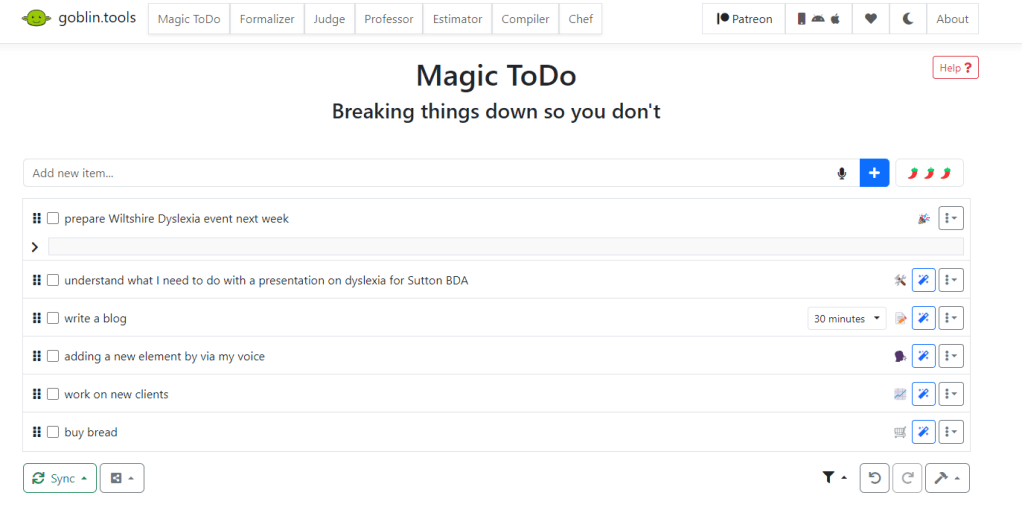
Goblin tools can be accessed through your browser for free at https://goblin.tools/
Microsoft says their Windows 10 Windows Defender is enough anti-virus protection you need. Certainly adding anti-virus software slows down the operating system. And sometimes Windows picks up what others don’t. But maybe the reverse is true to. What do you think?
Here is a link you can explore about what Windows 10 can do:-
https://www.microsoft.com/en-gb/windows/comprehensive-security
Zotero is the only software that automatically senses research on the web. Need an article from JSTOR or a preprint from arXiv.org? A news story from the New York Times or a book from a library? Zotero has you covered, everywhere
Zotero helps you organize your research any way you want. You can sort items into collections and tag them with keywords. Or create saved searches that automatically fill with relevant materials as you work.
Zotero instantly creates references and bibliographies for any text editor, and directly inside Word, LibreOffice, and Google Docs. With support for over 9,000 citation styles, you can format your work to match any style guide or publication.
Google Assistant (£free) on Android and iOS
But it’s weird that it doesn’t send emails on Google Home Mini! Google Assistant can write and send emails just like Siri but for Android and iOS devices. Using my voice only I was able to say Ok Google and Send an email to <name> and Google Assistant prompts the replies making it a doodle to send an email to someone in your Google Contacts list.
This makes it an Assistive Technology tool that could in particular help blind people. If like Siri OK Google fires up even when the app isn’t running this would be a great alternative. This would appear to be an Android thing, but I am looking into it. Google Assistant works on Android 5 and above.
Came across this useful bit of information on text to speech input into Chromebooks, You can also use Voice Typing in Google docs as well. But what applications are there out there that controls the Chromebook? Let you know if I find some.
https://mcmw.abilitynet.org.uk/chrome-os-chromebook-speech-recognition-2
ChromeVox is the built-in screen reader that comes as accessibility tool as part of Chrome OS. It is quite useful and with it’s range of shortcuts powerful for those who are visually impaired on blind. I was testing a website on my chromebook and found that it was there!
If you have a Chromebook and want to try it out. Press CTRL+ALT+Z to enable it and to unenable it repeat the CTRL+ALT+Z. Use TAB to step through the options , speech guides you through. Search + space acts like enter and the cursor keys navigate in detail around a menu. Here is the help section link
Crick Software’s DocPlus has an exam mode which means it can be used in exams reducing costs in scribes and readers. Read more here:-
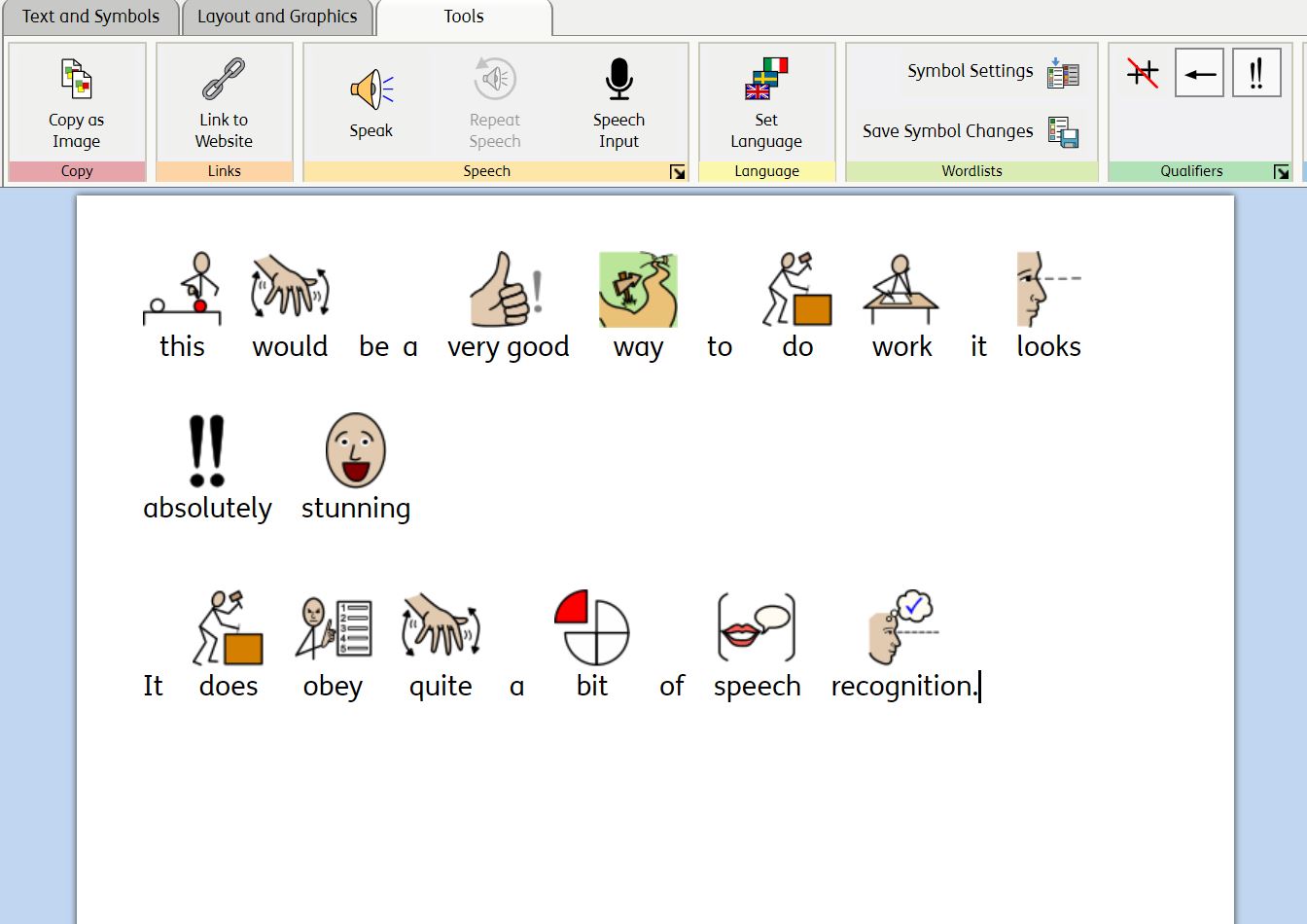
There has been a new and useful addition to the symbol package WidgitOnline. You can now input into the software package using your voice. And it instantly symbolizes the text. Awesome for children who struggle with traditional reading but obviously not so good for children with poor articulation. Teachers and support assistants will find this easier to create symbol text with.
It’s always great to come across a resource that is useful and shareable. It is free to join and explore the resources. Very good for Speech and Language Therapists, Care workers and Teachers. You can make communication grids in Powerpoint as well.
For £39 you can buy a perpetual license for 1yr to add a symboliser to PowerPoint. It would be good if it could extend to Word as well. Maybe in the future. The symbol set is clear and is called Mulberry. You can additional symbol sets ( there is one on the site). Any resources you make can also be added to the site. Any take a look at:-
Create a resource and share it
For the site go to:-
You can have a free 30 day trial at:-
 AccessAbility Solutions